
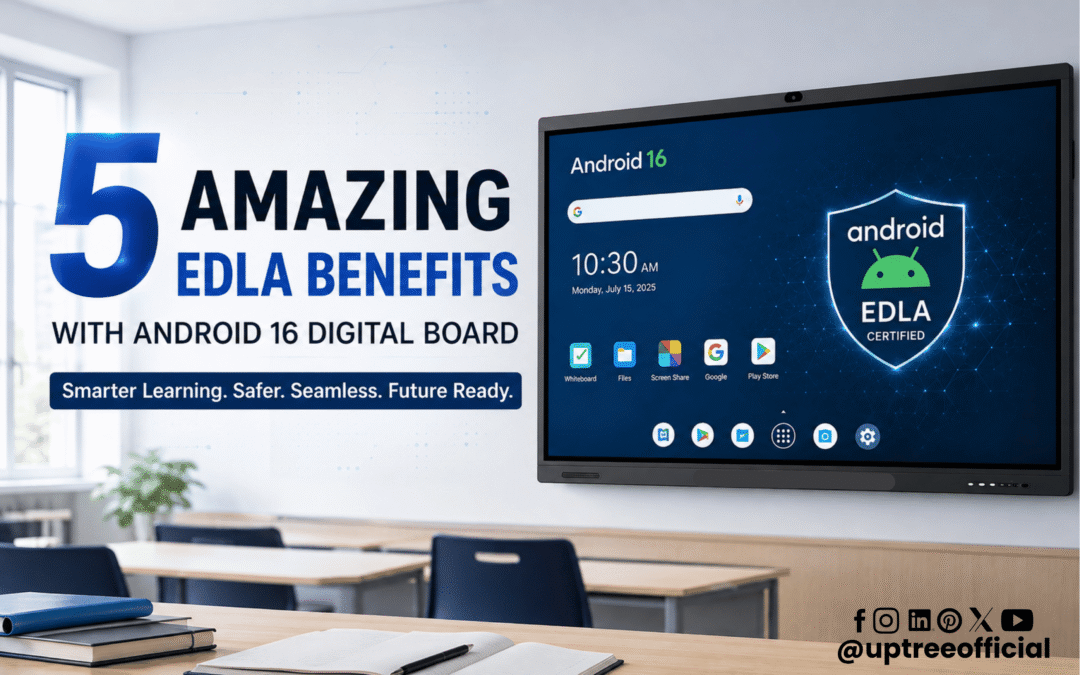
5 Amazing EDLA Benefits with Android 16 Digital Board
5 Amazing EDLA Benefits with Android 16 Digital Board are changing the way modern classrooms, offices, training centers, and meeting spaces use interactive display technology. Today, a digital board is not only used for writing or displaying presentations. It has become a complete smart platform for learning, collaboration, communication, and productivity. With Android 16 and EDLA certification, modern digital boards can provide a more secure, flexible, and app-friendly experience. In this blog, we will explore the 5 Amazing EDLA Benefits with Android 16 Digital Board and understand why this technology is becoming an important choice for modern educational and professional environments.
What Is an Android 16 Digital Board?
Before discussing the 5 Amazing EDLA Benefits with Android 16 Digital Board, it is important to understand what an Android 16 Digital Board actually offers.
An Android 16 Digital Board is an advanced interactive display that runs on Google’s Android 16 operating system. It combines a large touchscreen display with smart software, powerful processing, wireless connectivity, multimedia capabilities, and interactive tools.
Teachers can use it to explain lessons, display educational content, browse online resources, annotate documents, play videos, and conduct interactive activities. Businesses can use it for presentations, video conferences, brainstorming, training, and collaborative meetings.
The addition of EDLA certification makes the experience even more useful. EDLA, or Enterprise Devices Licensing Agreement, enables supported Android devices to access Google’s ecosystem of applications and services under Google’s licensing framework.
Therefore, 5 Amazing EDLA Benefits with Android 16 Digital Board are especially valuable for organizations that want a smarter and more connected digital experience.
What Is EDLA Certification?
EDLA stands for Enterprise Devices Licensing Agreement. It is a Google licensing framework for compatible Android devices.
For an interactive flat panel or digital board, EDLA certification can help provide access to important Google services and applications, depending on the device configuration and certification. This can make the device more familiar to users who already use Google’s ecosystem.
Instead of treating the digital board as only a display, organizations can use it as a smart computing platform.
This is one of the main reasons why the 5 Amazing EDLA Benefits with Android 16 Digital Board are becoming an important topic for schools, colleges, coaching centers, corporate offices, and training institutions.
5 Amazing EDLA Benefits with Android 16 Digital Board
Now let’s look at the five major benefits that make an EDLA-enabled Android 16 Digital Board a powerful solution.
1. Access to a Powerful App Ecosystem
The first benefit among the 5 Amazing EDLA Benefits with Android 16 Digital Board is access to a broader application ecosystem.
Traditional digital boards may offer basic built-in applications for writing, presenting, or displaying content. However, modern users often need more than basic tools.
With an EDLA-certified device, users can benefit from supported Google services and applications, making it easier to access familiar tools and resources.
For teachers, this can mean easier access to educational applications, online resources, productivity tools, and learning platforms. Instead of switching between different devices, many activities can be performed directly on the digital board.
For businesses, applications can support presentations, collaboration, communication, productivity, and online meetings.
This makes the Android 16 Digital Board more versatile than a conventional display.
The 5 Amazing EDLA Benefits with Android 16 Digital Board therefore begin with the ability to turn a large interactive screen into a more capable smart workspace.
Better App Flexibility
Every organization has different requirements. A school may need educational applications, while a corporate office may need productivity and meeting applications.
An EDLA-enabled Android 16 Digital Board gives organizations greater flexibility to work with supported applications instead of depending only on a fixed set of pre-installed software.
2. Better Security and Trusted Google Services
The second benefit among the 5 Amazing EDLA Benefits with Android 16 Digital Board is a more trusted and managed Android experience.
Security is extremely important when technology is used in schools and businesses. Digital boards can be connected to networks, accounts, cloud services, and applications, so organizations need to consider security carefully.
EDLA-certified devices are designed around Google’s licensing and certification requirements for supported services. This can provide organizations with a more structured ecosystem compared with generic Android devices.
Android 16 also brings a modern operating environment with improved system capabilities.
For educational institutions, this can be useful because teachers and students may access multiple applications and online resources from the same device.
For businesses, security becomes even more important when a digital board is used for meetings, presentations, cloud-based work, or collaboration.
The 5 Amazing EDLA Benefits with Android 16 Digital Board highlight why organizations should consider not only display quality but also the software ecosystem behind the display.
A Better Choice for Organizations
When purchasing an interactive display, organizations should look beyond screen size and resolution.
Processor performance, operating system, application compatibility, security, software support, connectivity, and long-term usability are equally important.
An EDLA-enabled Android 16 Digital Board addresses many of these requirements in one solution.
3. Easy Access to Google Ecosystem
The third benefit in our list of 5 Amazing EDLA Benefits with Android 16 Digital Board is convenient access to supported Google services and applications.
Many teachers, students, employees, and professionals already use Google-based tools in their daily work.
This familiarity can make the transition to an Android 16 Digital Board easier.
For example, teachers can use supported Google applications and web-based resources during lessons. They can display educational content, search for information, access online material, and make lessons more interactive.
In offices, employees can use supported productivity and collaboration tools during meetings and presentations.
The ability to work within a familiar ecosystem can reduce the learning curve for users.
A Familiar User Experience
Technology works best when users can understand it quickly.
A digital board with a familiar Android environment can be easier for teachers and employees who already use Android smartphones, tablets, or other Android-based devices.
This is another important reason why the 5 Amazing EDLA Benefits with Android 16 Digital Board are relevant for modern institutions.
Instead of learning an entirely unfamiliar system, users can work with an environment that feels more recognizable.
4. Smarter Learning and Collaboration
The fourth benefit among the 5 Amazing EDLA Benefits with Android 16 Digital Board is improved learning and collaboration.
Interactive digital boards are already transforming traditional teaching methods. With a large touchscreen, teachers can write, draw, annotate, display multimedia content, and interact with lessons.
Android 16 adds a modern smart operating environment, while EDLA can expand the software possibilities.
Imagine a teacher explaining a science topic.
Instead of simply writing notes on a board, the teacher can display images, videos, diagrams, animations, and interactive learning material. Students can participate directly through the touchscreen.
Mathematics lessons can include graphs, calculations, shapes, and visual demonstrations.
Science lessons can include simulations, diagrams, and multimedia content.
History lessons can use maps, images, videos, and timelines.
Language lessons can use digital reading, audio, video, and interactive activities.
This creates a more engaging classroom.
The 5 Amazing EDLA Benefits with Android 16 Digital Board are not limited to schools. Businesses can also benefit from improved collaboration.
Teams can brainstorm ideas, annotate presentations, review documents, conduct training sessions, and collaborate during meetings.
Supporting Hybrid Meetings
Modern organizations often work with employees, clients, and partners in different locations.
An Android 16 Digital Board can be combined with compatible cameras, microphones, and conferencing applications to support hybrid meetings.
Participants in the room can interact with the content on the large screen while remote participants can join through online meeting platforms.
This makes the digital board useful for conference rooms, training centers, boardrooms, and corporate learning environments.
5. Improved Productivity and Future Readiness
The fifth benefit in our list of 5 Amazing EDLA Benefits with Android 16 Digital Board is improved productivity and future readiness.
Technology changes quickly. A display purchased today should ideally remain useful for years.
A basic display may become limited if its software cannot support new applications or modern workflows.
An Android 16 Digital Board with an EDLA-enabled ecosystem provides a more modern platform for organizations that want to adopt smart technology.
Teachers can create more interactive lessons.
Employees can collaborate more effectively.
Trainers can deliver multimedia presentations.
Management teams can conduct smarter meetings.
Students can participate in digital learning activities.
All of these possibilities can help organizations make better use of their display investment.
The 5 Amazing EDLA Benefits with Android 16 Digital Board therefore include not only today’s features but also the potential to support evolving digital workflows.
Android 16 Makes the Digital Board Smarter
Another reason the 5 Amazing EDLA Benefits with Android 16 Digital Board matter is the growing importance of intelligent features.
Modern Android 16 Interactive Flat Panels can offer features such as AI-assisted tools, smart writing functions, image search, multitasking, screen sharing, and multimedia capabilities, depending on the model and software configuration.
These tools can make everyday tasks faster.
For example, an educator can use smart writing tools to create and organize lesson content. A presenter can switch between applications or content sources during a meeting.
Features such as split-screen functionality can allow users to work with multiple types of content simultaneously.
This means the digital board becomes more than a large screen. It becomes an interactive productivity device.
Why EDLA Matters for Interactive Digital Boards
The 5 Amazing EDLA Benefits with Android 16 Digital Board show why certification and software ecosystem matter when choosing an interactive display.
Two digital boards can have the same screen size and resolution but offer completely different user experiences.
One may operate as a basic Android display with limited applications.
Another may provide a more complete ecosystem with supported Google services, application compatibility, modern Android capabilities, and interactive tools.
For this reason, organizations should evaluate the complete technology package rather than choosing a product only by screen size or price.
Android 16 Digital Board for Schools
Schools are among the biggest beneficiaries of the 5 Amazing EDLA Benefits with Android 16 Digital Board.
Modern classrooms require technology that can support different learning styles.
Some students learn better through visuals. Others benefit from demonstrations, videos, diagrams, or hands-on activities.
An interactive digital board can combine all these learning methods.
Teachers can write on the screen, open educational resources, display presentations, play videos, conduct interactive activities, and share content.
The large display also makes lessons easier to view for students sitting at the back of the classroom.
With the right software and connectivity, the classroom can become a more engaging digital learning environment.
Android 16 Digital Board for Businesses
The 5 Amazing EDLA Benefits with Android 16 Digital Board also make the technology useful for businesses.
Corporate offices can use interactive panels in:
- Conference rooms
- Training rooms
- Boardrooms
- Collaboration spaces
- Sales presentation rooms
- Educational and training centers
- Command and discussion rooms
During a meeting, employees can present documents, annotate slides, brainstorm ideas, conduct video meetings, and share information.
This can reduce dependence on separate laptops, projectors, whiteboards, and other devices.
Android 16 Digital Board vs Traditional Whiteboard
A traditional whiteboard is useful for basic writing, but it has significant limitations.
It cannot display videos, access applications, browse digital resources, conduct video conferences, or save digital content without additional equipment.
An Android 16 Digital Board combines writing, presentation, multimedia, connectivity, and smart applications into one platform.
The 5 Amazing EDLA Benefits with Android 16 Digital Board further enhance this experience by providing access to a broader ecosystem of supported applications and Google services.
This makes an interactive digital board a strong replacement for traditional teaching and presentation methods.
What to Check Before Buying an Android 16 Digital Board
While exploring the 5 Amazing EDLA Benefits with Android 16 Digital Board, buyers should also consider several technical factors.
Display Quality
Look for a 4K UHD display, suitable brightness, wide viewing angles, anti-glare technology, and durable protection.
Touch Performance
Multi-touch support is important for interactive teaching and collaboration. A responsive touch experience can make writing and navigation smoother.
Processor and Memory
A powerful processor, sufficient RAM, and adequate internal storage can improve application performance and multitasking.
Connectivity
Check for HDMI, USB, Type-C, Wi-Fi, LAN, Bluetooth, and other required connectivity options.
Audio and Camera Support
For online meetings and hybrid classrooms, integrated or compatible microphones, speakers, and cameras can be important.
Software Ecosystem
Do not forget to check Android version, EDLA certification, supported Google services, application compatibility, and software update policies.
Why Choose Uptree Android 16 Interactive Flat Panel?
At Uptree, we understand that modern education and business environments need more than a simple display.
Our approach focuses on combining interactive hardware with smart software and practical features.
An Uptree Android 16 Interactive Flat Panel can provide a powerful platform for teaching, meetings, presentations, collaboration, and digital communication.
Depending on the model, users can benefit from features such as 4K UHD display quality, multi-touch interaction, smart writing tools, AI-enabled functions, wireless connectivity, split-screen functionality, multimedia support, and modern Android capabilities.
The goal is to make technology simple, useful, and accessible for teachers, students, trainers, employees, and organizations.
The 5 Amazing EDLA Benefits with Android 16 Digital Board are especially valuable for institutions looking to create a more connected and productive digital environment.
Final Thoughts
The 5 Amazing EDLA Benefits with Android 16 Digital Board demonstrate how interactive display technology is moving beyond traditional whiteboards and presentation screens.
From application access and trusted services to smarter collaboration, improved learning, and future-ready productivity, EDLA and Android 16 can create a more powerful digital experience.
The five key benefits are:
- Powerful app ecosystem
- Better security and trusted services
- Access to the Google ecosystem
- Smarter learning and collaboration
- Improved productivity and future readiness
For schools, colleges, coaching centers, businesses, and training organizations, an Android 16 Digital Board can become an important part of their digital transformation journey.
If your organization is planning to upgrade from a traditional whiteboard or conventional display, now is the right time to explore the possibilities of modern interactive technology.
With the right hardware, software, and support, the 5 Amazing EDLA Benefits with the Android 16 Digital Board can help create classrooms and workplaces that are more interactive, connected, productive, and ready for the future.
Uptree is committed to providing innovative digital solutions that help organizations adopt smarter technology for modern education and business environments.
To learn more about the Uptree Interactive Flat Panel, explore our related blogs:
-
Top 5 Benefits of Android 16 Interactive Flat Panel: Read More
-
Android 16 Interactive Flat Panel for Modern Classrooms: Read More
-
Key Advantages of EDLA-Certified Android 16 IFP: Read More