
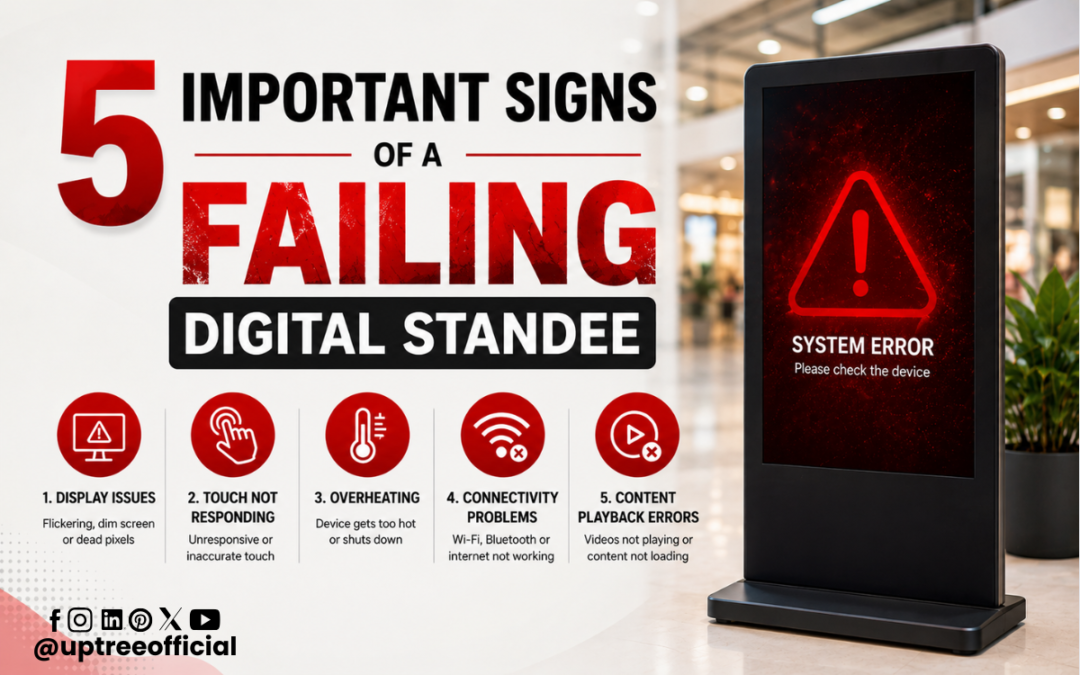
5 Important Signs of a Failing Digital Standee
5 Important Signs of a Failing Digital Standee are essential for businesses, educational institutions, retail stores, showrooms, hotels, hospitals, and public spaces that depend on digital displays to communicate with their audience. A digital standee is designed to attract attention, display advertisements, provide information, promote products, and create an engaging visual experience. However, like any electronic device, it can develop technical issues over time. Identifying problems early can help prevent complete failure, reduce repair costs, and keep your promotional content running smoothly. In this blog, Uptree explains the 5 Important Signs of a Failing Digital Standee and why timely professional repair is important.
Why Digital Standee Maintenance Matters
Digital standees have become an important part of modern advertising and communication. Unlike traditional posters and banners, they can display videos, images, animations, offers, announcements, and promotional campaigns. Businesses can update their content without printing new materials, making digital standees a flexible and powerful advertising solution.
However, continuous operation can put stress on components such as the display panel, media player, power supply, motherboard, storage, cooling system, and connectivity ports. Dust, heat, voltage fluctuations, improper installation, software errors, and prolonged usage can also affect performance.
Understanding the 5 Important Signs of a Failing Digital Standee allows users to take action before a small issue becomes a major hardware or software failure. Regular inspection and professional maintenance can extend the operational life of the equipment.
1. Flickering, Dim, or Distorted Display
One of the most noticeable signs among the 5 Important Signs of a Failing Digital Standee is an abnormal display. A digital standee should provide clear, bright, and stable visuals. If the screen begins flickering, becoming unusually dim, showing lines, or displaying distorted colors, there may be an underlying technical problem.
Display problems can occur for several reasons. The issue could be related to the display panel, backlight, display controller, internal cable connections, power supply, or other electronic components. In some cases, loose connections may cause intermittent display problems, while more serious issues may require component-level inspection or replacement.
A dim screen can be particularly problematic for digital advertising. If customers cannot clearly see promotional content, product information, prices, or offers, the effectiveness of the digital standee decreases significantly.
Horizontal or vertical lines are another warning sign. Similarly, unusual color patches, dead pixels, screen freezing, or partial display failure should not be ignored.
This is why the 5 Important Signs of a Failing Digital Standee should be checked regularly, especially when the device is being used for long hours.
What should you do?
If the display starts behaving abnormally, avoid repeatedly switching the device on and off in an attempt to solve the problem. Check the power and external connections first. If the issue continues, professional inspection is recommended.
Uptree provides digital standee repair services to help identify display-related problems and determine whether the issue is related to connections, internal components, software, or the display assembly.
2. Frequent Restarting or Unexpected Shutdowns
The second sign among the 5 Important Signs of a Failing Digital Standee is frequent restarting or unexpected shutdowns.
A digital standee should operate consistently during its scheduled usage period. If it suddenly turns off, restarts without warning, gets stuck during startup, or repeatedly enters a restart cycle, the problem may indicate an issue with the power supply, operating system, internal hardware, overheating, or storage.
Unexpected shutdowns are particularly inconvenient for businesses because they can interrupt advertising campaigns. Imagine a digital standee placed at a shopping mall entrance that continuously restarts while customers are viewing an offer. The promotional message loses its impact, and the business may miss valuable opportunities to engage customers.
Power fluctuations can also affect electronic equipment. An unstable power source may cause intermittent operation and, over time, potentially damage internal components.
Software-related issues can also result in restarting. Corrupted system files, incompatible applications, insufficient storage, or faulty updates can affect system stability.
Among the 5 Important Signs of a Failing Digital Standee, unexpected restarting should receive immediate attention because it can indicate both software and hardware problems.
How can the problem be addressed?
First, check whether the power connection is stable. Ensure that the power cable and socket are functioning properly. If the standee continues restarting, professional diagnostics can help identify the actual cause.
At Uptree, technicians can inspect the digital standee to determine whether the issue is associated with the power system, software, storage, motherboard, or another internal component.
3. Slow Performance and Content Freezing
The third sign in the 5 Important Signs of a Failing Digital Standee is slow performance.
A digital standee is expected to play promotional videos, advertisements, images, and other content smoothly. When content starts freezing, applications take too long to open, videos stutter, or the system becomes unresponsive, it may indicate a performance issue.
Slow performance can have several causes. Limited storage space, outdated software, excessive background applications, damaged system files, overheating, or hardware degradation can all affect performance.
For organizations using digital standees as advertising tools, content freezing can create a poor customer experience. Instead of attracting attention, a frozen display can make the business appear less professional.
For example, if a retail store is promoting a seasonal discount through a video advertisement but the video repeatedly freezes, customers may not receive the complete message. Similarly, a digital standee used for directions or information may become difficult to use if its interface becomes unresponsive.
The 5 Important Signs of a Failing Digital Standee are not always dramatic. Sometimes gradual performance deterioration is the first indication that the system requires maintenance.
How to improve performance
Regularly review the storage space and remove unnecessary files or applications. Keep the system updated where appropriate and ensure that the standee has adequate ventilation.
If performance remains slow after basic maintenance, professional servicing is recommended. A technician can check the hardware, operating system, storage, memory, and cooling system to identify the root cause.
4. Overheating and Excessive Fan Noise
The fourth sign among the 5 Important Signs of a Failing Digital Standee is overheating.
Electronic devices generate heat during operation. A digital standee that operates for several hours every day requires proper ventilation and cooling. If the device becomes unusually hot or its internal fan starts producing excessive noise, it may indicate a cooling problem.
Dust accumulation is one common cause. When dust blocks ventilation openings or accumulates around cooling components, airflow can decrease. As a result, internal temperatures may rise.
Overheating can affect system performance and may cause unexpected shutdowns or slow operation. Continued exposure to excessive heat can also put stress on electronic components.
This makes overheating one of the important 5 Important Signs of a Failing Digital Standee.
A noisy fan should also not be ignored. While fans naturally produce some sound, a sudden increase in noise could indicate dust accumulation, fan wear, obstruction, or increased internal temperature.
Preventing overheating
Place the digital standee in an area with sufficient airflow. Avoid covering ventilation openings or placing the equipment directly against objects that restrict airflow.
Regular cleaning can also help prevent dust-related problems. However, internal cleaning should be performed carefully because electronic components can be damaged if handled incorrectly.
Professional digital standee maintenance can help identify cooling issues before they result in more serious component failures.
5. Connectivity, Software, or Content Management Problems
The fifth sign in the 5 Important Signs of a Failing Digital Standee involves connectivity and content management.
Modern digital standees often depend on USB drives, LAN connections, Wi-Fi, HDMI connections, content management systems, or internal storage to deliver promotional material. If content does not update correctly, videos fail to play, the system cannot connect to the network, or external devices are not detected, there may be a software, port, connectivity, or hardware problem.
Sometimes the problem is simple, such as an incorrect network configuration or a damaged cable. In other cases, the issue may involve software compatibility, storage failure, operating system errors, or damaged ports.
For businesses managing multiple digital displays, reliable content delivery is particularly important. Promotional campaigns may need to be updated regularly, and any interruption can affect communication.
Among the 5 Important Signs of a Failing Digital Standee, connectivity problems can be easy to overlook because the screen itself may still appear functional. However, a display that cannot receive or play updated content is not performing its intended purpose.
What can you check?
Start by checking the network connection, cables, USB devices, and content files. If the problem continues, professional troubleshooting can determine whether the cause is software-related or hardware-related.
Uptree can assist with digital standee troubleshooting and repair to help restore reliable operation.
What Causes Digital Standees to Fail?
Understanding the 5 Important Signs of a Failing Digital Standee is useful, but understanding their causes is equally important.
Some common causes include:
- Long hours of continuous operation
- Dust accumulation
- Poor ventilation
- Voltage fluctuations
- Loose internal connections
- Power supply problems
- Outdated or corrupted software
- Storage issues
- Damaged cables or ports
- Physical impact
- Improper installation
- Excessive heat
- Component aging
Not every problem means that the entire digital standee needs to be replaced. In many cases, professional diagnosis can identify the faulty component and determine whether repair is possible.
Why Professional Digital Standee Repair Is Important
The 5 Important Signs of a Failing Digital Standee should be treated as early warnings rather than inconveniences that can simply be ignored.
Attempting to repair electronic equipment without the appropriate technical knowledge can sometimes make the problem worse. Digital standees contain multiple electronic and computing components, and diagnosing the exact source of a problem requires systematic inspection.
Professional repair can help with:
- Display-related problems
- Power issues
- Software troubleshooting
- Connectivity problems
- Performance issues
- Overheating
- Internal component inspection
- Cable and port problems
- Content playback issues
- General maintenance
A professional technician can diagnose the problem and recommend the most practical solution based on the condition of the equipment.
Benefits of Timely Digital Standee Repair
Recognizing the 5 Important Signs of a Failing Digital Standee early provides several benefits.
1. Reduces Downtime
Timely repair can prevent unexpected equipment failure and minimize interruptions to advertising campaigns.
2. Helps Control Repair Costs
A minor issue may become more expensive if it is ignored for a long period. Early diagnosis can help address problems before they affect additional components.
3. Extends Equipment Life
Regular maintenance and timely repairs can help digital standees remain operational for longer.
4. Maintains Professional Appearance
A bright, stable, and properly functioning digital display creates a better impression on customers and visitors.
5. Protects Advertising Effectiveness
Digital advertising works only when the audience can see the content clearly and consistently. Keeping the equipment operational helps businesses maximize their investment.
How to Maintain Your Digital Standee
After understanding the 5 Important Signs of a Failing Digital Standee, businesses should also establish a simple maintenance routine.
Keep the display surface clean using suitable cleaning materials. Ensure that ventilation areas remain unobstructed and keep the device away from excessive heat and moisture.
Inspect cables and power connections periodically. Monitor the system for unusual noises, overheating, slow performance, display abnormalities, and unexpected restarts.
It is also useful to maintain sufficient storage space and organize promotional content properly. Avoid installing unnecessary applications that could reduce system performance.
If the standee is operated for extended periods, regular professional servicing can provide an additional layer of protection.
When Should You Contact a Repair Service?
Knowing the 5 Important Signs of a Failing Digital Standee helps you determine when professional assistance may be necessary.
You should consider contacting a repair service if:
- The screen continuously flickers.
- The display becomes unusually dim.
- The standee repeatedly restarts.
- Videos freeze or playback becomes unstable.
- The device becomes excessively hot.
- The cooling fan becomes unusually noisy.
- USB, HDMI, LAN, or other connections stop working.
- Content does not update properly.
- The system becomes extremely slow.
- The standee does not turn on.
If one or more of these problems appear, early inspection is generally better than waiting until the device completely stops working.
Why Choose Uptree for Digital Standee Repair?
At Uptree, we understand how important reliable digital signage is for modern businesses and institutions. A digital standee is more than just a screen; it is an important communication and marketing tool.
Our approach to repair focuses on identifying the actual cause of the problem instead of simply treating visible symptoms. From display issues and power problems to software and connectivity concerns, professional diagnosis can help determine the right repair solution.
Uptree also provides repair support for various technology products, helping organizations maintain their digital infrastructure and reduce unnecessary equipment downtime.
If your equipment is showing any of the 5 Important Signs of a Failing Digital Standee, getting it inspected at the right time can help protect your investment.
Conclusion
The 5 Important Signs of a Failing Digital Standee include display abnormalities, unexpected restarting, slow performance, overheating, and connectivity or content management problems. These signs may appear gradually, but they should not be ignored.
A digital standee plays an important role in advertising, customer engagement, information sharing, and brand communication. When it fails, businesses can lose visibility and experience unnecessary downtime. Early detection, regular maintenance, and professional repair can help keep the equipment functioning effectively.
The 5 Important Signs of a Failing Digital Standee should therefore be part of every organization’s basic digital signage maintenance checklist. Whether your standee is experiencing flickering, freezing, overheating, unexpected shutdowns, or content-related problems, identifying the issue early can make a significant difference.
With professional support from Uptree, businesses can address digital standee issues efficiently and work toward maintaining reliable and effective digital signage. If you notice any of the 5 Important Signs of a Failing Digital Standee, don’t wait for a complete breakdown. Timely digital standee repair can help extend equipment life, reduce downtime, and ensure your promotional content continues to reach your audience effectively.
To learn more about the Uptree Interactive Flat Panel, explore our related blogs:
-
Repairing Services: 8 Reliable Uptree Repair Services: Read More
-
9 Best Reasons to Choose Uptree for IFP Repair Services: Read More
-
Key Advantages of EDLA-Certified Android 16 IFP: Read More