
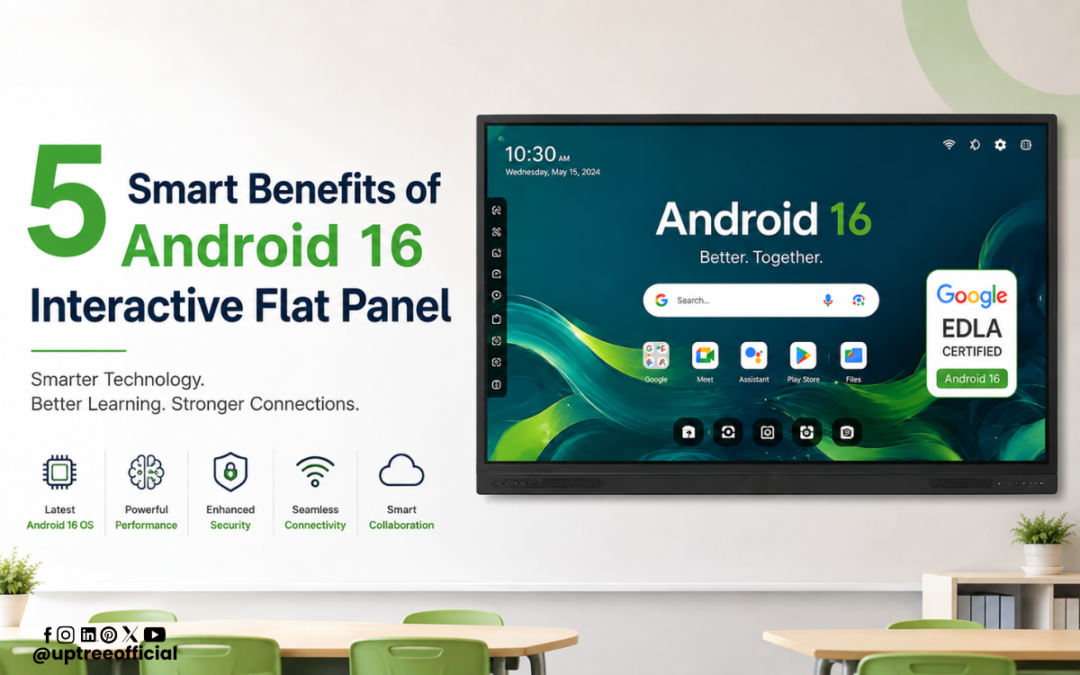
5 Smart Benefits of Android 16 Interactive Flat Panel
5 Smart Benefits of Android 16 Interactive Flat Panel are transforming the way modern classrooms, training rooms, offices, and meeting spaces communicate, collaborate, and share information. With advanced Android 16 technology, a high-resolution interactive display, built-in camera and microphone support, and smart productivity features, an interactive flat panel can become the central technology hub for teaching and professional communication. At Uptree, we design technology solutions that help educational institutions and businesses create more connected, engaging, and productive environments.
Introduction
Digital transformation has changed the expectations of modern classrooms and workplaces. Traditional displays and projectors are increasingly being replaced by interactive technologies that allow users to write, annotate, present, collaborate, and communicate from a single device. This is where an Android 16 Interactive Flat Panel becomes especially useful.
The latest generation of interactive flat panels combines a large 4K display with a powerful Android operating system, touch interaction, wireless collaboration, smart whiteboard tools, and connectivity options. When camera and microphone capabilities are added, the panel can also support online classes, video conferences, hybrid meetings, remote training sessions, and virtual collaboration.
The 5 Smart Benefits of Android 16 Interactive Flat Panel discussed in this blog explain why this technology is becoming an important investment for schools, colleges, coaching institutes, corporate offices, training centers, and other organizations.
What Is an Android 16 Interactive Flat Panel?
An Android 16 Interactive Flat Panel is a large-format touchscreen display designed for interactive teaching, presentations, meetings, and collaboration. Instead of simply displaying information, it allows users to directly interact with content using their fingers or compatible styluses.
The Android 16 operating system provides a modern smart interface that can support applications, digital content, web-based resources, productivity tools, and collaboration platforms. With the right hardware configuration, the panel can provide a smooth experience for both classroom and business applications.
A modern panel can also include features such as:
- 4K UHD resolution
- Multi-touch interaction
- Anti-glare toughened glass
- Eye-friendly display technology
- Digital whiteboard functionality
- Wireless screen sharing
- Built-in speakers
- HDMI and USB connectivity
- Camera compatibility
- Microphone compatibility
- Video conferencing support
- Smart annotation tools
- Split-screen functionality
- Screen recording and sharing
These capabilities make the 5 Smart Benefits of Android 16 Interactive Flat Panel particularly relevant for organizations looking to upgrade their digital infrastructure.
1. Powerful Support for Online Classes and Hybrid Learning
The first of the 5 Smart Benefits of Android 16 Interactive Flat Panel is its ability to support modern online and hybrid learning environments.
Online education requires more than a screen. Teachers need to explain concepts, interact with students, display digital resources, annotate documents, and communicate clearly with learners who may be joining remotely. An interactive flat panel brings many of these functions together in one central device.
When an Android 16 Interactive Flat Panel is paired with a high-quality camera and microphone, teachers can conduct online classes directly from the classroom. The camera can capture the teacher, students, or classroom environment, depending on the setup, while the microphone captures voice for remote participants.
This makes hybrid education more interactive. A teacher can write mathematical equations on the digital whiteboard while remote students watch the explanation in real time. The teacher can also open educational videos, presentations, websites, images, and other digital resources without switching between multiple devices.
The 5 Smart Benefits of Android 16 Interactive Flat Panel therefore extend beyond display technology. They include creating a more connected learning experience where physical and remote students can participate together.
Camera and Microphone: Making Online Classes More Interactive
Camera and microphone integration is an important part of a modern digital classroom.
A compatible camera can provide video for platforms used for virtual teaching and meetings. Depending on the camera configuration, features such as wide-angle coverage, PTZ functionality, autofocus, or auto-tracking can further improve the video experience.
The microphone is equally important. Clear audio allows remote participants to hear teachers and presenters without constantly asking them to repeat information. A suitable microphone solution can help capture voices from the front of the classroom or meeting room.
For organizations conducting frequent online classes, demonstrations, webinars, training sessions, and meetings, combining an Android 16 Interactive Flat Panel with camera and microphone technology can simplify the overall setup.
This is one of the key 5 Smart Benefits of Android 16 Interactive Flat Panel because it reduces dependence on separate displays and complicated classroom equipment.
2. Smarter and More Engaging Teaching
The second of the 5 Smart Benefits of Android 16 Interactive Flat Panel is improved engagement during teaching and presentations.
Traditional teaching methods often rely on textbooks, printed materials, projectors, and static presentations. While these methods remain useful, interactive technology allows teachers to make lessons more visual and participatory.
An interactive flat panel allows teachers to write directly on the screen, highlight important information, draw diagrams, move objects, open multimedia content, and interact with digital lessons.
For example, a science teacher can display a diagram of the human body and annotate different organs. A mathematics teacher can solve equations step by step on the screen. A geography teacher can display maps and mark important locations. A language teacher can use digital exercises and interactive activities.
These capabilities demonstrate why the 5 Smart Benefits of Android 16 Interactive Flat Panel are especially valuable for schools and educational institutions.
The large display also makes content easier to view from different areas of a classroom. Instead of students gathering around a small monitor, the teacher can present content on a large interactive display designed for classroom visibility.
Interactive Whiteboard for Better Explanation
The digital whiteboard is one of the most useful features of an interactive flat panel. Teachers can use multiple pen colors, shapes, annotations, diagrams, and other tools to explain concepts.
Content can also be edited, moved, erased, or reorganized during the lesson. This provides more flexibility than a traditional whiteboard.
Some advanced whiteboard applications also provide tools such as mathematical calculators, geometric shapes, educational templates, and other digital resources. Teachers can therefore use the panel as both a presentation screen and a teaching workspace.
The 5 Smart Benefits of Android 16 Interactive Flat Panel become even more meaningful when these interactive tools are combined with digital educational content.
3. Better Video Meetings and Business Collaboration
The third of the 5 Smart Benefits of Android 16 Interactive Flat Panel is its ability to improve meetings and professional collaboration.
Businesses increasingly depend on video conferencing for communication with employees, customers, vendors, partners, and remote teams. A large interactive panel can provide a central screen for video meetings while allowing participants in the room to interact with shared content.
With a compatible camera and microphone, an Android 16 Interactive Flat Panel can become part of a complete meeting-room setup.
Participants can join virtual meetings, view remote attendees, share presentations, annotate documents, and discuss information on a large touchscreen. This can be especially useful for conference rooms, boardrooms, training rooms, sales meetings, and management discussions.
For example, a sales team can conduct a virtual client presentation while displaying product information on the interactive panel. A management team can review a business dashboard and make annotations during a meeting. A trainer can conduct a session for employees located in different cities.
This demonstrates how the 5 Smart Benefits of Android 16 Interactive Flat Panel apply not only to education but also to modern workplaces.
Camera Features for Professional Meetings
The camera used with an interactive flat panel can significantly influence the quality of virtual communication.
A wide-angle camera can help capture multiple people sitting around a meeting table. PTZ cameras can provide pan, tilt, and zoom functionality, while auto-tracking cameras can follow a speaker in compatible setups.
When combined with an Android 16 Interactive Flat Panel, a camera can help create a more professional video conferencing experience without requiring participants to crowd around a laptop webcam.
Clear video, a large interactive screen, and suitable microphone placement can make remote meetings more natural and collaborative.
4. Faster Collaboration and Productivity
The fourth of the 5 Smart Benefits of Android 16 Interactive Flat Panel is improved collaboration.
Modern work and education are increasingly collaborative. Multiple people may need to review the same presentation, document, diagram, website, or project simultaneously.
Multi-touch technology allows multiple users to interact with the screen depending on the panel’s supported touch points and software. This can be useful for brainstorming, group activities, classroom exercises, project planning, and team presentations.
An Android 16 Interactive Flat Panel can also support screen sharing and connectivity with laptops, smartphones, tablets, and other devices through compatible wired or wireless solutions.
For instance, students can share project presentations with the main display. Employees can mirror their laptop screens during meetings. Trainers can switch between different sources while keeping the discussion moving.
These capabilities make the 5 Smart Benefits of Android 16 Interactive Flat Panel highly relevant for organizations focused on productivity.
Split-Screen and Multitasking
Another useful capability is multitasking.
A large interactive panel can allow users to work with multiple types of content. Depending on the software and panel configuration, users may be able to display a presentation alongside notes, a browser window, or another application.
This can save time because users do not always need to switch between different devices or applications.
For teachers, this could mean displaying a digital textbook while writing notes. For businesses, it could mean reviewing a presentation while referring to supporting information.
The 5 Smart Benefits of Android 16 Interactive Flat Panel are therefore closely connected to the ability to work with multiple digital resources from one central workspace.
5. Modern Technology With Long-Term Value
The fifth of the 5 Smart Benefits of Android 16 Interactive Flat Panel is the combination of modern hardware and software in a single solution.
Technology investments should provide value beyond the immediate requirement. An interactive flat panel can support multiple use cases, including teaching, meetings, presentations, training, collaboration, digital content, and online communication.
Android 16 provides a modern platform for running compatible applications and accessing digital resources. Combined with suitable hardware, the panel can provide organizations with a flexible platform that can adapt to changing requirements.
For educational institutions, the panel can support smart classroom initiatives. For businesses, it can support digital meeting rooms and collaborative workspaces.
The 5 Smart Benefits of Android 16 Interactive Flat Panel show why choosing a modern platform can be a practical step toward building future-ready classrooms and workplaces.
Why Camera and Mic Matter in a Modern Interactive Panel Setup
The camera and microphone should not be treated as optional accessories when an organization frequently conducts online communication.
A camera provides the visual connection between physical and remote participants. A microphone provides the audio connection. Together, they help bridge the gap between people in the room and people joining remotely.
For schools, this can support remote guest lectures, online classes, teacher training, parent meetings, and hybrid lessons.
For businesses, the same setup can support video conferences, employee training, webinars, presentations, interviews, and remote collaboration.
When selecting an Android 16 Interactive Flat Panel with camera and microphone support, organizations should consider camera resolution, field of view, microphone pickup range, speaker quality, connectivity, room size, and compatibility with their preferred conferencing platforms.
This is another reason the 5 Smart Benefits of Android 16 Interactive Flat Panel should be considered from a complete technology perspective rather than focusing only on screen size.
Why Choose Uptree Android 16 Interactive Flat Panel?
At Uptree, we focus on providing technology solutions that support the evolving requirements of modern education and business environments.
Our Android 16 Interactive Flat Panel solutions are designed to combine interactive display technology with smart classroom and professional collaboration requirements. Features such as 4K display quality, multi-touch interaction, digital whiteboard tools, connectivity options, and compatibility with camera and microphone setups can help organizations create more effective digital spaces.
For educational institutions, an Uptree interactive panel can support smart classrooms, online teaching, digital presentations, and interactive learning.
For businesses, it can support conference rooms, training centers, presentations, hybrid meetings, and collaborative workspaces.
The 5 Smart Benefits of Android 16 Interactive Flat Panel make this technology suitable for organizations looking to combine teaching, presentation, communication, and collaboration capabilities in one solution.
Choosing the Right Android 16 Interactive Flat Panel
Before purchasing an interactive flat panel, organizations should evaluate their specific requirements.
Important factors include:
Display Quality
A 4K UHD display can provide sharp visuals for text, presentations, diagrams, images, and videos. A suitable anti-glare surface can also improve visibility under different lighting conditions.
Touch Performance
Multi-touch support can make classroom activities and collaborative work more interactive. Buyers should check the supported number of simultaneous touch points and stylus functionality.
Operating System
Android 16 provides a modern software platform for compatible applications and digital resources. Organizations should also consider available RAM, storage, processor performance, and software support.
Camera and Microphone
For online classes and meetings, camera and microphone compatibility is essential. Consider the room size, camera coverage, microphone pickup range, and conferencing requirements.
Connectivity
HDMI, USB, Type-C, network connectivity, and wireless screen-sharing options can make it easier to connect different devices.
Audio
Built-in speakers can simplify everyday teaching and meeting requirements, while larger rooms may benefit from an additional audio system.
Conclusion
The 5 Smart Benefits of Android 16 Interactive Flat Panel demonstrate how modern interactive display technology can transform classrooms, offices, training rooms, and meeting spaces. From engaging digital teaching to professional video meetings, an Android 16 Interactive Flat Panel can bring multiple functions together in one intelligent workspace.
The 5 Smart Benefits of Android 16 Interactive Flat Panel include stronger support for online and hybrid classes, more engaging teaching, better video meetings, faster collaboration, and long-term value through modern technology.
The addition of a camera and microphone makes the solution even more useful. Teachers can communicate with remote students, trainers can conduct virtual sessions, and business teams can participate in professional video meetings without relying entirely on separate devices.
The 5 Smart Benefits of Android 16 Interactive Flat Panel are particularly valuable for organizations that want to create connected and future-ready environments. With interactive touch technology, digital whiteboarding, 4K visuals, Android 16 capabilities, camera integration, microphone support, and collaboration features, the panel can serve as much more than a display.
For schools, colleges, coaching institutes, training centers, and businesses, the 5 Smart Benefits of Android 16 Interactive Flat Panel provide a strong reason to consider upgrading from traditional display systems to an integrated interactive solution.
At Uptree, we believe technology should make communication simpler, learning more engaging, and collaboration more productive. Our interactive technology solutions are built to support these goals and help organizations move toward smarter classrooms and workplaces.
If your organization is planning to upgrade its classroom or meeting infrastructure, the 5 Smart Benefits of Android 16 Interactive Flat Panel can help you understand the practical advantages of choosing a modern interactive display with camera and microphone support.
The 5 Smart Benefits of Android 16 Interactive Flat Panel ultimately come down to one important idea: bringing display, interaction, communication, and collaboration together in a single smart solution.
To learn more about the Uptree Interactive Flat Panel, explore our related blogs:
-
Top 5 Benefits of Android 16 Interactive Flat Panel: Read More
-
Android 16 Interactive Flat Panel for Modern Classrooms: Read More
-
Key Advantages of EDLA-Certified Android 16 IFP: Read More