
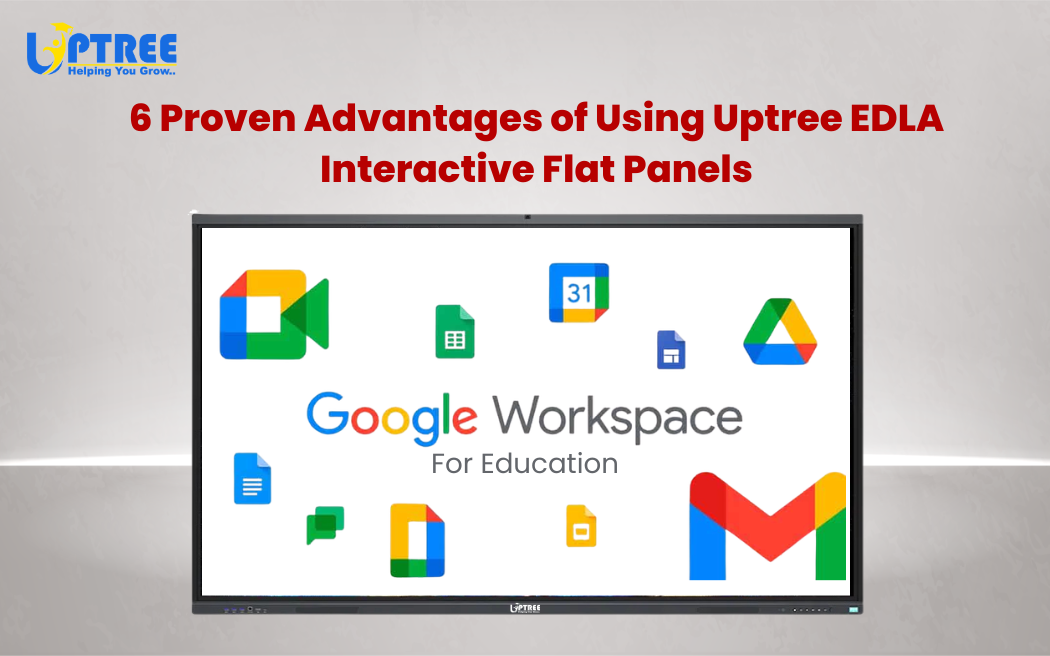
6 Game-Changing Features of Uptree EDLA Displays
Table of Contents
Toggle6 Game-Changing Features of Uptree EDLA Displays are redefining the way classrooms, training rooms, and corporate environments function in today’s digital-first world. As education and business rapidly shift toward smarter, more interactive solutions, choosing the right technology becomes crucial. Uptree EDLA-certified interactive flat panels are designed to meet these evolving demands with powerful features, seamless integration, and user-friendly functionality.
In this blog, we’ll explore 6 Game-Changing Features of Uptree EDLA Displays that make them a top choice for modern learning and collaboration.
1. Google EDLA Certification for Seamless Ecosystem Integration
One of the most powerful aspects highlighted in the 6 Game-Changing Features of Uptree EDLA Displays is its
EDLA (Enterprise Devices Licensing Agreement) certification. This certification ensures that the panel
comes with officially licensed Google services built in.
With EDLA certification, users get:
- Direct access to the Google Play Store
- Built-in Google apps like Docs, Meet, Drive, and YouTube
- Enhanced security updates from Google
This means educators and professionals can use familiar tools without compatibility issues. Unlike non-certified panels, Uptree EDLA displays provide a smooth, secure, and reliable experience.
2. Ultra-Smooth Touch Experience for Interactive Learning
Another standout in 6 Game-Changing Features of Uptree EDLA Displays is its highly responsive multi-touch technology. These panels are designed to deliver a natural writing and touch experience, just like writing on paper.
Key benefits include:
- Multi-user support for collaborative tasks
- Low latency touch response
- Precision writing with stylus or finger
This feature is especially useful in classrooms where multiple students can interact with the screen simultaneously, making learning more engaging and participative.
3. Powerful Built-in Whiteboard with Smart Tools
When discussing 6 Game-Changing Features of Uptree EDLA Displays, the advanced whiteboard functionality deserves special attention. It transforms traditional teaching into a dynamic digital experience.
Features include:
- Object recognition (shapes, diagrams, etc.)
- Handwriting-to-text conversion
- Screen recording for later use
- Easy sharing via QR code or cloud
Teachers can create visually rich lessons, while businesses can conduct more effective brainstorming sessions. This feature eliminates the need for external tools and keeps everything centralized.
4. 4K Ultra HD Display for Crystal-Clear Visuals
Visual clarity plays a huge role in engagement, and that’s why it’s a key part of 6 Game-Changing Features of Uptree EDLA Displays. With 4K Ultra HD resolution, these panels deliver stunning visuals that enhance every presentation.
Advantages include:
- Sharp and vibrant display quality
- Wide viewing angles
- Reduced eye strain with anti-glare technology
Whether it’s a classroom lecture, a corporate presentation, or video conferencing, the clarity ensures that every detail is visible to everyone in the room.
5. Wireless Screen Sharing for Effortless Collaboration
Modern collaboration demands flexibility, and 6 Game-Changing Features of Uptree EDLA Displays includes seamless wireless screen sharing capabilities.
Users can:
- Cast screens from laptops, tablets, and smartphones
- Connect multiple devices simultaneously
- Share content without cables
This feature is particularly useful in meetings and classrooms where quick sharing is essential. It saves time, reduces clutter, and boosts productivity.
6. Robust Performance with Built-in Android System
The final highlight in 6 Game-Changing Features of Uptree EDLA Displays is its powerful built-in Android operating system. This eliminates the need for external CPUs and ensures smooth performance.
Key benefits:
- Fast processing speed
- Access to a wide range of apps
- Easy navigation and user-friendly interface
This all-in-one functionality makes Uptree EDLA displays a complete solution for digital learning and professional environments.
Why These Features Matter
Understanding 6 Game-Changing Features of Uptree EDLA Displays is important because they directly impact productivity, engagement, and efficiency.
In education:
- Teachers can deliver more interactive lessons
- Students stay engaged and participate actively
In business:
- Meetings become more collaborative
- Presentations become more impactful
These features are not just upgrades—they are essential tools for modern environments.
How Uptree EDLA Displays Stand Out
Among many options available in the market, 6 Game-Changing Features of Uptree EDLA Displays clearly show why Uptree is a preferred choice.
What sets them apart:
- Certified and secure ecosystem
- All-in-one functionality
- Future-ready technology
- Ease of use for all age groups
This combination makes them ideal for schools, colleges, coaching institutes, and corporate offices.
The Future of Smart Classrooms and Workspaces
As we move forward, technology will continue to play a bigger role in how we learn and work. 6 Game-Changing Features of Uptree EDLA Displays represent this shift toward smarter, more connected environments.
Future trends include:
- Hybrid learning and remote collaboration
- AI-powered teaching tools
- Cloud-based content sharing
Uptree EDLA displays are already aligned with these trends, making them a future-proof investment.
Conclusion
To sum it up, 6 Game-Changing Features of Uptree EDLA Displays make them a powerful solution for anyone looking to upgrade their classroom or workspace. From Google EDLA certification to 4K display, wireless sharing, and smart whiteboard tools, every feature is designed to enhance user experience.
If you’re aiming to create a more interactive, efficient, and modern environment, 6 Game-Changing Features of Uptree EDLA Displays clearly demonstrate why this technology is worth considering.
By adopting these advanced displays, you’re not just upgrading your tools—you’re transforming the way people learn, collaborate, and grow.
To learn more about the Uptree Interactive Flat Panel, explore our related blogs:
-
4 Reasons Uptree Interactive Flat Panel is Essential: Read More
-
Ultimate Smart Upgrade at St. Xavier’s Ahmedabad: Read More
-
Rai University IT Classroom Upgrade with Uptree: Read More