
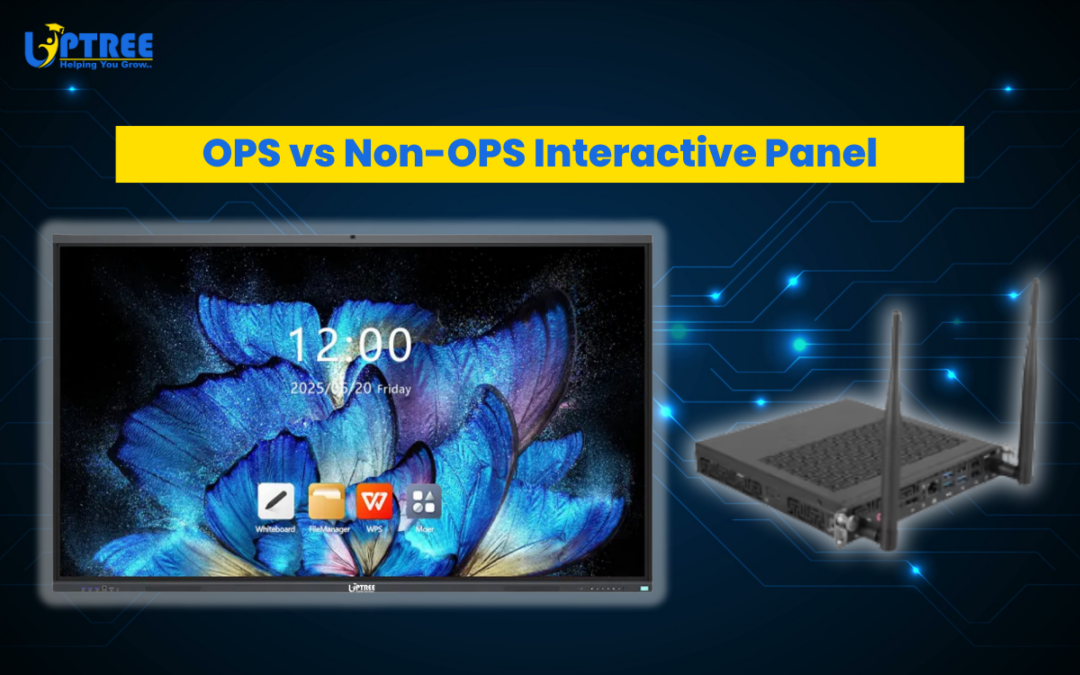
7 Powerful Differences: OPS vs Non-OPS Interactive Panel
7 Powerful Differences: OPS vs Non-OPS Interactive Panel is an important topic that every school, institute, and organization should understand before purchasing an interactive flat panel. At Uptree, we regularly work with educational institutions, training centers, and corporate offices that want to upgrade their classrooms and meeting rooms with modern interactive technology. One of the most common questions our team receives is whether they should choose an interactive panel with OPS or without OPS. Understanding the 7 Powerful Differences: OPS vs Non-OPS Interactive Panel can help you make a smarter decision based on your requirements, performance needs, and long-term usability.
Interactive flat panels are transforming the way teachers teach, students learn, and teams collaborate. Compared to traditional projectors and whiteboards, interactive panels provide high-resolution displays, smooth touch interaction, wireless connectivity, and advanced presentation features. However, when selecting an interactive panel, it is essential to understand the difference between an OPS-enabled interactive panel and a non-OPS interactive panel. That is why in this blog, the Uptree team will explain the 7 Powerful Differences: OPS vs Non-OPS Interactive Panel to help you choose the best solution for your classroom or meeting space.
What is OPS in an Interactive Flat Panel?
Before we explore the 7 Powerful Differences: OPS vs Non-OPS Interactive Panel, let us first understand what OPS mean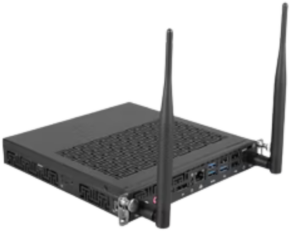 s.
s.
OPS stands for Open Pluggable Specification, which is a small computer module that can be inserted directly into the interactive flat panel through a dedicated OPS slot. Once installed, the panel works like a complete Windows computer.
At Uptree, our interactive flat panels support OPS modules that provide features such as:
-
Windows operating system
-
Intel processor performance
-
RAM and internal storage
-
USB and HDMI connectivity
This built-in computing system allows users to run software, presentations, and applications directly from the interactive panel without connecting an external CPU.
What is a Non-OPS Interactive Panel?
To clearly understand the 7 Powerful Differences: OPS vs Non-OPS Interactive Panel, it is also important to understand what a non-OPS panel is.
A non-OPS interactive panel typically runs on an Android operating system built into the display. It allows users to perform basic tasks such as:
-
Writing and annotation
-
Displaying presentations
-
Screen sharing
-
Using Android applications
At Uptree, many schools and training institutes initially choose Android-based panels for simple teaching needs. However, for advanced performance and professional software usage, OPS becomes a powerful upgrade.
7 Powerful Differences: OPS vs Non-OPS Interactive Panel
Now, let us explore the 7 Powerful Differences: OPS vs Non-OPS Interactive Panel that the Uptree team recommends understanding before making your purchase decision.
1. Operating System Capability
The first point in the 7 Powerful Differences: OPS vs Non-OPS Interactive Panel is the operating system.
OPS Interactive Panel
-
Runs a full Windows operating system
-
Supports professional software
-
Works like a built-in computer
Non-OPS Interactive Panel
-
Usually runs Android OS
-
Limited compatibility with professional software
At Uptree, we often recommend OPS panels to institutions that require advanced applications and professional tools.
2. Performance and Processing Power
The second factor in the 7 Powerful Differences: OPS vs Non-OPS Interactive Panel is performance.
OPS modules come with powerful Intel processors, which provide:
-
Faster processing speed
-
Better multitasking
-
Smooth software performance
Android-based panels without OPS are designed mainly for basic tasks such as annotation and presentations. For advanced usage, OPS provides significantly better performance.
3. Software Compatibility
Another important point in the 7 Powerful Differences: OPS vs Non-OPS Interactive Panel is software compatibility.
With an OPS-enabled interactive panel, users can install almost any Windows software, such as:
-
Microsoft Office
-
Educational teaching software
-
Video conferencing platforms
-
Business collaboration tools
Non-OPS panels are limited to Android apps, which may not support all professional software requirements. At Uptree, this is one of the most common reasons organizations upgrade to OPS panels.
4. Clean and Simple Installation
The fourth difference in the 7 Powerful Differences: OPS vs Non-OPS Interactive Panel is installation convenience.
OPS modules are designed to slide directly into the interactive panel, creating a compact and clean setup.
Benefits include:
-
No external CPU required
-
Fewer cables
-
Professional installation appearance
Without OPS, organizations may need to connect an external computer to run Windows software, which increases cable management and setup complexity.
5. Cost and Budget Considerations
Cost is another important factor in the 7 Powerful Differences: OPS vs Non-OPS Interactive Panel.
OPS Interactive Panels
-
Higher investment due to built-in computing module
-
Better long-term performance and flexibility
Non-OPS Interactive Panels
-
Lower initial cost
-
Suitable for basic classroom or meeting usage
At Uptree, we help institutions select the right option based on their budget and long-term requirements.
6. Upgrade and Maintenance Flexibility
Another key point in the 7 Powerful Differences: OPS vs Non-OPS Interactive Panel is upgrade flexibility.
OPS modules can be easily replaced or upgraded without changing the entire interactive panel. This allows organizations to keep their display technology updated while simply upgrading the computing module.
Benefits include:
-
Future-ready technology
-
Easy maintenance
-
Longer product lifespan
This flexibility is one of the major reasons many organizations choose OPS-enabled panels from Uptree.
7. Use Cases and Applications
The final point in the 7 Powerful Differences: OPS vs Non-OPS Interactive Panel is the use case.
OPS Panels Are Best For:
-
Smart classrooms
-
Corporate boardrooms
-
Training centers
-
Advanced presentations
-
Professional collaboration tools
Non-OPS Panels Are Best For:
-
Basic teaching environments
-
Simple presentations
-
Digital whiteboard usage
At Uptree, we carefully analyze the client’s requirements before recommending the right interactive panel configuration.
Which Option Does Uptree Recommend?
After understanding the 7 Powerful Differences: OPS vs Non-OPS Interactive Panel, the best choice depends on your needs.
At Uptree, we usually recommend:
OPS Interactive Panels for:
-
Schools using advanced teaching software
-
Corporate offices and meeting rooms
-
Professional training centers
-
Organizations that require Windows applications
Non-OPS Interactive Panels for:
-
Basic classroom presentations
-
Budget-focused institutions
-
Simple annotation and teaching usage
Our goal at Uptree is to ensure that institutions invest in technology that supports their growth and digital transformation.
Why Institutions Trust Uptree Interactive Flat Panels
Uptree interactive flat panels are designed to provide powerful features for modern classrooms and professional collaboration spaces. Our panels are widely used in schools, universities, training institutes, and corporate environments.
Key advantages of Uptree interactive flat panels include:
-
Ultra HD display quality
-
Smooth multi-touch interaction
-
Built-in Android system
-
OPS compatibility
-
Wireless screen sharing
-
Smart teaching tools
When organizations understand the 7 Powerful Differences: OPS vs Non-OPS Interactive Panel, they can confidently choose the right configuration for their learning or meeting environment.
Final Thoughts from Uptree
Selecting the right interactive panel is an important investment for any institution or organization. The 7 Powerful Differences: OPS vs Non-OPS Interactive Panel clearly show how OPS-enabled panels offer advanced performance, software compatibility, and flexibility, while non-OPS panels provide a simpler and more budget-friendly option.
At Uptree, our mission is to provide innovative technology solutions that enhance teaching, collaboration, and communication. By understanding the 7 Powerful Differences: OPS vs Non-OPS Interactive Panel, you can make an informed decision and choose the interactive panel that best fits your needs.
If you are planning to upgrade your classroom, training room, or meeting space, the Uptree team is always ready to guide you in selecting the perfect interactive flat panel solution for your institution.
Upgrade your classroom with Uptree and experience the future of digital education today.