
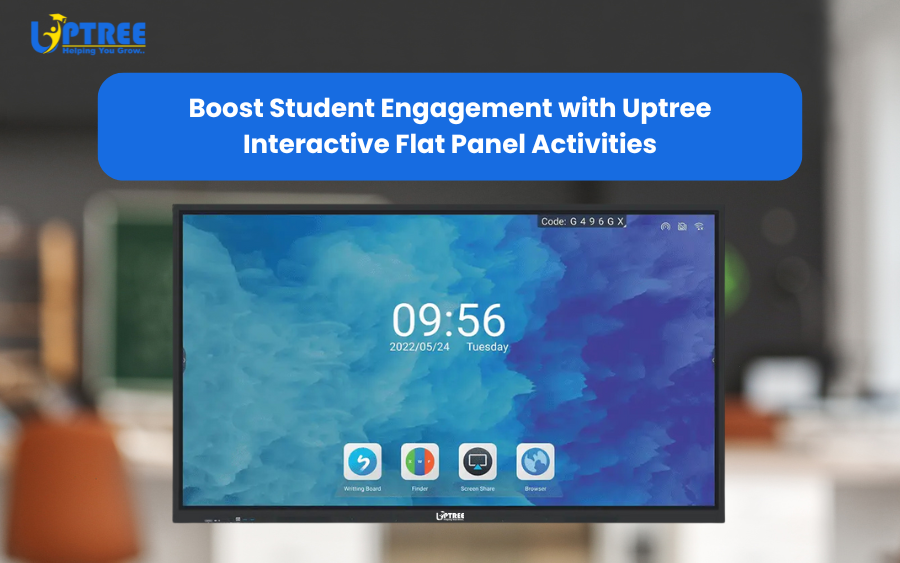
Power Up Student Engagement with Uptree IFPs
Power Up Student Engagement with Uptree IFPs and transform the way students learn, interact, and participate in the classroom. In today’s digital-first education environment, keeping students engaged has become one of the biggest challenges for educators. Traditional teaching methods often struggle to capture students’ attention, especially when learners are surrounded by technology-driven experiences outside the classroom.
To bridge this gap, schools and educational institutions are increasingly adopting interactive technologies that make learning more dynamic and collaborative. Among these innovations, Interactive Flat Panels (IFPs) have emerged as a game-changing solution. At Uptree, we are committed to helping educators create engaging, interactive, and future-ready learning environments through our advanced Interactive Flat Panels.
By integrating multimedia content, touch-enabled learning, collaborative activities, and real-time interaction, schools can truly Power Up Student Engagement with Uptree IFPs and unlock better educational outcomes.
Why Student Engagement Matters More Than Ever
Student engagement is one of the most important factors influencing academic success. Engaged students are more likely to:
- Participate actively in class discussions
- Retain information more effectively
- Develop critical thinking skills
- Collaborate with peers
- Stay motivated to learn
- Achieve better academic results
However, maintaining engagement can be difficult when lessons rely solely on lectures, textbooks, and static presentations. Modern students respond better to visual, interactive, and technology-driven learning experiences.
This is why schools are looking for innovative ways to Power Up Student Engagement with Uptree IFPs and create classrooms that inspire curiosity and participation.
What Are Uptree Interactive Flat Panels?
Uptree Interactive Flat Panels are advanced touchscreen displays designed to enhance teaching and learning experiences. They combine the functionality of a whiteboard, projector, computer, and collaboration platform into a single smart solution.
Key features include:
- Ultra HD 4K display
- Multi-touch interaction
- Digital whiteboarding
- Wireless screen sharing
- Educational software compatibility
- Internet connectivity
- Multimedia support
- Cloud integration
- Interactive learning tools
These capabilities enable educators to Power Up Student Engagement with Uptree IFPs while delivering lessons in a more effective and engaging way.
Creating Interactive Learning Experiences
Students learn best when they actively participate in the learning process. Interactive lessons encourage exploration, discussion, and hands-on involvement.
Teachers can use Uptree Interactive Flat Panels to:
- Solve problems collaboratively
- Conduct live quizzes
- Create interactive diagrams
- Explore educational simulations
- Engage students in classroom games
When schools Power Up Student Engagement with Uptree IFPs, learning becomes more exciting and memorable for students.
Encouraging Active Classroom Participation
One of the biggest advantages of Interactive Flat Panels is their ability to encourage student participation.
Instead of passively listening to lectures, students can:
- Write answers on the board
- Move objects during activities
- Participate in collaborative tasks
- Present projects interactively
- Solve problems as a group
This increased participation helps educators Power Up Student Engagement with Uptree IFPs and foster a more inclusive learning environment.
Making Lessons More Visual and Engaging
Visual learning plays a significant role in helping students understand complex concepts.
Uptree Interactive Flat Panels allow teachers to display:
- Educational videos
- Interactive maps
- Scientific simulations
- Mathematical models
- Infographics
- Digital presentations
Visual content captures attention and improves knowledge retention. Schools that Power Up Student Engagement with Uptree IFPs often see higher levels of student interest and understanding.
Interactive Games for Better Learning
Gamification has become a powerful educational strategy.
Teachers can create:
- Subject-based quizzes
- Memory games
- Vocabulary challenges
- Puzzle-solving activities
- Interactive competitions
These activities make learning enjoyable and encourage healthy participation. Through gamified lessons, educators can effectively Power Up Student Engagement with Uptree IFPs while improving classroom enthusiasm.
Supporting Collaborative Learning
Collaboration is an essential skill for the future workforce. Interactive Flat Panels encourage teamwork by allowing multiple students to interact with the screen simultaneously.
Collaborative activities include:
- Group brainstorming
- Problem-solving sessions
- Team projects
- Shared presentations
- Interactive discussions
By promoting teamwork, schools can Power Up Student Engagement with Uptree IFPs and develop valuable communication skills among students.
Enhancing STEM Education
Science, Technology, Engineering, and Mathematics subjects often involve complex concepts that can be difficult to explain using traditional methods.
Uptree Interactive Flat Panels help teachers demonstrate:
- Scientific experiments
- Mathematical concepts
- Engineering models
- Coding exercises
- Virtual simulations
This interactive approach helps institutions Power Up Student Engagement with Uptree IFPs while making STEM education more accessible and engaging.
Real-Time Assessments and Feedback
Assessment is a crucial part of the learning process.
With Uptree Interactive Flat Panels, teachers can conduct:
- Instant polls
- Interactive quizzes
- Knowledge checks
- Live feedback sessions
Real-time assessments help educators identify learning gaps and adjust instruction accordingly. Schools can further Power Up Student Engagement with Uptree IFPs by making evaluation more interactive and less intimidating.
Supporting Different Learning Styles
Every student learns differently. Some learners prefer visual content, while others respond better to hands-on activities or auditory instruction.
Uptree Interactive Flat Panels support multiple learning styles through:
- Videos and animations
- Interactive exercises
- Audio content
- Collaborative projects
- Digital annotations
This flexibility allows educators to Power Up Student Engagement with Uptree IFPs and ensure that every learner benefits from classroom instruction.
Improving Teacher Effectiveness
Technology should support teachers, not complicate their work.
Uptree Interactive Flat Panels simplify lesson delivery by providing:
- Easy access to digital resources
- Interactive teaching tools
- Efficient classroom management
- Quick content sharing
These features help educators Power Up Student Engagement with Uptree IFPs while improving overall teaching efficiency.
Making Hybrid Learning More Effective
Hybrid learning has become an important part of modern education.
Uptree Interactive Flat Panels support:
- Online classes
- Virtual collaboration
- Screen sharing
- Remote participation
- Digital content distribution
Schools can successfully Power Up Student Engagement with Uptree IFPs by ensuring both in-person and remote students remain actively involved.
Boosting Creativity in the Classroom
Creativity is a critical skill for future success.
Interactive Flat Panels allow students to:
- Draw ideas visually
- Create digital projects
- Design presentations
- Collaborate on creative tasks
By encouraging creative expression, teachers can Power Up Student Engagement with Uptree IFPs and inspire innovative thinking.
Supporting Language Learning Activities
Language education becomes more engaging when students interact with content.
Teachers can use Uptree IFPs for:
- Vocabulary games
- Pronunciation practice
- Interactive storytelling
- Language quizzes
- Reading activities
These applications help schools Power Up Student Engagement with Uptree IFPs and improve language acquisition.
Building Confidence Through Participation
Many students hesitate to participate in traditional classroom settings.
Interactive activities create a supportive environment where students feel comfortable contributing ideas and answers.
As participation increases, students develop:
- Confidence
- Communication skills
- Critical thinking abilities
- Leadership qualities
This is another reason educational institutions choose to Power Up Student Engagement with Uptree IFPs.
Preparing Students for a Digital Future
Technology literacy is becoming essential across all industries.
By incorporating Interactive Flat Panels into everyday learning, schools expose students to modern digital tools and collaborative technologies.
This helps students:
- Build digital skills
- Adapt to technology-driven environments
- Develop problem-solving abilities
- Prepare for future careers
Educational institutions can Power Up Student Engagement with Uptree IFPs while supporting long-term student success.
Why Schools Choose Uptree
At Uptree, we understand the challenges educators face in keeping students engaged.
Our Interactive Flat Panels are designed specifically to support modern teaching and learning through:
- High-performance technology
- Reliable functionality
- User-friendly operation
- Interactive educational features
- Seamless connectivity
- Long-term durability
These advantages make it easier for schools to Power Up Student Engagement with Uptree IFPs and achieve better educational outcomes.
The Uptree Advantage
When schools invest in Uptree Interactive Flat Panels, they gain access to a comprehensive solution that enhances every aspect of classroom instruction.
Benefits include:
- Increased student participation
- Improved collaboration
- Better learning outcomes
- Enhanced teacher productivity
- Greater classroom interactivity
- Future-ready educational technology
These advantages demonstrate why so many institutions choose to Power Up Student Engagement with Uptree IFPs.
Conclusion
Power Up Student Engagement with Uptree IFPs and unlock the full potential of modern education. As classrooms continue to evolve, interactive technology is becoming essential for creating meaningful and effective learning experiences.
Uptree Interactive Flat Panels empower teachers to deliver engaging lessons, encourage collaboration, support diverse learning styles, and prepare students for a technology-driven future. From interactive games and STEM activities to real-time assessments and creative projects, Uptree provides everything educators need to build dynamic classrooms.
If your goal is to increase participation, improve learning outcomes, and create a more engaging educational environment, now is the perfect time to Power Up Student Engagement with Uptree IFPs and transform the way students learn.
To learn more about the Uptree Interactive Flat Panel, explore our related blogs:
-
4 Reasons Uptree Interactive Flat Panel is Essential: Read More
-
Ultimate Smart Upgrade at St. Xavier’s Ahmedabad: Read More
-
Rai University IT Classroom Upgrade with Uptree: Read More