
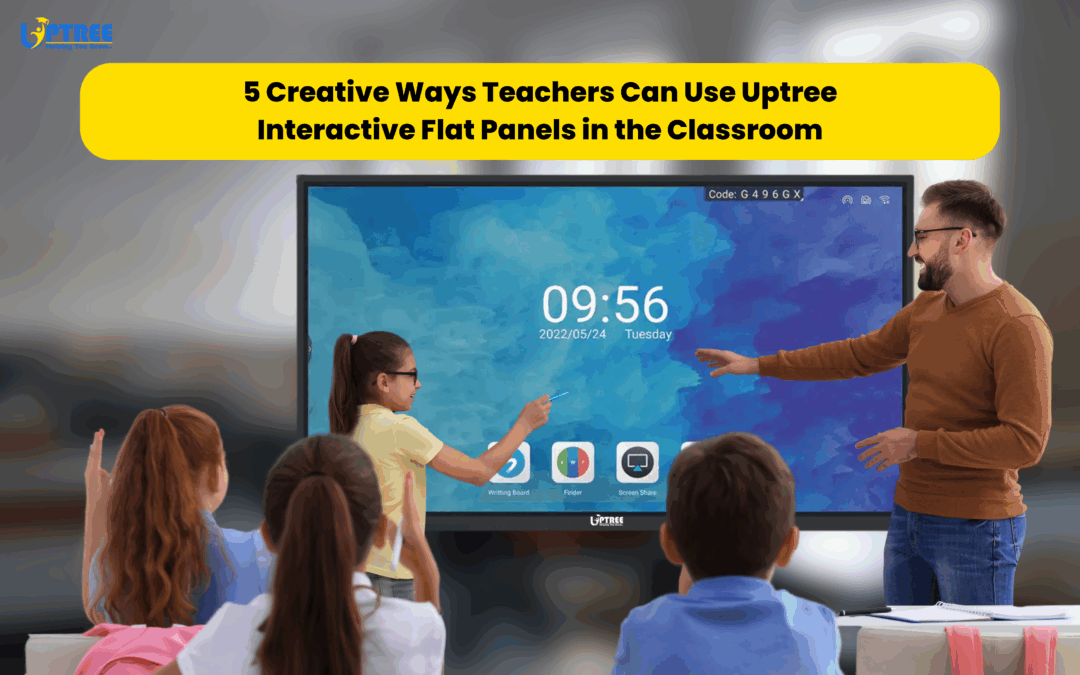
5 Innovative Ways Teachers Use Interactive Flat Panels
5 Innovative Ways Teachers Use Interactive Flat Panels is a topic that highlights how modern technology is transforming classrooms and creating more engaging learning experiences for students. Education has evolved significantly over the past decade, and teachers are constantly looking for new ways to make lessons interactive, collaborative, and effective. Traditional teaching methods are no longer enough to capture the attention of digitally connected students who are accustomed to interactive content and technology-driven experiences.
This is where Uptree Interactive Flat Panels (IFPs) are making a remarkable difference. Combining ultra-HD visuals, multi-touch capabilities, wireless connectivity, and powerful collaboration tools, Uptree Interactive Flat Panels help teachers create dynamic classrooms that encourage participation and improve learning outcomes.
From interactive quizzes and virtual field trips to collaborative projects and gamified learning, the possibilities are endless. In this blog, we’ll explore 5 Innovative Ways Teachers Use Interactive Flat Panels to transform teaching and inspire students.
The Growing Role of Technology in Education
Modern classrooms are becoming increasingly technology-driven. Students learn differently than previous generations, and educators need tools that support diverse learning styles while maintaining engagement.
Interactive Flat Panels provide a solution by combining visual learning, hands-on interaction, and collaborative teaching into one platform. Teachers can move beyond static presentations and create immersive lessons that keep students actively involved.
Understanding the 5 Innovative Ways Teachers Use Interactive Flat Panels can help schools unlock the full potential of digital learning.
1. Interactive Quizzes and Live Polls
One of the most effective examples among the 5 Innovative Ways Teachers Use Interactive Flat Panels is conducting live quizzes and polls.
Traditional assessments often feel routine and can fail to capture student interest. Interactive Flat Panels allow teachers to transform assessments into exciting classroom activities.
Benefits of Interactive Quizzes
- Increased student participation
- Immediate feedback
- Better knowledge retention
- Improved classroom engagement
- Enhanced competition and motivation
Teachers can use educational platforms such as Quizizz, Kahoot, or Google Forms directly on the Uptree Interactive Flat Panel.
Students can:
- Answer questions individually
- Participate in team competitions
- View real-time scores
- Receive instant feedback
The interactive nature of these activities makes learning enjoyable while helping teachers assess understanding effectively.
Creating a Fun Learning Environment
Interactive quizzes encourage active participation from all students, including those who may be hesitant to speak up during traditional classroom discussions.
This is one of the reasons why interactive learning has become a key focus in modern education.
2. Virtual Field Trips and Global Exploration
Another exciting example among the 5 Innovative Ways Teachers Use Interactive Flat Panels is the ability to conduct virtual field trips.
Field trips have always been valuable educational experiences, but budget limitations, logistics, and safety concerns can make them difficult to organize.
With an Uptree Interactive Flat Panel, teachers can take students anywhere in the world without leaving the classroom.
Exploring the World Digitally
Teachers can use:
- Google Earth
- Virtual museum tours
- Historical landmarks
- National parks
- Space exploration websites
- Live wildlife cameras
Students can explore locations interactively by zooming, navigating maps, and examining landmarks in detail.
Bringing Lessons to Life
Instead of reading about ancient civilizations in a textbook, students can virtually visit archaeological sites. Instead of studying geography through static maps, they can explore countries and continents interactively.
These experiences make learning more memorable and meaningful.
3. Collaborative Group Projects
Collaboration is one of the most important skills students need for future success.
This is why collaborative learning ranks highly among the 5 Innovative Ways Teachers Use Interactive Flat Panels.
The multi-touch functionality of Uptree Interactive Flat Panels allows multiple students to interact with content simultaneously.
Encouraging Teamwork
Students can work together on:
- Mind maps
- Research projects
- Brainstorming sessions
- Problem-solving activities
- Group presentations
This collaborative approach encourages communication, creativity, and teamwork.
Interactive Brainstorming
Teachers can use digital whiteboarding tools to facilitate brainstorming sessions where students contribute ideas in real time.
Ideas can be organized, edited, and saved instantly for future reference.
Building Critical Thinking Skills
Group projects supported by Interactive Flat Panels encourage students to analyze information, solve problems, and work collaboratively toward shared goals.
These experiences prepare students for both academic and professional success.
4. Annotating and Enhancing Digital Content
The ability to annotate directly on digital content is another powerful example among the 5 Innovative Ways Teachers Use Interactive Flat Panels.
Traditional teaching often limits educators to static content. Interactive Flat Panels allow teachers to enhance learning materials in real time.
Real-Time Annotation
Teachers can:
- Highlight important information
- Draw diagrams
- Add notes
- Explain concepts visually
- Mark up images and documents
This flexibility helps students understand complex topics more easily.
Supporting Different Subjects
Interactive annotation is valuable across multiple disciplines:
Science
- Label diagrams
- Explain biological processes
- Illustrate experiments
Mathematics
- Solve equations step by step
- Demonstrate problem-solving methods
- Highlight key formulas
Language Arts
- Analyze texts
- Highlight literary techniques
- Annotate reading passages
Social Studies
- Examine historical documents
- Mark geographical locations
- Explore timelines
The ability to interact directly with content improves comprehension and engagement.
5. Gamified Learning Experiences
The final example among the 5 Innovative Ways Teachers Use Interactive Flat Panels is gamification.
Gamified learning introduces game-like elements into educational activities, making lessons more exciting and motivating.
Why Gamification Works
Gamification helps:
- Increase student engagement
- Encourage participation
- Improve retention
- Foster healthy competition
- Make learning enjoyable
Classroom Games Using Interactive Flat Panels
Teachers can create:
- Math challenges
- Vocabulary competitions
- Science quizzes
- Puzzle-solving activities
- Team-based learning games
The large interactive display allows students to participate actively while keeping the entire class involved.
Tracking Progress
Interactive Flat Panels make it easy to display scores, track achievements, and celebrate student success.
This positive reinforcement encourages continued participation and learning.
Additional Benefits of Uptree Interactive Flat Panels in Education
Beyond these 5 Innovative Ways Teachers Use Interactive Flat Panels, there are many other advantages that make them valuable educational tools.
Enhanced Student Engagement
Interactive lessons naturally attract attention and encourage participation.
Better Knowledge Retention
Students remember information more effectively when they actively engage with content.
Support for Diverse Learning Styles
Visual, auditory, and kinesthetic learners all benefit from the flexibility of Interactive Flat Panels.
Improved Classroom Management
Teachers can organize content efficiently and switch between resources seamlessly.
Future-Ready Learning Environments
Schools that adopt advanced educational technology prepare students for a digital future.
Why Choose Uptree Interactive Flat Panels?
At Uptree, we are committed to empowering educators with innovative technology solutions designed for modern classrooms.
Our Interactive Flat Panels offer:
- 4K Ultra HD displays
- Multi-touch technology
- Wireless screen sharing
- Interactive whiteboarding
- Cloud connectivity
- Built-in educational tools
- Easy-to-use interface
- Reliable performance
These features enable teachers to create engaging and impactful learning experiences every day.
Conclusion
The 5 Innovative Ways Teachers Use Interactive Flat Panels demonstrate how technology can transform education by making learning more interactive, collaborative, and engaging. From virtual field trips and collaborative projects to live quizzes and gamified lessons, Uptree Interactive Flat Panels provide endless opportunities for creative teaching.
As schools continue to embrace digital transformation, Interactive Flat Panels are becoming an essential part of modern classrooms. They help teachers inspire students, improve learning outcomes, and create educational experiences that are both meaningful and memorable.
At Uptree, we believe that great technology empowers great teaching. Our Interactive Flat Panels are designed to help educators unlock new possibilities and build classrooms that prepare students for success in the digital age.
Explore the Uptree Interactive Flat Panel: https://www.uptree.in/interactive-flat-panel
To learn more about the Uptree Interactive Flat Panel, explore our related blogs:
-
4 Reasons Uptree Interactive Flat Panel is Essential: Read More
-
Ultimate Smart Upgrade at St. Xavier’s Ahmedabad: Read More
-
Rai University IT Classroom Upgrade with Uptree: Read More