
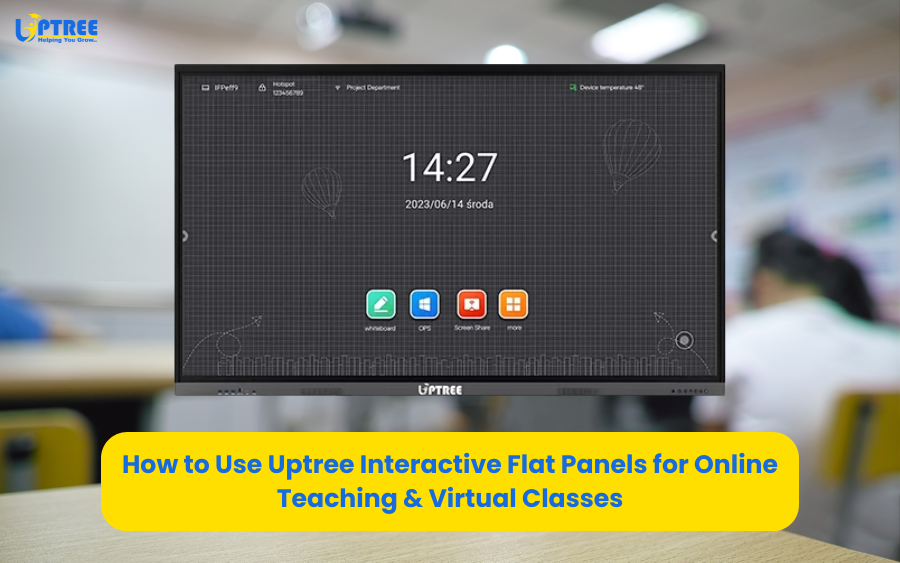
Uptree IFP: 7 Proven Tips for Better Virtual Classes
Uptree IFP: 7 Proven Tips for Better Virtual Classes is transforming the way educators and trainers deliver online learning experiences. With the rapid shift toward digital education, institutions are now focusing on tools that enhance engagement, improve collaboration, and make virtual classrooms more interactive. At Uptree, our Interactive Flat Panels (IFPs) are designed to support this transformation and make online teaching more effective and impactful.
The importance of Uptree IFP: 7 Proven Tips for Better Virtual Classes lies in its ability to simplify teaching while improving student participation. Traditional online classes often suffer from lack of interaction, poor engagement, and limited visual communication. However, using advanced IFP technology solves these challenges efficiently.
In this blog, we will explore Uptree IFP: 7 Proven Tips for Better Virtual Classes and understand how educators can maximize the potential of Uptree Interactive Flat Panels for virtual teaching success.
Why Virtual Classes Need Better Tools
The rise of online education has created a need for smarter teaching tools. Uptree IFP: 7 Proven Tips for Better Virtual Classes highlights how essential it is to improve virtual learning environments.
Students often face issues such as distractions, lack of engagement, and difficulty understanding concepts in online formats. Teachers also struggle with limited interaction and communication barriers.
This is where Uptree IFP: 7 Proven Tips for Better Virtual Classes becomes highly relevant. Interactive Flat Panels bring real-time collaboration, visual clarity, and interactive learning into the digital classroom.
Tip 1: Use Interactive Whiteboard Features
The first part of Uptree IFP: 7 Proven Tips for Better Virtual Classes is using the digital whiteboard effectively.
Teachers can write, draw, and explain concepts in real time. This makes online classes more engaging and easier to understand.
Uptree IFP: 7 Proven Tips for Better Virtual Classes emphasizes that visual learning improves student retention significantly.
By using annotations and diagrams, educators can simulate a physical classroom experience in a virtual environment.
Tip 2: Integrate Multimedia Content
Another key aspect of Uptree IFP: 7 Proven Tips for Better Virtual Classes is incorporating multimedia elements.
Videos, animations, and presentations make lessons more dynamic and interesting.
Uptree IFP: 7 Proven Tips for Better Virtual Classes shows that students learn faster when multiple senses are engaged during teaching.
Using Uptree IFP, teachers can easily switch between content types, making lessons more flexible and interactive.
Tip 3: Encourage Real-Time Interaction
Interaction is essential for successful virtual learning. Uptree IFP: 7 Proven Tips for Better Virtual Classes highlights the importance of student participation.
Teachers can ask questions, conduct quizzes, and involve students in discussions during live sessions.
Uptree IFP: 7 Proven Tips for Better Virtual Classes helps reduce passive learning and encourages active involvement.
This leads to better understanding and improved academic performance.
Tip 4: Use Multi-Touch Collaboration Tools
Collaboration is a major benefit of Uptree technology. Uptree IFP: 7 Proven Tips for Better Virtual Classes emphasizes multi-touch capabilities.
Multiple users can interact with the screen simultaneously, allowing group activities and teamwork.
Uptree IFP: 7 Proven Tips for Better Virtual Classes ensures that students can brainstorm ideas together, even in a virtual setup.
This builds communication skills and enhances collaborative learning.
Tip 5: Record and Share Lessons
Recording lessons is another powerful feature highlighted in Uptree IFP: 7 Proven Tips for Better Virtual Classes.
Teachers can record sessions and share them with students who missed the class or want to revise later.
Uptree IFP: 7 Proven Tips for Better Virtual Classes helps create a flexible learning environment where students can learn at their own pace.
This feature improves accessibility and ensures no student is left behind.
Tip 6: Optimize Screen Sharing and Connectivity
Smooth connectivity is crucial for virtual classes. Uptree IFP: 7 Proven Tips for Better Virtual Classes focuses on wireless screen sharing and device integration.
Teachers can connect laptops, tablets, and smartphones seamlessly.
Uptree IFP: 7 Proven Tips for Better Virtual Classes allows educators to switch between devices without interruptions, ensuring smooth teaching flow.
This improves efficiency and reduces technical delays during online sessions.
Tip 7: Create Engaging Assessments
Assessments are vital for measuring learning outcomes. Uptree IFP: 7 Proven Tips for Better Virtual Classes highlights interactive evaluation methods.
Teachers can conduct live quizzes, polls, and tests directly through the panel.
Uptree IFP: 7 Proven Tips for Better Virtual Classes makes assessments more engaging and instant, helping educators identify learning gaps quickly.
This improves both teaching effectiveness and student performance.
Benefits of Using Uptree IFP in Virtual Learning
The implementation of Uptree IFP: 7 Proven Tips for Better Virtual Classes brings multiple advantages to educators and learners.
It enhances:
- Student engagement
- Teacher efficiency
- Content clarity
- Collaboration
- Learning outcomes
Uptree IFP: 7 Proven Tips for Better Virtual Classes also reduces technical barriers and improves communication in online classrooms.
With advanced features, Uptree IFP creates a seamless virtual learning experience.
How Uptree Supports Modern Education
At Uptree, we understand the challenges of online teaching. Uptree IFP: 7 Proven Tips for Better Virtual Classes is designed to help educators overcome these challenges effectively.
Our Interactive Flat Panels offer:
- High-resolution displays
- Smooth touch interaction
- Wireless connectivity
- Easy-to-use interface
- Reliable performance
Uptree IFP: 7 Proven Tips for Better Virtual Classes ensures that teachers can focus on teaching rather than managing technology.
This makes virtual learning more productive and enjoyable.
The Future of Virtual Classrooms
The future of education is digital. Uptree IFP: 7 Proven Tips for Better Virtual Classes represents the direction in which modern learning is evolving.
With advancements in technology, virtual classrooms will become more interactive, personalized, and efficient.
Uptree IFP: 7 Proven Tips for Better Virtual Classes will continue to play a major role in shaping this transformation.
AI integration, cloud learning, and smart collaboration tools will further enhance virtual education.
Conclusion
Uptree IFP: 7 Proven Tips for Better Virtual Classes provides a complete guide for improving online teaching effectiveness.
From interactive whiteboards to real-time collaboration, every tip enhances the learning experience.
Uptree IFP: 7 Proven Tips for Better Virtual Classes shows how Uptree Interactive Flat Panels are revolutionizing digital education.
By adopting these strategies, educators can create engaging, interactive, and impactful virtual classrooms.
In conclusion, Uptree IFP: 7 Proven Tips for Better Virtual Classes is not just a concept but a practical approach to improving online education for the future.
To learn more about the Uptree Interactive Flat Panel, explore our related blogs:
-
4 Reasons Uptree Interactive Flat Panel is Essential: Read More
-
Ultimate Smart Upgrade at St. Xavier’s Ahmedabad: Read More
-
Rai University IT Classroom Upgrade with Uptree: Read More