
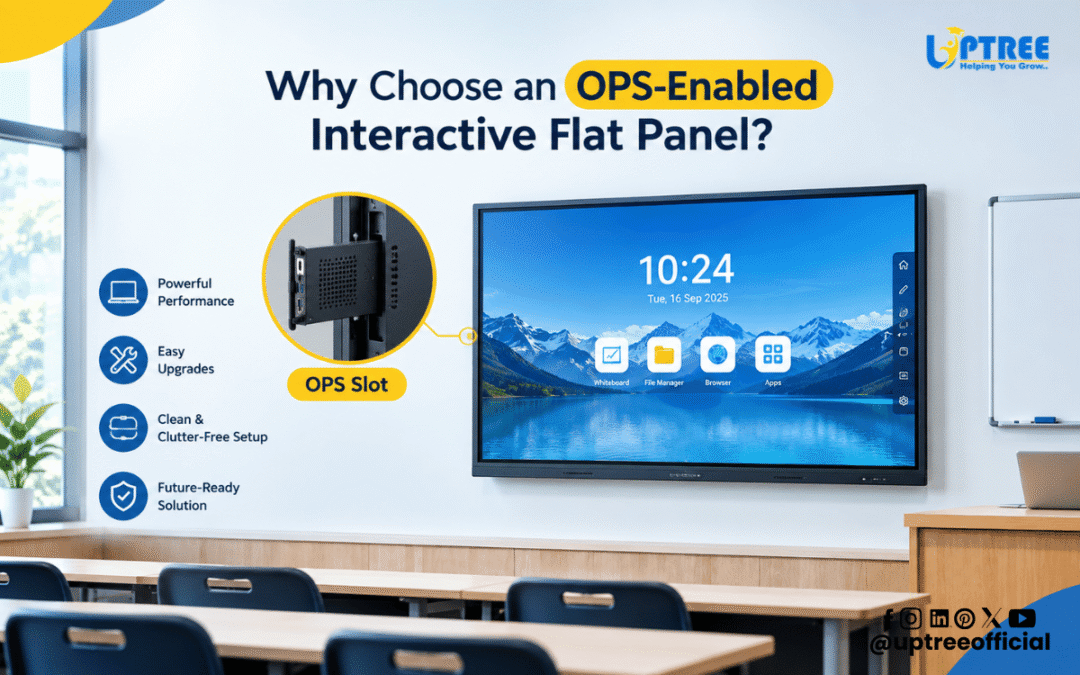
Why Choose an OPS-Enabled Interactive Flat Panel?
Why Choose an OPS-Enabled Interactive Flat Panel? An OPS-enabled interactive flat panel combines the functionality of a large interactive display with the computing capabilities of a pluggable PC module. This configuration is designed to provide schools, colleges, coaching institutes, training centers, offices, and other professional environments with a flexible solution for presentations, teaching, collaboration, and digital content delivery.
As smart classrooms and modern workplaces continue to adopt interactive technology, choosing the right display system has become increasingly important. An interactive flat panel is no longer simply a replacement for a projector or traditional whiteboard. With features such as touch interaction, wireless casting, digital annotation, multimedia playback, and integrated computing options, it can become a complete digital workspace.
An OPS-enabled interactive flat panel takes this concept further by allowing a compatible computer module to be installed directly into the display. Instead of depending entirely on an external desktop or laptop, users can access a dedicated computing environment through the panel itself.
What Is OPS?
OPS stands for Open Pluggable Specification. It is a standardized approach for integrating computing modules into compatible digital displays. An OPS module generally contains components such as a processor, RAM, storage, operating system, graphics capabilities, and connectivity options.
The module is designed to fit into a dedicated OPS slot available on compatible interactive flat panels. This allows the display and computer to operate as an integrated solution while maintaining the possibility of upgrading or servicing the computing module separately.
For institutions considering Why Choose an OPS-Enabled Interactive Flat Panel?, understanding this modular architecture is important. It explains why OPS can be useful for environments where computing requirements may change over time.
Why Is OPS Useful in Interactive Flat Panels?
Traditional interactive displays may rely on external computers for Windows-based applications or other computing requirements. While an external computer can work effectively, it also means additional hardware, cables, power connections, and installation considerations.
An OPS-enabled interactive flat panel brings the computing module closer to the display architecture. This can create a cleaner installation and make the overall setup easier to manage.
For example, a school may use an OPS module to run educational applications, presentations, browser-based learning platforms, office software, and multimedia content directly from the interactive panel.
Similarly, businesses can use an OPS-enabled setup for meetings, presentations, video conferencing, training sessions, and collaborative work.
1. Integrated Computing Experience
One of the biggest advantages of an OPS-enabled interactive flat panel is the integrated computing experience.
With a compatible OPS module installed, the interactive panel can function as both a display and a computing device. Users can operate applications directly on the large touchscreen instead of continuously switching between the display and an external computer.
This can be particularly useful in classrooms where teachers need to move quickly between digital textbooks, presentations, videos, browser content, educational software, and annotation tools.
For businesses, an integrated setup can simplify presentations and meeting-room workflows.
2. Reduced Cable Clutter
External computers often require multiple connections between the computer and interactive display. Depending on the setup, these may include video cables, USB connections, audio connections, power cables, and other accessories.
An OPS configuration can reduce the need for several external connections because the computing module is installed within the compatible display.
This can help create a cleaner smart classroom or professional workspace.
A cleaner setup can also make the panel easier to operate, especially in environments where teachers, trainers, or multiple employees use the same system throughout the day.
3. Convenient Classroom Management
Modern classrooms use a wide range of digital resources. Teachers may need to access presentations, educational websites, videos, PDFs, interactive simulations, and learning applications during a single lesson.
An OPS-enabled interactive flat panel can provide a centralized platform for these activities when equipped with the appropriate computing module and software.
Instead of connecting a different laptop for every session, institutions can use the integrated computing environment available through the panel.
This can make classroom technology more consistent and easier for teachers to use.
4. Better Workspace Organization
Workspace organization is another reason to consider Why Choose an OPS-Enabled Interactive Flat Panel?
A traditional setup can require a separate computer, keyboard, mouse, cables, adapters, and other accessories. While these components can be useful, they also occupy space.
An integrated OPS configuration can help reduce the amount of external computing hardware required around the display.
This can be beneficial in classrooms, conference rooms, training rooms, boardrooms, and laboratories where maintaining an organized environment is important.
5. Flexible Computing Options
Different users have different computing requirements.
A primary school may need basic educational applications, while a college laboratory may require more advanced software. A corporate training room may need office applications, browser tools, video conferencing platforms, and presentation software.
The modular nature of OPS allows organizations to select a compatible computing configuration according to their requirements.
This flexibility is one of the key considerations when evaluating Why Choose an OPS-Enabled Interactive Flat Panel?
The appropriate OPS module can be selected based on factors such as processor performance, RAM, storage, operating system, graphics requirements, and intended applications.
6. Easier Upgrades and Servicing
Technology requirements change over time. A computer configuration that is suitable today may not provide the same level of performance several years later.
One advantage of a modular OPS approach is that the computing component is separate from the primary display hardware.
Depending on the panel and OPS design, the module can potentially be serviced or upgraded without replacing the entire interactive display.
This can help organizations plan their technology investment more efficiently.
However, upgrade compatibility depends on the specific interactive panel and OPS module. Users should always verify supported specifications with the manufacturer before purchasing or upgrading components.
7. Suitable for Smart Classrooms
Smart classrooms require more than just a large screen. Teachers need access to digital learning resources, interactive content, online platforms, presentations, videos, and other educational tools.
An OPS-enabled interactive flat panel can provide a centralized platform for these activities.
When combined with touch interaction, digital whiteboarding, screen sharing, multimedia capabilities, and appropriate software, the panel can support a wide range of teaching methods.
Teachers can write directly on the screen, open digital resources, demonstrate concepts, play educational videos, and interact with applications from a single display.
8. Useful for Colleges and Training Institutes
Higher education and professional training environments often have more advanced computing requirements.
An OPS-enabled panel can be used for lectures, demonstrations, presentations, technical training, workshops, and collaborative sessions.
For example, instructors can display software interfaces, documents, diagrams, browser applications, and multimedia resources on a large interactive screen.
The touchscreen interface can also allow trainers to annotate content directly during a session.
9. Professional Presentation Environment
An OPS-enabled interactive flat panel can also be useful in corporate environments.
Meeting rooms and boardrooms increasingly use digital displays for presentations and collaboration. An integrated computing module can help users access presentation software, documents, websites, dashboards, and other digital resources directly from the panel.
This can reduce dependence on individual laptops for routine presentations.
Employees can also use interactive features to highlight information, annotate documents, and explain ideas during meetings.
10. Supports Digital Collaboration
Modern workplaces increasingly depend on collaborative digital tools.
An interactive flat panel can provide a large touchscreen workspace where multiple users can interact with content. Depending on the panel’s capabilities and software environment, teams can collaborate on documents, presentations, diagrams, and other digital resources.
An OPS module can provide the computing environment required for compatible desktop applications and platforms.
This makes the OPS-enabled interactive flat panel relevant not only for education but also for business collaboration.
11. Centralized Technology
Managing multiple pieces of technology can become difficult in large institutions.
A classroom may have a projector, desktop computer, speakers, cables, adapters, and a separate interactive board. Managing all these components can increase installation and maintenance requirements.
An integrated panel with an OPS module can consolidate several functions into one primary display system.
This centralized approach can make daily operation more straightforward for teachers, trainers, and staff.
12. Large Interactive Display With Computing Power
A conventional desktop computer provides computing power, while a conventional display provides visual output. An OPS-enabled interactive flat panel brings these two concepts together.
Users get a large interactive touchscreen along with a compatible computing environment.
This combination can be particularly valuable when the panel is being used as the primary technology platform in a classroom, meeting room, or training environment.
13. Supports Multiple Applications
Another consideration when asking Why Choose an OPS-Enabled Interactive Flat Panel? is application compatibility.
Depending on the operating system and specifications of the OPS module, users may be able to run various educational, productivity, presentation, browser, communication, and professional applications.
This can expand the functionality of the interactive panel beyond simple screen mirroring.
Institutions should select the OPS configuration based on the applications they intend to use rather than choosing hardware only according to processor or storage specifications.
14. Better Utilization of Interactive Features
The real advantage of an interactive flat panel comes from combining display technology with touch-based interaction.
With an OPS computer installed, users can interact directly with applications through the large touchscreen.
For teachers, this means they can open software, manipulate content, annotate information, and explain concepts directly from the panel.
For business users, it can mean interacting with presentations, dashboards, documents, and collaborative tools without standing behind a separate computer.
15. Suitable for Different Environments
An OPS-enabled interactive flat panel is not limited to classrooms.
It can be deployed across various environments, including:
- Schools
- Colleges
- Coaching institutes
- Training centers
- Corporate offices
- Boardrooms
- Meeting rooms
- Seminar halls
- Computer laboratories
- Skill development centers
- Government institutions
- Professional training facilities
The appropriate panel size, OPS configuration, software, and accessories will depend on the specific application.
What Should You Consider Before Choosing an OPS Panel?
While understanding Why Choose an OPS-Enabled Interactive Flat Panel? is important, buyers should also evaluate the specifications carefully.
Processor
The processor affects application performance and overall responsiveness. Select a processor according to the applications and workload expected on the panel.
RAM
RAM influences multitasking performance. If users frequently work with multiple applications, browser tabs, presentations, or multimedia content, adequate RAM becomes important.
Storage
Storage capacity should be selected according to the applications, documents, media, and software that will be installed.
Operating System
The operating system should support the applications required by the organization. Windows-based OPS modules may be preferred when users require desktop applications that are not available on other operating systems.
Connectivity
Check the available ports and connectivity options, including USB, HDMI, LAN, Wi-Fi, Bluetooth, and other required interfaces.
Compatibility
Not every OPS module works with every interactive panel. Buyers should confirm compatibility between the OPS module and the panel before purchasing.
OPS vs External Computer
Both OPS modules and external computers can be used with interactive displays, but their installation approaches are different.
An external computer provides flexibility because it can be positioned separately and may be easier to replace independently. However, it can require additional cables and physical space.
An OPS module is designed to integrate directly into a compatible display. This can create a cleaner installation and centralized user experience.
Therefore, the right option depends on the organization’s infrastructure, applications, maintenance preferences, and budget.
OPS for Modern Digital Classrooms
Education is becoming increasingly technology-driven. Digital content, online learning resources, interactive activities, multimedia lessons, and collaborative teaching methods are becoming part of everyday classroom environments.
An OPS-enabled interactive flat panel can help bring computing and interactive display capabilities together in a single teaching platform.
Teachers can use the touchscreen to explain concepts, demonstrate software, access digital resources, and interact with students.
For institutions planning long-term smart classroom infrastructure, modular technology can also provide greater flexibility as computing requirements evolve.
OPS for Corporate Offices
Corporate environments have similar requirements.
Modern offices use interactive displays for presentations, meetings, employee training, product demonstrations, brainstorming sessions, and video conferencing.
An OPS-equipped interactive display can provide a centralized computing environment for these activities.
Employees can access presentations, documents, web applications, and other compatible software directly from the large screen.
This can make the meeting environment more interactive and reduce reliance on individual laptops for routine activities.
How Uptree Supports Smart Display Solutions
At Uptree, we understand that every institution and organization has different technology requirements.
Our approach focuses on providing interactive display solutions that can be configured according to the intended application. From smart classrooms and coaching institutes to corporate offices and training centers, the right combination of interactive panels, OPS modules, software, accessories, and installation support can help organizations build a practical digital environment.
When considering Why Choose an OPS-Enabled Interactive Flat Panel?, it is important to look beyond the display itself. The processor, RAM, storage, operating system, connectivity, OPS compatibility, installation, and after-sales support all contribute to the overall experience.
Uptree provides interactive flat panel solutions designed for educational and professional environments, along with installation and technical support.
Conclusion
Why Choose an OPS-Enabled Interactive Flat Panel? The answer lies in its combination of interactive display technology and modular computing capability. By integrating a compatible OPS module with an interactive flat panel, organizations can create a cleaner, more centralized, and flexible digital workspace.
From smart classrooms and colleges to training centers, offices, and boardrooms, this configuration can support presentations, digital teaching, collaboration, multimedia content, and compatible applications.
An OPS solution can also offer advantages in terms of workspace organization, computing flexibility, servicing, and potential upgrades. However, organizations should carefully evaluate their application requirements and confirm compatibility before selecting an OPS module.
For institutions and businesses planning a modern digital environment, an OPS-enabled interactive flat panel can be an effective technology solution when the hardware, software, and infrastructure are selected according to actual user requirements.
If you are planning to upgrade your classroom, training room, or office with an interactive flat panel and OPS solution, Uptree can help you explore suitable configurations based on your requirements.
To learn more about the Uptree Interactive Flat Panel, explore our related blogs:
-
Top 5 Benefits of Android 16 Interactive Flat Panel: Read More
-
Android 16 Interactive Flat Panel for Modern Classrooms: Read More
-
Key Advantages of EDLA-Certified Android 16 IFP: Read More