
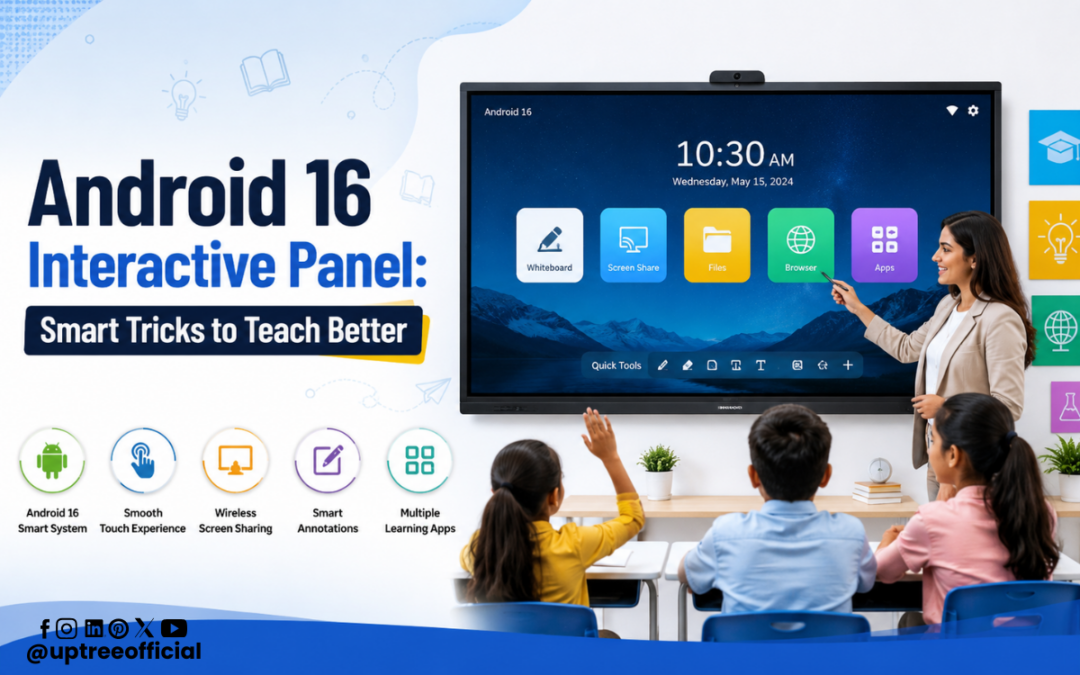
Android 16 Interactive Panel: Smart Tricks to Teach Better
Android 16 Interactive Panel: Smart Tricks to Teach Better is transforming the way teachers deliver lessons in modern classrooms. Education has evolved significantly over the past few years, and technology now plays a major role in making learning more engaging, interactive, and effective. Traditional teaching methods are gradually being replaced with smart classroom solutions that encourage participation, collaboration, and creativity.
At Uptree, we understand the changing needs of schools, colleges, coaching institutes, universities, and corporate training centers. Our Android 16 Interactive Panel is designed to help educators simplify teaching while improving student understanding. With advanced software, AI-powered features, an intuitive interface, and seamless connectivity, teachers can create an exciting learning environment without relying on multiple devices.
In this blog, we’ll explore the smartest tricks educators can use with the Android 16 Interactive Panel: Smart Tricks to Teach Better approach and discover how this powerful technology makes every lesson more productive.
Why Schools Are Choosing Android 16 Interactive Panels
Digital classrooms are no longer a luxury; they’re becoming a necessity. Teachers need tools that save time, improve engagement, and simplify lesson delivery.
The Android 16 Interactive Panel: Smart Tricks to Teach Better provides everything educators need in one device:
- Ultra HD display for crystal-clear visuals
- Smooth multi-touch functionality
- AI-powered educational tools
- Built-in digital whiteboard
- Wireless screen sharing
- Learning Management System (LMS) compatibility
- Fast Android 16 operating system
- Easy access to educational apps
- Cloud integration
- Secure and user-friendly interface
Instead of switching between projectors, laptops, whiteboards, and speakers, teachers can manage everything from one interactive display.
1. Turn Every Lesson into an Interactive Experience
The biggest advantage of the Android 16 Interactive Panel: Smart Tricks to Teach Better is interactivity.
Students learn more effectively when they actively participate rather than simply watching lectures.
Teachers can:
- Write directly on the screen
- Highlight important concepts
- Draw diagrams instantly
- Solve equations step-by-step
- Annotate PDFs and presentations
- Save notes after class
This encourages students to ask questions and stay engaged throughout the lesson.
2. Use Digital Whiteboard Tools
The digital whiteboard is one of the most valuable features of the Android 16 Interactive Panel: Smart Tricks to Teach Better.
Instead of using markers and erasers, teachers get advanced writing tools such as:
- Multiple pen colors
- Different pen sizes
- Highlighter
- Shape tools
- Smart handwriting recognition
- Infinite writing canvas
Everything written during class can be saved and shared with students later, eliminating the need to rewrite notes.
3. Teach with Images, Videos, and Animations
Visual learning significantly improves understanding.
The Android 16 Interactive Panel: Smart Tricks to Teach Better supports:
- Educational videos
- Interactive presentations
- 3D animations
- Science simulations
- Geography maps
- Historical documentaries
- Educational websites
Instead of explaining difficult concepts verbally, teachers can demonstrate them visually.
For example:
- Science teachers can display animated experiments.
- Biology teachers can explore 3D human anatomy.
- Geography teachers can zoom into world maps.
- Mathematics teachers can show animated graphs.
Students understand concepts faster when they can see them in action.
4. Make Learning More Collaborative
Group learning improves communication and problem-solving skills.
The Android 16 Interactive Panel: Smart Tricks to Teach Better allows multiple students to interact with the screen simultaneously.
Teachers can:
- Divide students into teams
- Solve problems together
- Conduct brainstorming sessions
- Complete collaborative projects
- Play educational quizzes
Instead of passive learning, classrooms become collaborative learning spaces.
5. Share Notes Instantly
One of the smartest features of the Android 16 Interactive Panel: Smart Tricks to Teach Better is digital note sharing.
After completing a lesson, teachers can instantly share notes with students using QR codes or cloud storage.
Benefits include: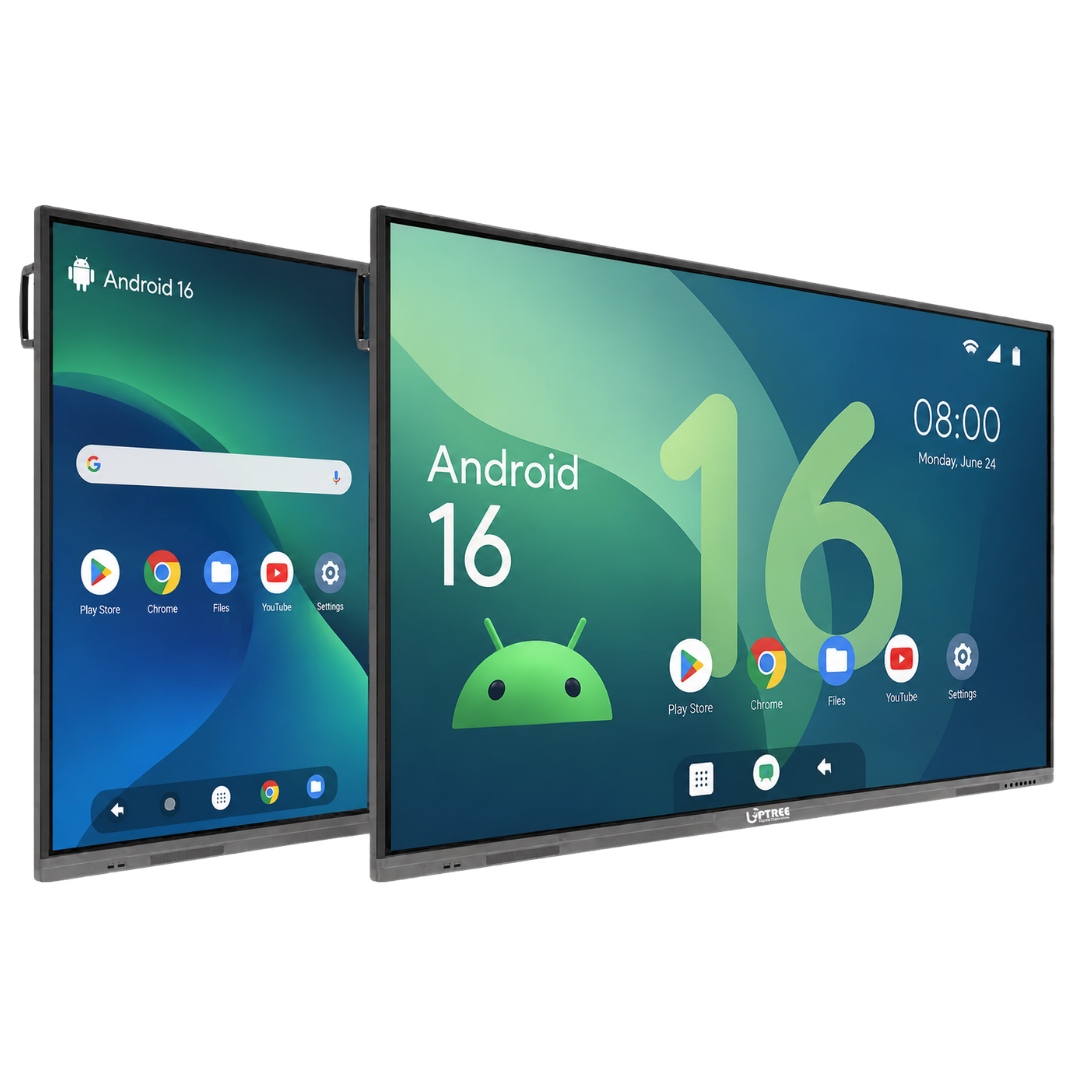
- No copying from the board
- Accurate notes
- Time savings
- Better revision
- Easy access anytime
Students can focus more on understanding the lesson rather than rushing to copy every word.
6. Connect Multiple Devices Wirelessly
Modern classrooms use various digital devices.
The Android 16 Interactive Panel: Smart Tricks to Teach Better supports wireless connectivity with:
- Laptops
- Tablets
- Smartphones
- Document cameras
- External storage devices
Teachers can present content instantly without dealing with multiple cables.
Wireless sharing makes classroom setup quicker and more organized.
7. Integrate Learning Management Systems (LMS)
Managing classroom resources becomes much easier with LMS integration.
The Android 16 Interactive Panel: Smart Tricks to Teach Better works seamlessly with Learning Management Systems, allowing teachers to:
- Access digital lesson plans
- Share assignments
- Upload study materials
- Track student progress
- Organize classroom content efficiently
This integration reduces paperwork and helps educators manage their teaching resources from a single platform.
8. Conduct Interactive Quizzes and Assessments
Instead of waiting until the end of the chapter, teachers can assess student understanding during the lesson.
Using the Android 16 Interactive Panel: Smart Tricks to Teach Better, educators can create:
- Live quizzes
- Polls
- Multiple-choice questions
- True/false activities
- Interactive games
Instant feedback helps identify learning gaps early, allowing teachers to adjust their teaching methods as needed.
9. Simplify Complex Concepts with AI-Powered Tools
One of the standout advantages of the Android 16 Interactive Panel: Smart Tricks to Teach Better is its AI-powered capabilities. Artificial Intelligence is changing education by making lessons more personalized and engaging.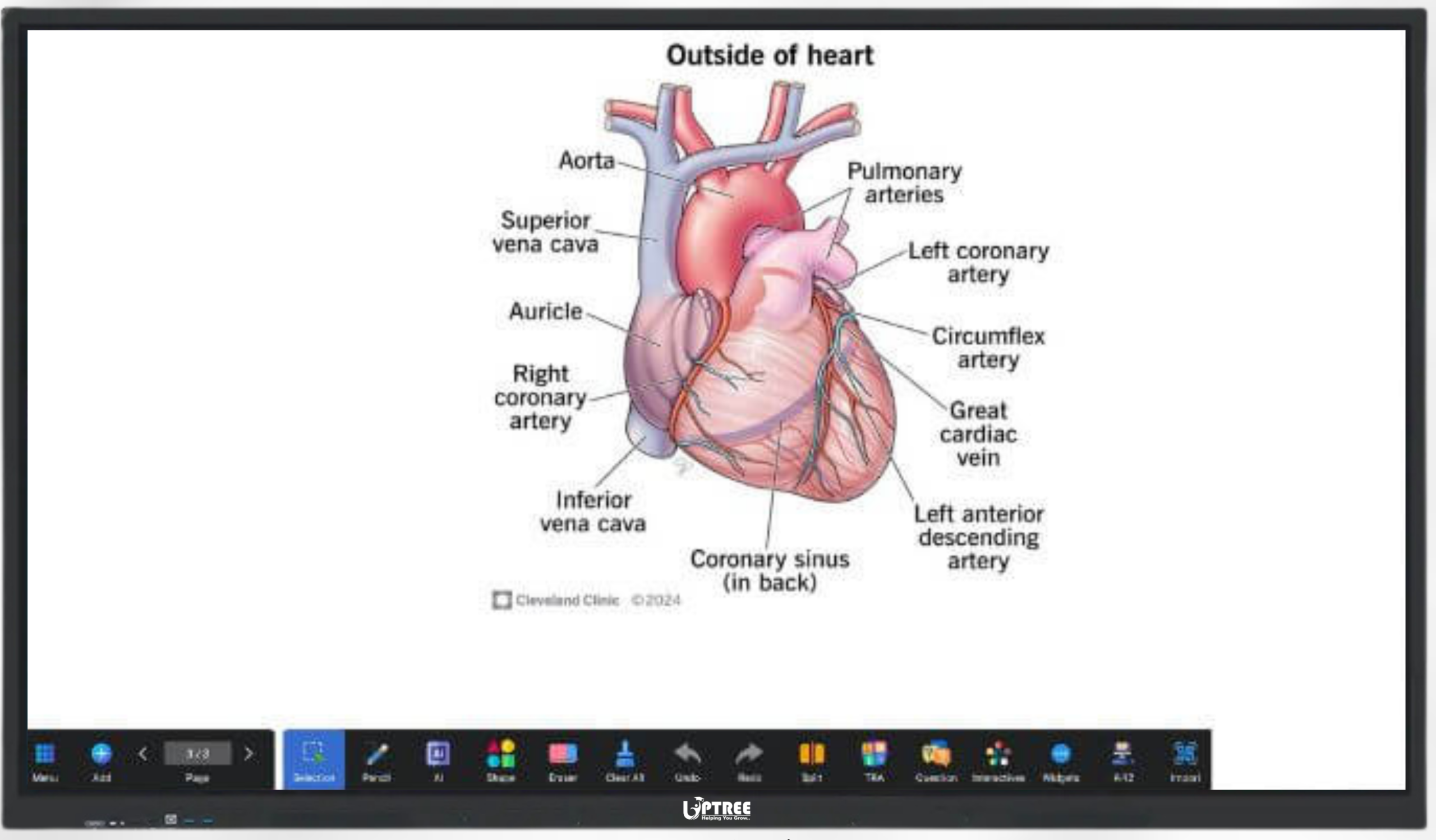
Teachers can use AI tools to:
- Generate diagrams instantly
- Recognize handwritten text
- Translate content into different languages
- Organize lesson materials
- Improve classroom productivity
These intelligent features save valuable teaching time while making lessons easier for students to understand.
The Android 16 Interactive Panel: Smart Tricks to Teach Better ensures teachers spend more time teaching and less time managing technology.
10. Encourage Student Participation
Keeping students actively involved is one of the biggest challenges in education.
The Android 16 Interactive Panel: Smart Tricks to Teach Better encourages participation by allowing students to come to the screen and solve problems themselves.
Teachers can invite students to:
- Solve math equations
- Label science diagrams
- Complete maps
- Drag and drop answers
- Match vocabulary words
- Participate in brainstorming activities
This hands-on learning approach builds confidence and improves classroom interaction.
11. Record Lessons for Future Learning
Sometimes students miss classes or need additional revision.
The Android 16 Interactive Panel: Smart Tricks to Teach Better allows teachers to record lessons and save important classroom sessions.
Recorded lessons help students:
- Revise before exams
- Learn at their own pace
- Catch up on missed classes
- Review difficult topics multiple times
This feature supports both classroom learning and self-study.
12. Make Hybrid Learning Easy
Today’s educational institutions often teach both in-person and remote students.
The Android 16 Interactive Panel: Smart Tricks to Teach Better supports hybrid classrooms by integrating with PTZ cameras, video conferencing platforms, and wireless sharing solutions.
Teachers can:
- Conduct live online classes
- Share presentations remotely
- Annotate content during meetings
- Interact with online students in real time
- Record hybrid sessions
Students receive the same quality education regardless of where they are learning.
13. Use Split-Screen for Better Teaching
Multitasking becomes simple with split-screen functionality.
Using the Android 16 Interactive Panel: Smart Tricks to Teach Better, teachers can display multiple resources at once.
Examples include:
- Presentation on one side and notes on the other
- Video alongside a digital whiteboard
- PDF with live annotations
- Browser next to a worksheet
- Question paper with answer explanations
This improves lesson flow and reduces unnecessary switching between applications.
14. Access Educational Apps Quickly
Android 16 offers smooth compatibility with a wide range of educational applications.
Teachers can instantly access: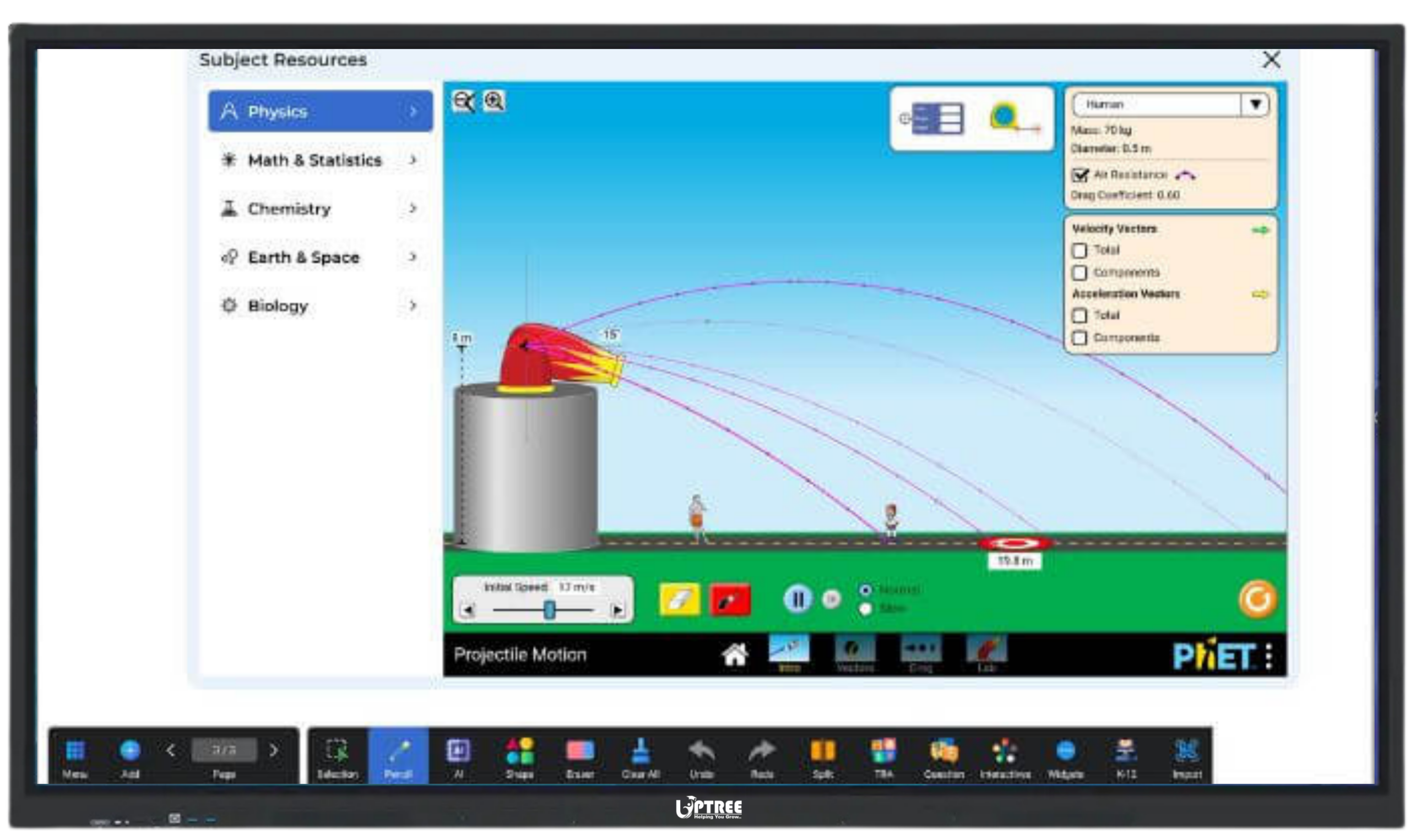
- Learning apps
- Dictionary apps
- Coding platforms
- Science simulations
- Educational games
- Reading resources
- Language learning applications
The Android 16 Interactive Panel: Smart Tricks to Teach Better makes switching between these apps seamless, helping educators create dynamic and engaging lessons.
15. Improve Classroom Organization
Good classroom management helps teachers maximize learning time.
The Android 16 Interactive Panel: Smart Tricks to Teach Better keeps everything organized in one place.
Teachers can:
- Store lesson plans
- Save presentations
- Organize teaching folders
- Bookmark educational websites
- Access cloud storage
- Retrieve previous lessons instantly
Instead of searching through multiple devices or USB drives, all resources remain easily accessible.
16. Support Every Subject
The Android 16 Interactive Panel: Smart Tricks to Teach Better is suitable for virtually every subject.
Mathematics
Teachers can:
- Draw graphs
- Solve equations
- Explain geometry
- Demonstrate algebra visually
Science
Educators can:
- Show experiments
- Display molecular structures
- Explore the solar system
- Explain anatomy using 3D visuals
English
Teachers can:
- Annotate literature passages
- Highlight grammar concepts
- Conduct vocabulary exercises
- Improve reading comprehension
Social Studies
Interactive maps, timelines, historical images, and documentaries make history and geography lessons more engaging.
Computer Education
Students can learn coding, programming, and digital skills using live demonstrations directly on the interactive panel.
17. Reduce Paper Usage
Digital classrooms contribute to environmentally friendly education.
The Android 16 Interactive Panel: Smart Tricks to Teach Better reduces dependence on:
- Printed worksheets
- Paper handouts
- Photocopies
- Manual note-taking
Digital assignments, online resources, and shared notes help institutions move toward a more sustainable learning environment while also reducing operational costs.
18. Create a Future-Ready Classroom
Technology continues to shape the future of education, and schools need solutions that can adapt to evolving teaching methods.
The Android 16 Interactive Panel: Smart Tricks to Teach Better equips institutions with modern tools that prepare both teachers and students for a digital-first world.
By combining AI features, LMS integration, interactive teaching tools, wireless connectivity, and collaborative learning capabilities, educators can deliver lessons that are more engaging, efficient, and impactful.
Whether it’s a primary classroom, a university lecture hall, a coaching institute, or a corporate training room, this smart interactive panel helps create an environment where learning becomes more enjoyable and productive.
Why Choose Uptree’s Android 16 Interactive Panel?
When investing in smart classroom technology, choosing the right partner is just as important as choosing the right product. At Uptree, we are committed to providing innovative, reliable, and user-friendly interactive display solutions that help educational institutions embrace digital learning with confidence.
Our Android 16 Interactive Panel is built to meet the needs of modern classrooms, training centers, and corporate learning environments. It combines advanced technology with practical features that make teaching simpler and learning more engaging.
With the Android 16 Interactive Panel: Smart Tricks to Teach Better, educational institutions benefit from:
- Android 16 operating system for faster performance
- Ultra HD 4K display with vivid colors and sharp visuals
- Smooth multi-touch support for collaborative learning
- Anti-glare and eye-care technology for comfortable viewing
- Built-in digital whiteboard with smart teaching tools
- Wireless screen sharing from multiple devices
- LMS compatibility for easy classroom management
- AI-powered features for enhanced productivity
- High-quality built-in speakers for clear audio
- Easy software updates and a user-friendly interface
These features make every lesson more interactive, efficient, and enjoyable for both teachers and students.
Tips to Get the Best Results from Your Android 16 Interactive Panel
Simply installing an interactive panel is not enough. Teachers can maximize its potential by following a few best practices.
Plan Interactive Lessons
Prepare lessons that encourage students to participate instead of only listening. Use quizzes, collaborative activities, and multimedia content to keep learners engaged.
Combine Visual and Practical Learning
Use images, animations, videos, and live demonstrations to explain concepts that are difficult to understand through text alone.
Save and Reuse Lesson Materials
Create lesson templates and save annotated notes. This reduces preparation time for future classes and ensures consistency across different sections.
Encourage Student Collaboration
Invite students to solve problems on the panel, present projects, or participate in brainstorming sessions. Interactive learning helps improve confidence and teamwork.
Keep Software Updated
Regular software updates ensure the panel continues to deliver the latest features, improved security, and enhanced performance.
By following these practices, educators can unlock the full potential of the Android 16 Interactive Panel: Smart Tricks to Teach Better and create a more engaging classroom experience.
Who Can Benefit from the Android 16 Interactive Panel?
The Android 16 Interactive Panel: Smart Tricks to Teach Better is designed for a wide range of educational and professional environments.
It is ideal for:
- Schools
- Colleges
- Universities
- Coaching Institutes
- Training Centers
- Skill Development Institutes
- Corporate Training Rooms
- Government Education Projects
- Smart Classrooms
- Digital Learning Centers
No matter the institution, the panel helps simplify teaching while enhancing student engagement and collaboration.
Frequently Asked Questions (FAQs)
1. What makes the Android 16 Interactive Panel different from a traditional projector?
Unlike projectors, the Android 16 Interactive Panel: Smart Tricks to Teach Better offers a bright 4K display, touch interaction, built-in Android system, digital whiteboard, wireless connectivity, and AI-powered features without requiring a dark room or multiple external devices.
2. Can multiple students use the panel at the same time?
Yes. The interactive panel supports multi-touch functionality, allowing multiple students to write, draw, and interact with the screen simultaneously.
3. Is the Android 16 Interactive Panel suitable for online teaching?
Absolutely. The Android 16 Interactive Panel: Smart Tricks to Teach Better supports hybrid learning by integrating with video conferencing platforms, PTZ cameras, and wireless presentation tools, making online and offline teaching equally effective.
4. Does the panel support Learning Management Systems?
Yes. It is compatible with various LMS platforms, allowing teachers to access digital resources, share assignments, and organize classroom content efficiently.
5. Can teachers save and share notes?
Yes. Teachers can save whiteboard notes, export lesson materials, and share them digitally with students, making revision easier and reducing paper usage.
6. Is the Android 16 Interactive Panel easy to use?
Yes. The intuitive Android 16 interface, responsive touch controls, and user-friendly tools ensure that teachers can start using the panel with minimal training.
Conclusion
The future of education is interactive, collaborative, and technology-driven. Institutions that invest in smart classroom solutions today are better prepared to meet the evolving expectations of students and educators.
The Android 16 Interactive Panel: Smart Tricks to Teach Better is more than just a display; it is a complete teaching solution that combines advanced technology, AI-powered features, digital whiteboarding, wireless connectivity, and LMS integration to create engaging and effective learning experiences.
At Uptree, we are dedicated to helping schools, colleges, universities, coaching institutes, and corporate organizations build smarter classrooms with innovative technology. Our Android 16 Interactive Panel is designed to improve classroom interaction, simplify lesson delivery, and support modern teaching methods that inspire better learning outcomes.
If you’re looking to upgrade your classrooms with reliable and future-ready interactive technology, Uptree’s Android 16 Interactive Panel is the perfect choice. Experience the difference and discover how the Android 16 Interactive Panel: Smart Tricks to Teach Better can transform every lesson into an engaging and memorable learning experience.
To learn more about the Uptree Interactive Flat Panel, explore our related blogs:
-
7 Smart AI Benefits of Android 16 Interactive Flat Panel: Read More
-
5 Powerful Benefits of DDR5 Interactive Flat Panel: Read More
-
Key Advantages of EDLA-Certified Android 16 IFP: Read More