
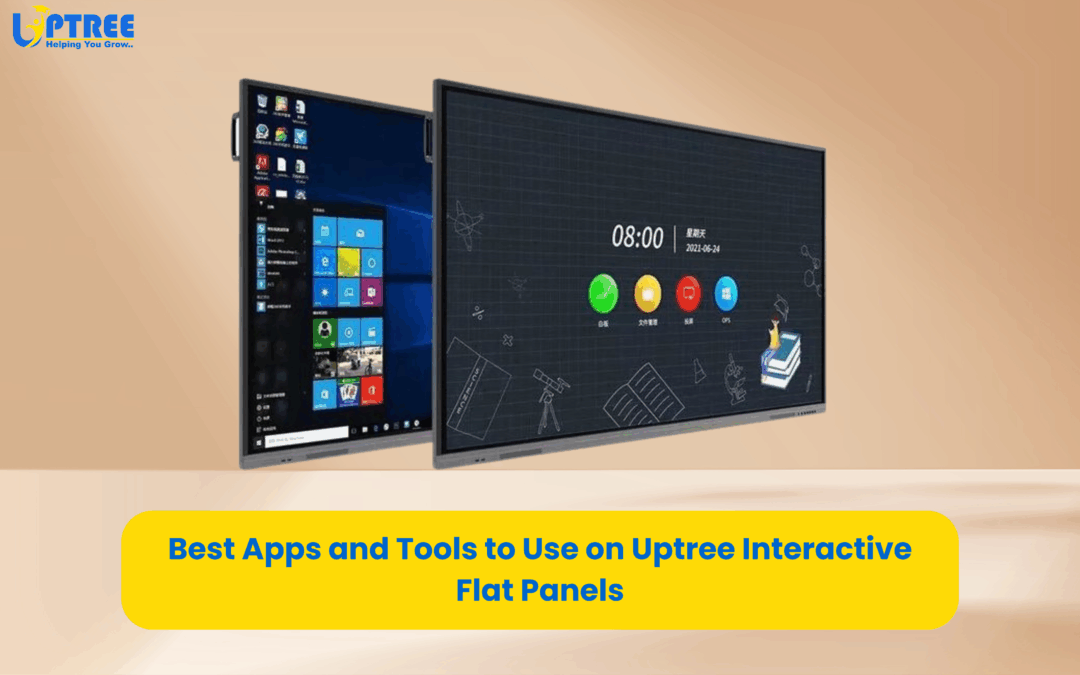
Interactive Flat Panels (IFPs) have become essential in modern classrooms, boardrooms, training centers, and digital studios. Uptree IFPs are designed with powerful hardware, smooth touch response, and compatibility with multiple operating systems, making them perfect for teaching, presenting, collaborating, and creating content. To get the most out of a Uptree Interactive Flat Panel, the right apps and tools make all the difference. Below is a detailed guide to the best applications you can use for education, business, and creative work. You can also integrate these tools with your existing workflows or digital classroom setups using external links on your website.
1. Google Workspace Apps
Google Workspace is one of the most widely used toolsets for both education and corporate environments. Apps like Google Docs, Sheets, Slides, and Forms work seamlessly on Uptree IFPs. Teachers can collaborate with students in real time, while corporate teams can use Slides for presentations and Docs for brainstorming sessions. The touch-friendly interface of the IFP makes editing documents easier and more interactive.
2. Microsoft Office 365
Microsoft Office remains a standard in most organizations. With Office 365 on Uptree IFPs, you can open, edit, and present using Word, Excel, PowerPoint, and OneNote. PowerPoint presentations become more engaging with digital annotations, while Excel sheets can be navigated smoothly during training sessions or data discussions. Office 365 also links perfectly with cloud storage, making file management simple.
3. Zoom and Google Meet
Uptree IFPs are ideal for hybrid and online sessions. Video conferencing tools such as Zoom and Google Meet can be installed directly onto the panel or used via browser-based access. With built-in microphones, cameras, and the large display, virtual meetings become more natural and collaborative. Screen sharing, whiteboarding, and annotation tools enhance remote learning and corporate communication.
4. Microsoft Teams
For schools and companies using Microsoft Teams, Uptree IFPs make teamwork easier. Teams can be used for classroom management, file sharing, internal communication, and project collaboration. The digital whiteboard feature allows teachers and trainers to draw, explain concepts, and save lesson notes for later use.
5. Interactive Whiteboard Apps
Uptree IFP comes with its own integrated whiteboard application, designed for writing, drawing, solving equations, and creating diagrams. You can also install popular third-party whiteboard tools such as Explain Everything, Jamboard, and Whiteboard.fi. These apps offer advanced features like infinite canvas, shape recognition, media insertion, and multi-user interaction.
6. Browser-Based Learning Platforms
Schools can access online learning platforms directly from the IFP browser. Platforms such as YouTube, Byju’s, Diksha, Vedantu, and Khan Academy are widely used to enhance lesson delivery. Teachers can play educational videos, show diagrams, and open interactive quizzes. With Uptree’s high-resolution display, content becomes more engaging and easy to understand.
7. Subject-Specific Educational Tools
For digital classrooms, subject-based applications are extremely helpful. Apps like GeoGebra for mathematics, Periodic Table tools for chemistry, and PhET simulations for science experiments make learning more realistic. These simulations and interactive resources help students visualize concepts instead of just reading theory.
8. PDF Readers and Annotation Tools
Uptree IFPs support PDF viewers and annotation apps like Adobe Acrobat Reader. Teachers and trainers can highlight important points, add comments, sign documents, and annotate PDFs during live lectures. This makes lesson revision and document review more efficient.
9. Cloud Storage Tools
Cloud storage is essential for schools and businesses that manage large amounts of content. Tools like Google Drive, OneDrive, Dropbox, and Mega can be accessed directly on the IFP. You can store lesson plans, presentations, images, and training materials, making them quickly available for teaching or meetings.
10. Screen Recording and Casting Tools
Uptree IFPs support screen recording applications that allow teachers and presenters to capture the entire session. This helps in creating video lessons, tutorials, and training materials. Screen casting tools like Miracast and AirPlay also allow teachers and presenters to share their mobile, laptop, or tablet screen wirelessly onto the IFP for collaborative learning.
11. Drawing and Creative Apps
For art and design classes, drawing apps like Autodesk SketchBook and MediBang Paint are excellent choices. They can be used for digital art, sketching, diagram creation, and graphic design. The touch panel on Uptree IFPs makes drawing more fluid and natural.
12. File Management Tools
Uptree IFPs support file managers that help organize folders, documents, and media files. Tools like File Commander or in-built file management systems help users quickly navigate between lessons, presentations, videos, and audio files.
Uptree Interactive Flat Panels are built to support a wide range of apps and tools that enhance productivity, collaboration, and engagement. Whether you are an educational institution building a digital classroom or a corporate organization setting up a smart meeting environment, the right applications will help you make the most out of your IFP investment.
To learn more about how Uptree can upgrade your meeting spaces, visit www.uptree.in