
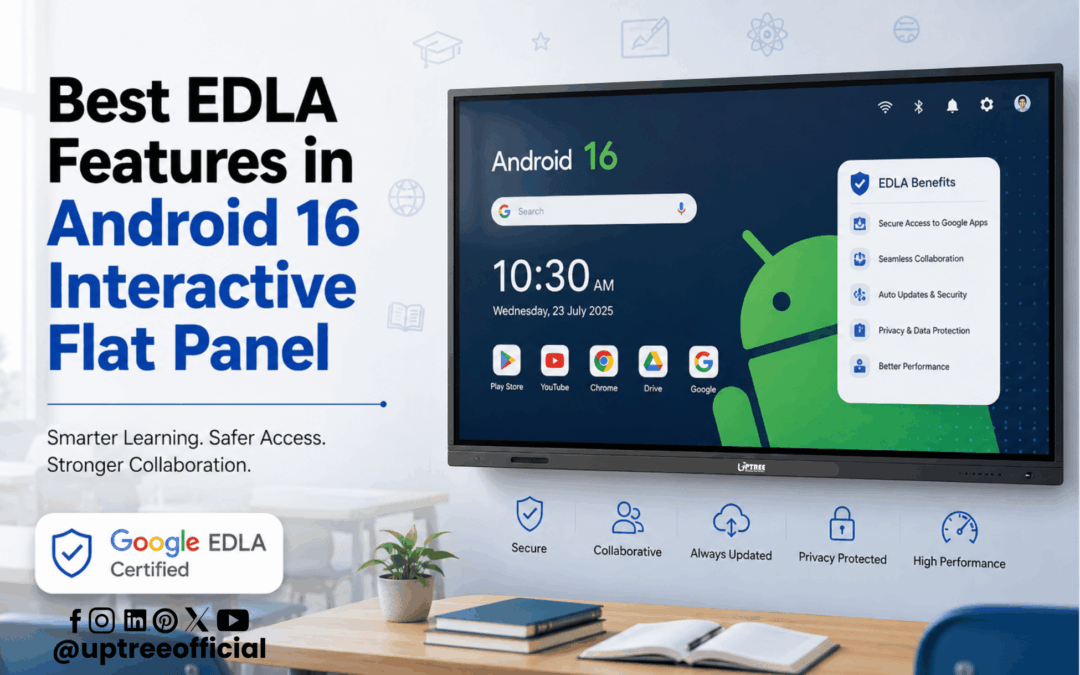
Best EDLA Features in Android 16 Interactive Flat Panel
Best EDLA Features in Android 16 Interactive Flat Panel are revolutionizing digital learning and business collaboration by bringing the trusted Google ecosystem to interactive displays. As educational institutions and organizations continue to adopt smart technologies, having an interactive display that is secure, powerful, and easy to use has become more important than ever. Google Enterprise Devices Licensing Agreement (EDLA) certification ensures that an interactive flat panel offers official access to Google Mobile Services, enhanced security, regular updates, and seamless integration with Google’s productivity tools.
At Uptree, we believe technology should simplify teaching, improve collaboration, and prepare institutions for the future. That’s why our Android 16 Interactive flat panel is designed with Google EDLA Certification, allowing educators, students, trainers, and professionals to access the complete Google ecosystem directly from the display. Whether you’re conducting interactive classroom sessions, hosting online meetings, or delivering professional training, an EDLA-certified panel provides everything you need in one smart device.
In this blog, we’ll explore the Best EDLA Features in Android 16 Interactive Flat Panel, explain how EDLA certification enhances productivity, and show why choosing an EDLA-certified interactive display is a smart investment for schools, colleges, universities, training centers, and businesses.
What is Google EDLA Certification?
Before understanding the Best EDLA Features in Android 16 Interactive Flat Panel, it’s essential to know what Google EDLA Certification actually means.
The Google Enterprise Devices Licensing Agreement (EDLA) is Google’s official licensing program for enterprise Android devices. Devices with EDLA certification are authorized to use Google Mobile Services (GMS), giving users secure access to Google’s applications and services directly from the device.
Unlike ordinary Android displays, an EDLA-certified Android 16 Interactive flat panel provides official access to applications such as:
- Google Play Store
- Google Drive
- Google Meet
- Google Docs
- Google Sheets
- Google Slides
- Gmail
- Google Classroom
- Google Chrome
- YouTube
This means teachers, students, and professionals can work within a familiar Google environment without requiring additional devices or complicated setups.
One of the Best EDLA Features in Android 16 Interactive Flat Panel is that every supported Google application is optimized to work securely and efficiently, making day-to-day tasks significantly easier.
Why EDLA Certification Matters
Today’s classrooms and workplaces demand more than just a touchscreen display. They require a secure, intelligent, and cloud-connected platform that supports collaboration and productivity.
This is where the Best EDLA Features in Android 16 Interactive Flat Panel truly stand out.
Without EDLA certification, many Android displays have limited application support, restricted access to Google services, and fewer security updates. These limitations can affect both productivity and user experience.
An EDLA-certified Android 16 Interactive flat panel eliminates these issues by offering:
- Official Google support
- Enterprise-grade security
- Verified applications
- Regular software updates
- AI-ready platform
- Seamless cloud integration
- Reliable performance
- Easy access to educational resources
These advantages help educational institutions deliver engaging lessons while enabling businesses to conduct efficient meetings and training sessions.
Benefits of Google EDLA for Schools and Colleges
Educational institutions are rapidly embracing digital transformation. Interactive learning has become an essential part of modern classrooms, and Google EDLA Certification makes that transformation much smoother.
The Best EDLA Features in Android 16 Interactive Flat Panel allow teachers to integrate digital resources into every lesson. Instead of switching between multiple devices, they can access presentations, educational videos, online assignments, and collaborative documents directly from the interactive display.
Students also benefit from:
- Faster collaboration
- Better classroom participation
- Easy access to learning materials
- Cloud-based assignments
- Interactive problem solving
- Real-time feedback
Because the Android 16 Interactive flat panel supports Google’s ecosystem, educators spend less time managing technology and more time focusing on teaching.
Benefits for Businesses
The Best EDLA Features in Android 16 Interactive Flat Panel are not limited to education. Businesses can also take advantage of EDLA-certified displays for meetings, presentations, brainstorming sessions, and employee training.
With built-in Google applications, employees can:
- Share presentations instantly
- Edit documents collaboratively
- Join Google Meet conferences
- Access shared Drive folders
- Brainstorm using digital whiteboards
This improves productivity while reducing dependence on laptops and external devices.
1. Official Google Play Store Access
Among the Best EDLA Features in Android 16 Interactive Flat Panel, official Google Play Store access is one of the most valuable.
Unlike standard Android displays that require manual APK installations, EDLA-certified panels allow users to download applications directly from the Google Play Store.
This provides access to thousands of trusted applications for education, business, creativity, communication, and productivity.
Popular apps include:
- Google Classroom
- Microsoft Teams
- Zoom
- Canva
- Adobe Acrobat
- Khan Academy
- Google Earth
- Google Meet
- YouTube
- Google Calendar
Since every application comes from Google’s official platform, users can confidently install software without worrying about security or compatibility.
The Android 16 Interactive Flat Panel makes application management simple, ensuring that teachers and professionals always have access to the latest tools.
2. Seamless Google Workspace Integration
One of the most practical Best EDLA Features in Android 16 Interactive Flat Panel is complete integration with Google Workspace.
Google Workspace has become an essential platform for schools and businesses worldwide. With EDLA certification, users can access all Workspace applications directly from the display.
Teachers can:
- Open lesson plans stored in Google Drive
- Edit Google Docs during lectures
- Present Google Slides
- Share assignments through Google Classroom
- Manage schedules using Google Calendar
Businesses can:
- Collaborate on shared documents
- Present reports
- Conduct planning sessions
- Review spreadsheets
- Share project updates
The Android 16 Interactive flat panel turns into a collaborative workspace where multiple users can contribute in real time.
3. Enterprise-Grade Security
Security remains one of Google’s biggest strengths.
One of the Best EDLA Features in Android 16 Interactive Flat Panel is enterprise-level protection designed to safeguard users and organizational data.
Security features include:
- Verified Boot
- Secure user authentication
- Application verification
- Google Play Protect
- Malware detection
- Data encryption
- Secure browsing
- Protected cloud access
Educational institutions often store sensitive student information, while businesses manage confidential documents and client data. Google’s security infrastructure helps protect this valuable information.
Because the Android 16 Interactive flat panel receives official Google security support, users can work with confidence knowing their data is protected.
4. Automatic Security Updates
Technology evolves quickly, and cyber threats continue to increase every year.
Another reason organizations appreciate the Best EDLA Features in Android 16 Interactive Flat Panel is the availability of regular security updates.
Google continuously releases updates that improve:
- Device security
- System performance
- Application compatibility
- User experience
- Stability
- Reliability
Instead of manually updating software, EDLA-certified panels receive official updates that help keep the system current and secure.
Schools and businesses benefit from reduced maintenance while enjoying improved performance throughout the device’s lifecycle.
An Android 16 Interactive flat panel with regular updates remains productive and secure for years, making it a smart long-term investment.
5. AI-Powered Productivity Tools
Artificial Intelligence is changing education faster than ever before.
One of the most exciting Best EDLA Features in Android 16 Interactive Flat Panel is compatibility with AI-powered applications available through Google’s ecosystem.
Teachers can use AI tools to:
- Generate lesson ideas
- Create quizzes
- Summarize articles
- Translate languages
- Explain difficult concepts
- Create visual learning materials
- Improve classroom engagement
Businesses can leverage AI for:
- Meeting summaries
- Brainstorming
- Content creation
- Presentation enhancement
- Project planning
- Team collaboration
The Android 16 Interactive flat panel serves as a central hub where AI-powered applications enhance productivity and creativity.
As AI continues to evolve, EDLA-certified devices remain ready to support future innovations through official Google updates and expanding application compatibility.
6. Seamless Google Meet Integration
One of the Best EDLA Features in Android 16 Interactive Flat Panel is its seamless integration with Google Meet. As hybrid learning and remote collaboration become increasingly common, having built-in access to Google Meet allows teachers, trainers, and business professionals to communicate effortlessly without relying on external devices.
With an Android 16 Interactive flat panel, users can launch Google Meet directly, connect a compatible camera and microphone, and start video conferences in just a few clicks. This simplifies online teaching and corporate meetings while ensuring high-quality audio and video communication.
Educators can use Google Meet to: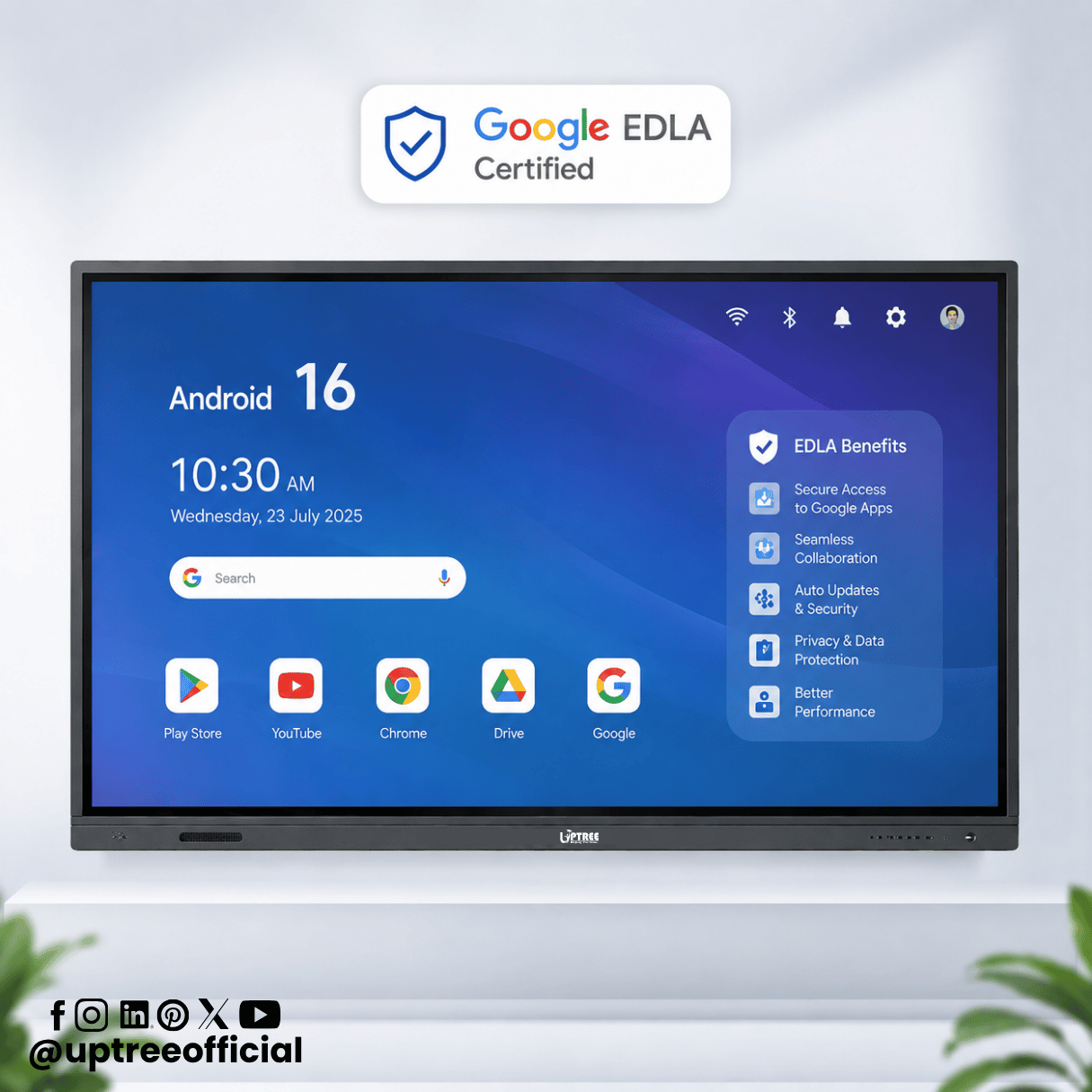
- Conduct live online classes
- Connect with remote students
- Organize parent-teacher meetings
- Invite guest lecturers from anywhere
- Record sessions for future reference
Businesses can use Google Meet to:
- Host virtual meetings
- Conduct employee training
- Collaborate with remote teams
- Meet clients online
- Share presentations instantly
These capabilities make Google Meet one of the Best EDLA Features in Android 16 Interactive Flat Panel, enabling organizations to embrace flexible communication without compromising quality.
7. Instant Google Drive Access
Cloud storage has become an essential part of education and business. One of the Best EDLA Features in Android 16 Interactive Flat Panel is direct access to Google Drive, allowing users to retrieve files anytime, anywhere.
Teachers no longer need to carry USB drives or external hard disks. They can simply sign in to their Google account and access:
- Lesson plans
- Presentations
- Worksheets
- PDFs
- Images
- Videos
- Assignments
Similarly, businesses can open reports, presentations, spreadsheets, and project files directly from Google Drive during meetings.
The Android 16 Interactive flat panel also enables users to save annotated whiteboard notes directly to Google Drive, ensuring that valuable information is never lost.
Cloud integration simplifies collaboration, improves file management, and ensures documents remain accessible across multiple devices.
8. Multi-User Login Support
Educational institutions often have multiple teachers using the same classroom display. One of the Best EDLA Features in Android 16 Interactive Flat Panel is support for multiple user accounts through Google authentication.
Instead of sharing a common account, each educator can securely log in using their own Google credentials.
Benefits include:
- Personalized settings
- Individual lesson plans
- Secure document access
- Private Google Drive storage
- Customized applications
- Better data privacy
Once a class is complete, the teacher simply logs out, allowing the next instructor to sign in with their own account.
The Android 16 Interactive flat panel ensures every user enjoys a personalized and secure experience without affecting other users.
9. Better Classroom Collaboration
Collaboration lies at the heart of interactive learning, making it one of the Best EDLA Features in Android 16 Interactive Flat Panel.
Unlike traditional projectors or whiteboards, an EDLA-certified interactive display allows multiple participants to work simultaneously.
Teachers and students can:
- Write together on the screen
- Solve mathematical problems
- Draw scientific diagrams
- Annotate presentations
- Brainstorm ideas
- Work on group projects
Combined with Google Workspace applications, collaboration becomes even more effective because changes are saved instantly to the cloud.
The Android 16 Interactive flat panel encourages active participation, making lessons more engaging and interactive.
10. Easy Access to Educational Applications
Education continues to evolve rapidly, and teachers require access to a wide variety of digital tools.
Among the Best EDLA Features in Android 16 Interactive Flat Panel is official access to thousands of educational applications through the Google Play Store.
Popular education apps include:
- Google Classroom
- Khan Academy
- Google Earth
- GeoGebra
- Duolingo
- Scratch
- Canva
- Adobe Express
- Microsoft Teams
- Zoom
Teachers can install only the applications they need, creating a customized learning environment that supports their curriculum.
The Android 16 Interactive flat panel becomes a complete digital classroom rather than just a display.
11. Faster Performance with Android 16
Another reason organizations appreciate the Best EDLA Features in Android 16 Interactive Flat Panel is the improved performance offered by Android 16.
Compared to earlier Android versions, Android 16 introduces:
- Faster application launching
- Better multitasking
- Improved memory management
- Enhanced system stability
- Optimized battery and power management
- Better touch responsiveness
- Improved animation performance
These enhancements provide a smoother user experience, allowing teachers and professionals to focus on their work instead of waiting for applications to load.
The Android 16 Interactive Flat Panel feels more responsive, making presentations and classroom activities much more enjoyable.
12. Easy Device Management for IT Teams
Managing multiple interactive displays across an institution can be challenging.
Fortunately, one of the Best EDLA Features in Android 16 Interactive Flat Panel is simplified device management.
IT administrators can efficiently manage multiple displays by:
- Installing applications remotely
- Updating software
- Monitoring device health
- Managing security policies
- Restricting unauthorized applications
- Troubleshooting devices
For schools with dozens or even hundreds of classrooms, centralized management saves significant time and reduces maintenance costs.
The Android 16 Interactive flat panel becomes easier to deploy and maintain, allowing IT teams to focus on strategic improvements rather than routine maintenance.
Why Schools Are Upgrading to EDLA-Certified Interactive Flat Panels
Schools are moving beyond traditional teaching methods and embracing digital learning environments. The Best EDLA Features in Android 16 Interactive Flat Panel help institutions create engaging, interactive, and technology-driven classrooms that improve both teaching efficiency and student participation.
With access to Google’s trusted ecosystem, teachers can quickly switch between presentations, educational videos, online assessments, and collaborative documents without interruptions. Students benefit from interactive lessons, real-time collaboration, and easy access to cloud-based learning resources.
An Android 16 Interactive flat panel also reduces the need for multiple devices in the classroom by combining an interactive whiteboard, presentation system, collaboration hub, and Android computer into a single solution.
Why Businesses Prefer EDLA-Certified Displays
The Best EDLA Features in Android 16 Interactive Flat Panel also provide significant advantages for corporate environments.
Modern businesses rely heavily on cloud collaboration, video conferencing, and digital presentations. An EDLA-certified display simplifies these activities by providing secure access to Google Workspace, Google Meet, and Google Drive.
Teams can brainstorm ideas, edit documents together, conduct virtual meetings, and present reports without constantly switching between devices.
An Android 16 Interactive flat panel creates a smarter meeting room where collaboration becomes faster, more efficient, and more productive.
Why Choose Uptree?
At Uptree, we understand that educational institutions and businesses require more than just a display; they need a complete interactive solution that supports productivity, collaboration, and long-term reliability.
Our Android 16 Interactive flat panel is built with the latest Google EDLA Certification, ensuring users receive official Google services, enhanced security, regular updates, and access to thousands of trusted applications.
When you choose Uptree, you benefit from:
- Google EDLA Certified technology
- Android 16 operating system
- Stunning 4K UHD display
- Smooth multi-touch interaction
- AI-ready platform
- Built-in whiteboard software
- Wireless screen sharing
- Seamless Google Workspace integration
- Professional installation
- Reliable after-sales support
- Comprehensive warranty coverage
Our mission is to help schools, colleges, universities, coaching institutes, training centers, and businesses embrace the future of digital collaboration with confidence.
13. Advanced Digital Whiteboarding Experience
One of the Best EDLA Features in Android 16 Interactive Flat Panel is its advanced digital whiteboarding capability. Traditional whiteboards are limited to markers and erasers, but an EDLA-certified interactive display transforms the teaching and collaboration experience with intelligent annotation tools.
The Android 16 Interactive flat panel allows teachers and presenters to write naturally using a stylus or even their fingers. Multiple users can write simultaneously, making classroom discussions and brainstorming sessions more engaging.
Advanced whiteboard features include:
- Multiple pen colors and thickness options
- Highlighter and eraser tools
- Shape recognition
- Infinite canvas
- Handwriting support
- Screenshot annotation
- QR code sharing
- Save directly to Google Drive
- Export as PDF or image
Teachers can explain mathematical equations, scientific diagrams, engineering concepts, and business strategies with greater clarity. After completing a lesson, the notes can be saved instantly and shared with students through Google Drive or Google Classroom.
These capabilities make digital teaching faster, more organized, and highly interactive, which is why whiteboarding remains one of the Best EDLA Features in Android 16 Interactive Flat Panel.
14. AI-Ready Learning and Collaboration
Artificial Intelligence is rapidly transforming education and business, and one of the Best EDLA Features in Android 16 Interactive Flat Panel is its ability to support AI-powered applications available through Google’s ecosystem.
With an EDLA-certified display, users can install AI tools from the Google Play Store to simplify daily tasks and improve productivity.
Teachers can use AI to:
- Generate lesson plans
- Create quizzes and assessments
- Translate content into multiple languages
- Summarize lengthy articles
- Generate classroom activities
- Improve student engagement
- Create visual learning resources
Businesses can benefit from AI by:
- Creating presentations
- Generating meeting summaries
- Writing reports
- Organizing project plans
- Brainstorming ideas
- Enhancing team collaboration
As AI applications continue to evolve, the Android 16 Interactive flat panel is well-equipped to support future innovations. This future-readiness is one of the strongest reasons organizations choose EDLA-certified interactive displays.
15. Future-Proof Technology for Long-Term Value
Technology investments should continue delivering value for years, and that is exactly what the Best EDLA Features in Android 16 Interactive Flat Panel provide.
Unlike non-certified Android devices, EDLA-certified displays receive ongoing software support, security updates, and compatibility improvements directly from Google. This ensures that schools and businesses can continue using the latest applications and services without worrying about outdated technology.
A future-ready Android 16 Interactive flat panel offers:
- Long-term software support
- Better application compatibility
- Continuous security improvements
- Reliable Google ecosystem access
- Support for future Android enhancements
- Improved overall performance over time
For educational institutions planning long-term digital transformation, investing in an EDLA-certified interactive flat panel is a practical and cost-effective decision.
Why Google EDLA Certification Makes a Difference
Many organizations compare interactive displays based on hardware specifications alone. However, software experience and ecosystem support are equally important.
The Best EDLA Features in Android 16 Interactive Flat Panel provide several advantages that standard Android displays often cannot match:
- Official Google Play Store access
- Google Workspace compatibility
- Google Meet integration
- Google Drive synchronization
- Enterprise-grade security
- Verified applications
- Automatic updates
- AI application support
- Reliable performance
- Better user experience
These features ensure that users spend less time managing technology and more time teaching, learning, collaborating, and innovating.
Why Choose Uptree?
At Uptree, we are committed to delivering innovative interactive display solutions that empower educational institutions and businesses. Our products are designed to combine advanced hardware with Google’s trusted software ecosystem, ensuring reliability, security, and long-term value.
Our Android 16 Interactive flat panel is engineered to meet the needs of modern classrooms, training centers, universities, corporate offices, and meeting rooms. With Google EDLA Certification, users enjoy official access to Google services, seamless collaboration tools, and an intuitive interface that enhances productivity.
Choosing Uptree means choosing:
- Android 16 operating system
- Google EDLA Certification
- 4K Ultra HD display
- Ultra-responsive multi-touch technology
- AI-ready platform
- Built-in whiteboard software
- Wireless screen sharing
- Google Workspace integration
- Professional installation and training
- Reliable technical support
- Comprehensive warranty
Whether you are upgrading a single classroom or deploying interactive displays across an entire institution, Uptree provides solutions designed for today’s needs and tomorrow’s innovations.
Frequently Asked Questions (FAQs)
1. What is Google EDLA Certification?
Google EDLA (Enterprise Devices Licensing Agreement) is Google’s official certification program that enables Android enterprise devices to access Google Mobile Services, including the Google Play Store, Google Workspace applications, and enterprise-level security updates.
2. Why are the Best EDLA Features in Android 16 Interactive Flat Panel important?
The Best EDLA Features in Android 16 Interactive Flat Panel improve security, productivity, collaboration, application compatibility, and overall user experience. They also provide official access to Google’s trusted ecosystem.
3. Can teachers install educational apps directly?
Yes. An EDLA-certified Android 16 Interactive flat panel allows users to download verified educational and productivity applications directly from the Google Play Store.
4. Is an EDLA-certified panel suitable for businesses?
Absolutely. Businesses can use Google Meet, Google Drive, Google Docs, Google Slides, and other collaboration tools to improve meetings, training sessions, and project management.
5. Does EDLA improve device security?
Yes. One of the Best EDLA Features in Android 16 Interactive Flat Panel is enterprise-grade security, including Google Play Protect, verified applications, encryption, and regular security updates.
Conclusion
The Best EDLA Features in Android 16 Interactive Flat Panel have redefined what organizations can expect from modern interactive display technology. Instead of functioning as a simple presentation screen, an EDLA-certified display becomes a powerful collaboration hub that combines Google’s trusted ecosystem with the speed, intelligence, and flexibility of Android 16.
From official Google Play Store access and seamless Google Workspace integration to enterprise-grade security, AI-powered productivity, cloud connectivity, advanced whiteboarding, and continuous software updates, the Best EDLA Features in Android 16 Interactive Flat Panel deliver exceptional value for educators, students, trainers, and business professionals alike. These capabilities simplify workflows, encourage collaboration, and create engaging digital experiences across classrooms and meeting rooms.
An Android 16 Interactive flat panel also offers long-term reliability by ensuring compatibility with future applications and Google’s evolving services. This future-ready approach helps organizations maximize their investment while staying ahead in an increasingly digital world.
At Uptree, we are proud to provide cutting-edge interactive display solutions that support modern education and professional collaboration. Our Google EDLA Certified Android 16 Interactive Flat Panel is built to empower institutions with secure, intelligent, and easy-to-use technology that enhances teaching, learning, communication, and teamwork.
If you’re planning to upgrade your classrooms or training spaces, Uptree is your trusted partner. Our Android 16 Interactive Flat Panels combine advanced AI capabilities with premium performance to create an engaging, future-ready learning environment.
To learn more about the Uptree Interactive Flat Panel, explore our related blogs:
-
Top 5 Benefits of Android 16 Interactive Flat Panel: Read More
-
Android 16 Interactive Flat Panel for Modern Classrooms: Read More
-
Key Advantages of EDLA-Certified Android 16 IFP: Read More