
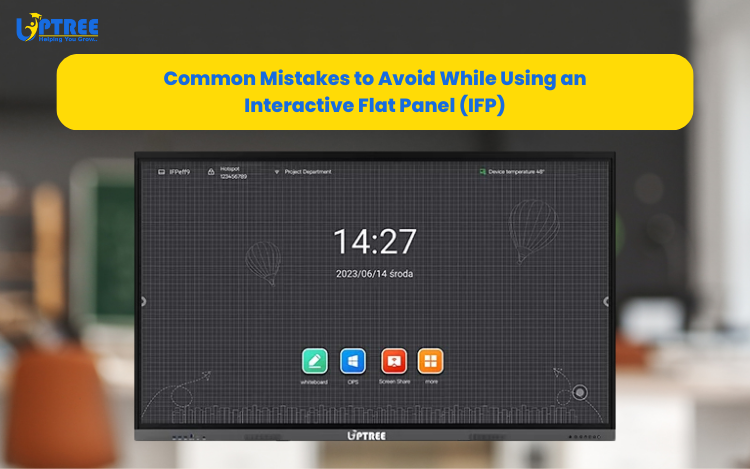
Costly Interactive Flat Panel Mistakes to Avoid
Costly Interactive Flat Panel Mistakes to Avoid should be understood by every school administrator, teacher, trainer, business professional, and IT manager who wants to maximize the value of their interactive display investment. Interactive Flat Panels (IFPs) have revolutionized the way organizations communicate, collaborate, teach, and train. From smart classrooms and conference rooms to corporate training centers and government institutions, these advanced displays have become essential tools for modern communication.
At Uptree, we have worked with organizations across multiple industries and have observed that while businesses invest significantly in Interactive Flat Panels, many users fail to utilize them correctly. As a result, they miss out on important features, reduce productivity, and sometimes even shorten the lifespan of the device.
An Interactive Flat Panel is much more than a digital display. It is a complete collaboration and communication solution designed to improve engagement, productivity, and learning outcomes. However, improper usage can limit its effectiveness.
In this guide, we will explore the most Costly Interactive Flat Panel Mistakes to Avoid and provide practical tips to help you get the best performance from your Uptree Interactive Flat Panel.
Why Proper Usage of Interactive Flat Panels Matters
Before discussing the Costly Interactive Flat Panel Mistakes to Avoid, it is important to understand why proper usage matters.
Interactive Flat Panels are designed to:
- Improve collaboration
- Enhance presentations
- Support hybrid learning
- Enable interactive training
- Facilitate digital communication
- Increase workplace productivity
When used correctly, they become powerful tools that support organizational growth and efficiency. When used incorrectly, they become expensive displays that fail to deliver their full potential.
Understanding the Costly Interactive Flat Panel Mistakes to Avoid helps organizations protect their investment and maximize returns.
Mistake 1: Treating the Interactive Flat Panel Like a Traditional Whiteboard
One of the most common and Costly Interactive Flat Panel Mistakes to Avoid is treating the display like a conventional whiteboard.
Many first-time users instinctively reach for markers or sharp objects when interacting with the screen. This can damage the display surface and affect touch functionality.
Unlike traditional whiteboards, Interactive Flat Panels are designed for digital interaction.
Best Practice
Always use:
- Your finger
- The supplied stylus
- Approved touch accessories
Never use:
- Permanent markers
- Sharp objects
- Metal pointers
- Abrasive cleaning tools
At Uptree, we recommend providing basic user training immediately after installation to prevent accidental screen damage.
Mistake 2: Ignoring Software Updates and Calibration
Another major entry on the list of Costly Interactive Flat Panel Mistakes to Avoid is neglecting software updates.
Technology evolves constantly. Manufacturers release updates to improve:
- Security
- Performance
- Touch accuracy
- Compatibility
- User experience
Organizations often install an IFP and never update it again.
This can lead to:
- Reduced responsiveness
- Security vulnerabilities
- Compatibility issues
- Missing features
Best Practice
Create a maintenance schedule that includes:
- Firmware updates
- Software upgrades
- Touch calibration checks
- Security reviews
Keeping your Uptree Interactive Flat Panel updated ensures optimal performance and reliability.
Mistake 3: Poor Installation and Placement
Improper installation is among the most overlooked Costly Interactive Flat Panel Mistakes to Avoid.
Even the most advanced display can perform poorly if placed incorrectly.
Common placement issues include:
- Direct sunlight exposure
- Excessive glare
- Poor viewing angles
- Inadequate ventilation
- Incorrect mounting height
These factors can impact both usability and device longevity.
Best Practice
Install your Uptree Interactive Flat Panel in a location that provides:
- Comfortable viewing angles
- Minimal glare
- Proper airflow
- Easy accessibility
A professionally planned installation can significantly improve the user experience.
Mistake 4: Underutilizing Connectivity Features
Many organizations only use HDMI cables and overlook advanced connectivity options.
This is one of the most common Costly Interactive Flat Panel Mistakes to Avoid because it limits collaboration opportunities.
Modern Uptree Interactive Flat Panels offer:
- Wireless screen sharing
- Bluetooth connectivity
- Wi-Fi support
- Cloud integration
- Multi-device connectivity
Using only basic wired connections prevents users from taking advantage of these powerful capabilities.
Best Practice
Encourage teams to explore:
- Wireless casting
- Screen mirroring
- Collaborative apps
- Cloud-based workflows
These features improve efficiency and make meetings more productive.
Mistake 5: Failing to Train Users Properly
Perhaps the most expensive item among the Costly Interactive Flat Panel Mistakes to Avoid is failing to train users.
Many organizations invest in advanced technology but never teach employees or educators how to use it effectively.
As a result, users only access basic functions while ignoring powerful collaboration tools.
Features Commonly Overlooked
- Digital whiteboarding
- Annotation tools
- Split-screen mode
- Session recording
- Wireless collaboration
- Video conferencing integration
Best Practice
Provide:
- Initial training sessions
- User guides
- Refresher workshops
- Ongoing technical support
At Uptree, we strongly encourage organizations to invest in user education to maximize technology adoption.
Mistake 6: Choosing Incompatible Accessories
Accessories play an important role in the performance and safety of Interactive Flat Panels.
Using low-quality or incompatible accessories is another of the major Costly Interactive Flat Panel Mistakes to Avoid.
Examples include:
- Weak wall mounts
- Poor-quality trolleys
- Non-certified OPS modules
- Unsupported peripherals
These accessories can create operational issues and safety concerns.
Best Practice
Always choose:
- Certified accessories
- Approved OPS systems
- Professional mounting solutions
- Manufacturer-recommended equipment
This ensures long-term reliability and safety.
Mistake 7: Neglecting Routine Maintenance
Many users assume Interactive Flat Panels require no maintenance.
This misconception often leads to preventable issues and is one of the Costly Interactive Flat Panel Mistakes to Avoid.
Over time, dust accumulation, fingerprints, and environmental factors can affect performance.
Best Practice
Regular maintenance should include:
- Cleaning with microfiber cloths
- Dust removal
- Touch response testing
- Software health checks
- Visual inspections
Routine care helps preserve both appearance and functionality.
Mistake 8: Using the IFP Only as a Display Screen
This is perhaps the biggest of all Costly Interactive Flat Panel Mistakes to Avoid.
Many organizations purchase Interactive Flat Panels only to display PowerPoint presentations and videos.
Doing so ignores the true value of the technology.
Interactive Flat Panels are designed to facilitate:
- Collaboration
- Creativity
- Engagement
- Communication
- Problem-solving
Best Practice
Take advantage of features such as:
- Interactive whiteboards
- Real-time annotations
- Collaborative brainstorming
- Digital content creation
- Training simulations
The more interactive the experience, the greater the return on investment.
Additional Mistakes Organizations Often Make
Ignoring Network Security
Interactive displays connected to organizational networks should be protected through proper security measures.
Not Backing Up Important Content
Meeting notes, training materials, and presentations should be stored securely and backed up regularly.
Overloading the Device
Installing unnecessary applications can affect system performance.
Skipping Professional Support
Minor issues can become major problems if not addressed promptly.
Benefits of Avoiding These Mistakes
Organizations that understand the Costly Interactive Flat Panel Mistakes to Avoid experience several benefits:
Improved Productivity
Employees spend less time troubleshooting and more time collaborating.
Better User Adoption
Proper training encourages users to utilize advanced features confidently.
Longer Device Lifespan
Correct usage reduces wear and extends the life of the equipment.
Enhanced Collaboration
Teams take full advantage of interactive tools and communication features.
Greater Return on Investment
Organizations maximize the value of their technology investments.
Why Choose Uptree Interactive Flat Panels?
At Uptree, we design Interactive Flat Panels that combine innovation, performance, and reliability.
Our solutions offer:
- 4K Ultra HD displays
- Multi-touch technology
- Wireless connectivity
- OPS compatibility
- Interactive whiteboarding
- Video conferencing support
- Enterprise-grade performance
Beyond the product itself, we also provide installation support, user guidance, and after-sales service to help organizations avoid common implementation mistakes.
The Future of Interactive Collaboration
As digital transformation continues to reshape education and business, Interactive Flat Panels will play an even greater role in communication and collaboration.
Organizations that understand the Costly Interactive Flat Panel Mistakes to Avoid will be better positioned to leverage these technologies effectively.
Future workplaces and classrooms will rely heavily on:
- Hybrid collaboration
- Interactive learning
- Cloud-based communication
- Real-time content sharing
Interactive Flat Panels are at the center of this evolution.
Conclusion
Understanding the Costly Interactive Flat Panel Mistakes to Avoid is essential for any organization that wants to maximize the benefits of its technology investment. From avoiding improper screen usage and neglecting updates to embracing interactive features and investing in user training, every step contributes to better performance and longer device life.
At Uptree, we believe technology should empower users, not create obstacles. By avoiding these common mistakes, organizations can transform their Interactive Flat Panels into powerful tools for collaboration, training, communication, and innovation.
An Interactive Flat Panel is not just a display—it is a platform for smarter learning, better meetings, stronger teamwork, and future-ready communication. With the right approach, your Uptree Interactive Flat Panel can deliver exceptional value for years to come.
Explore the Uptree Interactive Flat Panel: https://www.uptree.in/interactive-flat-panel
To learn more about the Uptree Interactive Flat Panel, explore our related blogs:
-
4 Reasons Uptree Interactive Flat Panel is Essential: Read More
-
Ultimate Smart Upgrade at St. Xavier’s Ahmedabad: Read More
-
Rai University IT Classroom Upgrade with Uptree: Read More