
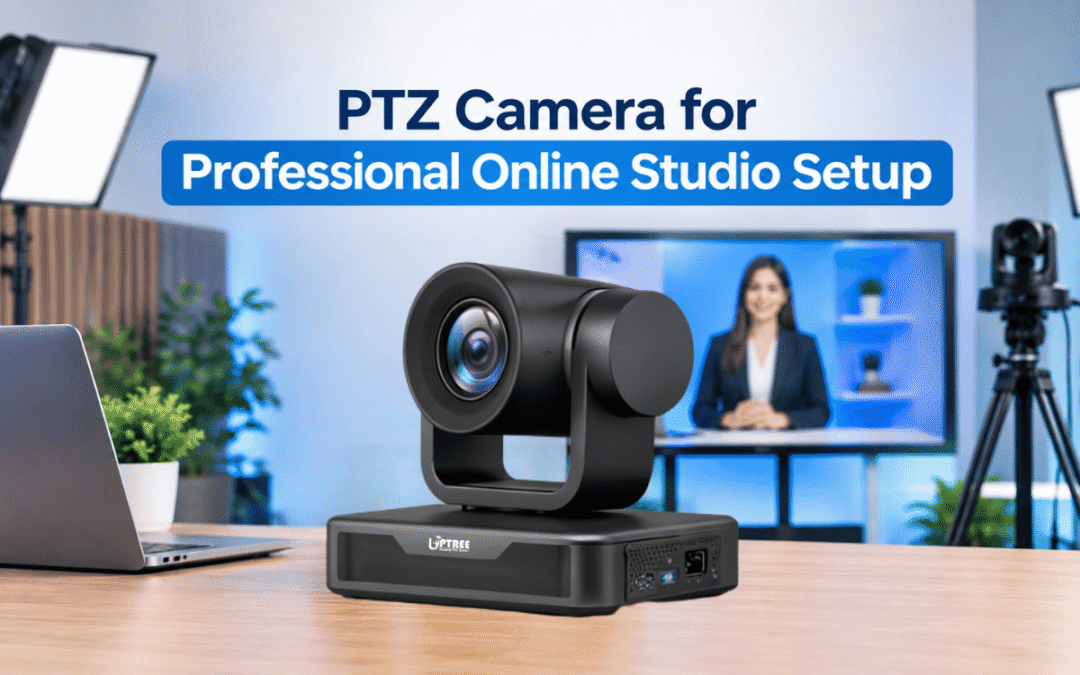
PTZ Camera for Professional Online Studio Setup
PTZ Camera for Professional Online Studio Setup is becoming an important part of modern video production, online teaching, webinars, corporate meetings, live streaming, and professional digital communication. A well-designed online studio requires more than just a display and microphone. The camera plays a major role in delivering clear, stable, and engaging video content to viewers.
A professional PTZ camera combines Pan, Tilt, and Zoom functionality in one intelligent camera system. It allows users to control the camera remotely and adjust the viewing angle without physically moving the camera. This makes it suitable for classrooms, training rooms, boardrooms, studios, auditoriums, coaching institutes, colleges, universities, offices, and other professional environments.
For organizations looking to build an efficient digital production environment, PTZ Camera for Professional Online Studio Setup provides flexibility, better framing, and convenient remote operation.
What Is a PTZ Camera?
PTZ stands for Pan, Tilt, and Zoom. These three functions allow the camera to move horizontally, vertically, and closer or farther from the subject.
The pan function allows the camera to move from left to right, while the tilt function moves the camera up and down. The zoom function allows users to capture close-up or wide-angle views without physically changing the camera position.
Unlike a traditional fixed camera, a PTZ camera can cover different areas of a room from a single installation point. This makes it particularly useful for online studio environments where presenters, teachers, trainers, or speakers may move around during a session.
A PTZ Camera for Professional Online Studio Setup can therefore help organizations create a more dynamic and professional video experience.
Why PTZ Cameras Are Useful for Online Studio Setup
Online studio setups are used for many different applications. Educational institutions may use them for online lectures and recorded lessons. Companies may use them for webinars, product presentations, training sessions, and corporate communication. Content creators may use them for live streaming and professional video production.
A PTZ Camera for Professional Online Studio Setup offers several advantages in these environments.
The first advantage is remote camera control. Operators can adjust the camera position without physically touching the equipment. This can be particularly useful when the camera is mounted at a height or installed at the front or rear of a studio.
Another benefit is flexible framing. A presenter can be shown in a wide shot, medium shot, or close-up depending on the requirements of the session.
PTZ cameras can also help reduce the need for multiple manually operated cameras in smaller studio environments.
Key Features to Consider in a PTZ Camera
Before selecting a camera for an online studio, organizations should evaluate the features that match their actual requirements.
1. Pan, Tilt, and Zoom Control
The main advantage of a PTZ camera is its ability to move and zoom remotely. Smooth movement can help create professional transitions between different viewing angles.
2. High-Resolution Video
Video resolution is an important factor for online teaching, webinars, training, and live streaming. Higher-resolution video can provide sharper images and clearer details when supported by the complete production system.
A PTZ Camera for Professional Online Studio Setup should provide suitable image quality for the intended application.
3. Optical Zoom
Optical zoom is particularly useful when the camera needs to capture a presenter from a distance. It allows the camera to zoom into the subject while maintaining better image quality than simply enlarging a digital image.
4. Remote Operation
Remote control allows an operator to adjust camera movement, zoom, and framing from a convenient location. This can make studio management easier, especially during live sessions.
5. Preset Positions
Preset functions allow users to save specific camera positions. For example, one preset can focus on the presenter, another can focus on a digital board, and another can show the complete studio.
This feature can save time during live sessions.
6. Connectivity
Connectivity is another important consideration. Depending on the studio design, users may require suitable video and control interfaces for connecting the camera to computers, displays, switchers, recording systems, or streaming equipment.
PTZ Camera for Online Teaching
Educational institutions are increasingly using digital technologies to deliver lectures and training programs. Online studio setups can help teachers record lessons, conduct live classes, and communicate with students remotely.
A PTZ Camera for Professional Online Studio Setup can be installed in classrooms, lecture halls, online teaching studios, and training rooms.
For example, a teacher may begin a session with a full view of the studio and then move the camera toward the instructor. If a digital board or presentation screen is being used, the camera can be adjusted to capture the required area.
This flexibility can make recorded and live educational content more engaging.
PTZ Camera for Webinars and Corporate Training
Businesses frequently organize webinars, employee training sessions, product demonstrations, and professional presentations.
In these environments, camera framing can have a direct impact on how professionally the content appears.
A PTZ Camera for Professional Online Studio Setup can provide flexible framing for corporate presentations. The operator can move the camera toward different speakers or presentation areas when required.
For organizations conducting regular webinars, preset camera positions can also simplify the workflow.
PTZ Camera for Live Streaming
Live streaming requires stable video and an efficient production workflow. Whether the content is an educational session, business event, product demonstration, interview, or presentation, the camera needs to capture the subject effectively.
A PTZ Camera for Professional Online Studio Setup can support live production by allowing remote control of camera positioning.
When combined with suitable microphones, lighting, displays, computers, and streaming software, a PTZ camera can become an important part of a complete studio ecosystem.
Benefits of Using a PTZ Camera
There are several practical benefits associated with PTZ cameras.
Flexible Camera Movement
The camera can cover multiple areas of a room without requiring physical repositioning.
Remote Control
Camera operation can be managed remotely, making the production workflow more convenient.
Space Efficiency
A single PTZ camera can provide multiple viewing angles from one installation point.
Professional Framing
Operators can adjust the shot according to the activity taking place in the studio.
Suitable for Different Applications
PTZ cameras can be used for online classes, webinars, conferences, interviews, corporate training, live streaming, and recorded content.
These benefits make PTZ Camera for Professional Online Studio Setup a practical solution for organizations that want greater control over their video production environment.
PTZ Camera and Complete Online Studio Setup
A camera is only one part of a professional online studio. To create a reliable setup, organizations should consider the entire production workflow.
A typical studio may include:
- PTZ camera
- Computer or workstation
- Professional microphone
- Audio interface or mixer
- Lighting system
- Interactive display or presentation screen
- Speakers
- Capture or streaming equipment
- Suitable networking infrastructure
- Recording and streaming software
When these components work together, they can create a complete environment for online communication and digital content production.
A PTZ Camera for Professional Online Studio Setup can serve as the primary visual capture device within this ecosystem.
Choosing the Right PTZ Camera
Every studio has different requirements. Therefore, organizations should consider several factors before purchasing a camera.
First, determine the size of the studio and the distance between the camera and the presenter. Larger rooms may require stronger optical zoom capabilities.
Second, identify the required video resolution. The intended use, display equipment, streaming platform, and recording requirements should all be considered.
Third, check connectivity and compatibility with existing equipment. The camera should work effectively with the studio’s computers, displays, control systems, and software.
Fourth, consider remote control features and preset functionality if the studio will be operated by a single person.
A PTZ Camera for Professional Online Studio Setup should ultimately be selected according to the studio’s specific workflow rather than based only on individual specifications.
PTZ Camera for Educational Institutions
Schools, colleges, universities, coaching institutes, and training organizations can benefit from dedicated online studio facilities.
An educational institution may use its studio to create recorded lectures, online courses, faculty training videos, admission presentations, webinars, and student learning content.
A PTZ Camera for Professional Online Studio Setup can help capture instructors while allowing the camera operator to control framing remotely.
This can be particularly helpful when instructors use interactive displays, presentation screens, whiteboards, or physical teaching materials during their sessions.
PTZ Camera for Businesses and Offices
Modern businesses use video extensively for internal and external communication. Corporate offices may require studios for employee training, marketing videos, webinars, product launches, interviews, and virtual meetings.
A PTZ Camera for Professional Online Studio Setup can support these activities by providing flexible camera movement and remote control.
Instead of manually repositioning a camera for every presentation, an operator can adjust the viewing angle using the camera control system.
Installation Considerations
Correct installation is important for achieving the desired results from a PTZ camera.
The camera should be positioned at a suitable height and angle. The installation point should provide a clear view of the presenter and presentation area.
Lighting should also be considered. Even a high-quality camera requires suitable lighting to produce clear and professional-looking video.
The background should be arranged according to the studio’s purpose. Educational studios may use a teaching environment, while corporate studios may use branded backgrounds or professional office-style settings.
Cable management is another important consideration. Properly organized cables can improve safety, appearance, and maintenance.
How Uptree Supports Online Studio Solutions
Uptree provides technology solutions designed for educational institutions, businesses, offices, training environments, and professional digital communication requirements.
Our approach focuses on creating practical technology setups that combine suitable hardware with the requirements of the user’s environment.
For organizations planning an online teaching studio, webinar room, training studio, or corporate video environment, PTZ Camera for Professional Online Studio Setup can be integrated with other audio-visual components to create a complete solution.
Uptree can help organizations understand their requirements and plan an appropriate studio configuration based on room size, application, equipment, and workflow.
Maintenance and Support
Regular maintenance can help keep studio equipment functioning reliably. Cameras should be checked periodically for connectivity, movement, image quality, firmware compatibility, and control functionality.
The lens should also be kept clean, while cables and connectors should be inspected for signs of damage.
For institutions that conduct regular online classes or corporate sessions, equipment downtime can affect scheduled activities. Therefore, professional installation and after-sales support are important considerations when developing an online studio.
Future of Professional Online Studios
Digital communication is continuing to become an important part of education, business, training, and content creation. As more organizations adopt hybrid learning and virtual communication, demand for professional studio environments is also increasing.
Modern studio solutions are becoming more flexible and easier to operate. Remote-controlled cameras, interactive displays, digital presentation systems, and professional audio equipment can work together to create efficient production environments.
A PTZ Camera for Professional Online Studio Setup fits naturally into this evolving ecosystem because it provides remote camera control and flexible framing.
Organizations can also design their studio infrastructure so that equipment can be upgraded as future requirements change.
Why Choose Uptree for Your Online Studio Setup?
Choosing the right technology partner is an important step when planning an online studio. The equipment should match the organization’s application, room size, budget, and technical requirements.
Uptree focuses on providing technology solutions for schools, colleges, coaching institutes, businesses, offices, and training environments.
From interactive displays and PTZ cameras to audio-video equipment and complete digital classroom solutions, Uptree can support organizations in developing technology-enabled environments.
A PTZ Camera for Professional Online Studio Setup can be an important component of this solution, particularly for organizations that need flexible camera control and professional video capture.
Conclusion
A professional online studio requires reliable video, clear audio, suitable lighting, effective presentation equipment, and a well-planned workflow. Among these components, the camera plays an essential role in capturing presenters, instructors, speakers, and demonstrations.
A PTZ Camera for Professional Online Studio Setup offers the advantage of remote pan, tilt, and zoom functionality while providing flexibility for different studio applications.
Whether it is used for online teaching, corporate training, webinars, live streaming, interviews, presentations, or recorded educational content, a PTZ camera can provide a convenient and professional approach to video production.
With the right camera, installation, connectivity, audio system, lighting, and supporting equipment, organizations can create a reliable online studio designed around their specific requirements.
For institutions and businesses planning a professional digital communication environment, Uptree can help with suitable technology solutions and studio equipment based on the intended application.
A well-planned PTZ Camera for Professional Online Studio Setup can help transform a basic video environment into a more flexible, organized, and professional studio solution.
To learn more about the PTZ Camera, explore other blogs:
-
Top 5 Benefits of Android 16 Interactive Flat Panel: Read More
-
Android 16 Interactive Flat Panel for Modern Classrooms: Read More
-
Key Advantages of EDLA-Certified Android 16 IFP: Read More