
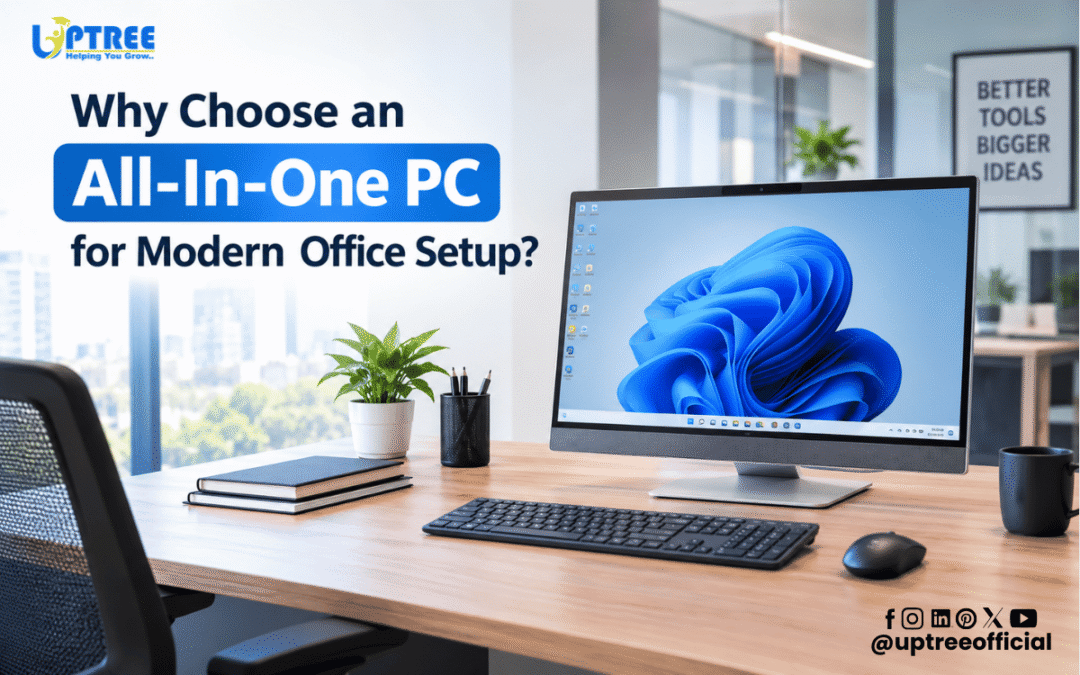
Why Choose an All-In-One PC for Modern Office Setup?
Why Choose an All-In-One PC for Modern Office Setup? Modern businesses are continuously looking for technology that saves space, improves productivity, simplifies maintenance, and creates a professional working environment. Traditional desktop computers often require separate monitors, CPUs, keyboards, cables, and other accessories, which can make an office desk crowded. An All-In-One PC combines essential computing components into a single streamlined device, making it an increasingly practical choice for offices, institutions, reception areas, meeting rooms, and professional workspaces.
At Uptree, we understand that every modern workplace needs reliable technology that balances performance, convenience, and appearance. An All-In-One PC can provide a clean computing environment while reducing unnecessary hardware around the workstation. For businesses planning to modernize their office infrastructure, understanding the benefits of this computer format can help in making an informed technology decision.
What Is an All-In-One PC?
An All-In-One PC, commonly called an AIO PC, integrates the computer’s primary hardware directly behind or within the display. Unlike a traditional desktop setup, where the monitor and CPU are separate units, an All-In-One PC brings these components together into one compact device.
Depending on the model, an AIO PC may include a display, processor, RAM, storage, speakers, webcam, microphone, wireless connectivity, and other essential features. Users can connect a keyboard and mouse and start working without dealing with a large desktop tower.
This integrated design suits businesses that want to maximize desk space while maintaining a professional appearance.
Why Choose an All-In-One PC for Modern Office Setup?
Why Choose an All-In-One PC for Modern Office Setup? One key reason is its integrated design. By combining the monitor and computing hardware into one unit, an AIO PC reduces the number of components required on a desk. This creates a cleaner workstation and allows employees to use their available workspace more efficiently.
For offices where multiple computers are installed, reducing the number of individual components can also make the entire workspace appear more organized. A clean environment can be particularly useful in reception areas, customer-facing offices, classrooms, training rooms, and conference spaces.
1. Space-Saving Office Design
Office space is valuable, especially in modern workplaces where businesses want to accommodate more employees without creating clutter. Traditional desktop computers require a separate CPU cabinet, monitor, power cables, display cables, and accessories.
An All-In-One PC reduces this physical footprint by integrating the main computer components into the display unit. This leaves more usable space on the desk for documents, stationery, communication devices, or other workplace equipment.
For small offices, startups, reception counters, educational institutions, and customer service areas, this compact design can be particularly useful.
2. Clean and Professional Appearance
Why Choose an All-In-One PC for Modern Office Setup? Another important reason is its professional appearance. A workstation with fewer visible cables and components can create a cleaner and more organized environment.
Modern offices often focus on minimalistic interior design. Large CPU cabinets and multiple cables can interfere with this appearance. An AIO PC can complement contemporary furniture and office layouts because the system generally requires less visible hardware.
This can be especially beneficial for reception desks and customer-facing areas where the appearance of the workspace contributes to the overall professional impression of a business.
3. Simplified Cable Management
Cable management can become a significant challenge when an office has several traditional desktop systems. Each workstation may require power cables, display cables, audio cables, and connections between the monitor and CPU.
An AIO PC reduces many of these connections because the computer and display are integrated into one unit.
Why Choose an All-In-One PC for Modern Office Setup? Simplified cable management is one of the practical benefits businesses can experience. Fewer external cables can make workstations easier to organize, clean, and maintain.
A more organized cable layout can also make it easier for IT teams or office staff to identify connected accessories and troubleshoot basic connectivity issues.
4. Efficient Use of Desk Space
Every employee needs sufficient desk space to work comfortably. When a large desktop cabinet occupies part of the workstation, available space for other tasks can be reduced.
An All-In-One PC allows the display and computing hardware to occupy essentially the same footprint. This can help businesses design more efficient workstations.
For example, a company with multiple employees working in a compact office can use AIO computers to create cleaner desk layouts without requiring a separate CPU cabinet for every employee.
5. Suitable for Different Business Applications
Why Choose an All-In-One PC for Modern Office Setup? AIO computers can be used across a wide range of professional applications. Depending on their specifications, they can support office productivity software, web-based applications, accounting programs, customer management systems, video conferencing, content creation, presentations, and other business workflows.
They can be deployed in:
- Corporate offices
- Schools and colleges
- Coaching institutes
- Reception areas
- Customer service centers
- Training rooms
- Meeting rooms
- Administrative departments
- Retail counters
- Professional service offices
The right configuration depends on the organization’s software requirements and workload.
6. Convenient Video Conferencing
Modern businesses rely heavily on online meetings and virtual communication. Many AIO PCs are available with integrated webcams and microphones, making them convenient for video conferencing.
Employees can use compatible meeting platforms without necessarily installing a separate external webcam.
For organizations that conduct frequent online meetings, training sessions, interviews, and virtual presentations, an AIO PC can help simplify the workstation setup.
Why Choose an All-In-One PC for Modern Office Setup? Integrated communication features can reduce the need for additional accessories and help create a more convenient digital workspace.
7. Easier Workplace Organization
A well-organized workstation can make daily operations more convenient. Traditional computer setups can involve multiple hardware components spread across or underneath a desk.
An AIO PC consolidates much of this hardware into one device.
This means employees can have a simpler workstation with fewer components to arrange. Cleaning the desk can also become more straightforward because there are fewer separate devices occupying the workspace.
For businesses managing many workstations, maintaining a consistent hardware layout can also help create a more standardized office environment.
8. Professional Solution for Reception Areas
Reception desks are often the first point of interaction between a business and its visitors. A large desktop tower, tangled cables, and multiple accessories can make a reception counter appear crowded.
An AIO PC can provide a more streamlined solution for receptionists and front-desk employees.
Why Choose an All-In-One PC for Modern Office Setup? Its compact and integrated format makes it suitable for reception areas where space, appearance, and accessibility are important considerations.
Reception staff can use AIO computers for visitor management, email, scheduling, communication, billing applications, and other administrative tasks, depending on the system configuration.
9. Useful for Educational and Training Environments
All-In-One PCs are not limited to corporate offices. Schools, colleges, coaching centers, and training institutions can also use them for administrative and educational applications.
They can be installed in computer labs, faculty rooms, reception areas, administrative offices, libraries, and training rooms.
When multiple computers are required, their integrated form can help create a more consistent and organized setup.
At Uptree, we provide technology solutions for educational institutions and businesses, helping organizations select equipment according to their operational requirements.
10. Reduced Hardware Clutter
Office technology can quickly become cluttered when every device requires separate equipment. An AIO PC helps reduce this problem by integrating several essential components into one unit.
Why Choose an All-In-One PC for Modern Office Setup? Reduced hardware clutter is particularly useful for businesses that want to maintain a modern, minimal, and organized workplace.
Instead of allocating space for a monitor and separate CPU cabinet, businesses can work with a consolidated computer system. This can also simplify workstation planning when designing new offices.
11. Easy Installation and Deployment
Setting up multiple traditional desktop computers can involve assembling monitors, connecting CPUs, arranging cables, and checking different hardware components.
An All-In-One PC generally simplifies this process because the main computer components are already integrated.
For organizations deploying several systems, this can make workstation installation more straightforward.
However, installation requirements vary depending on the model and workplace infrastructure. Businesses should still ensure that adequate power, network connectivity, peripherals, and software are available.
12. Better Workspace Flexibility
Modern offices are becoming more flexible. Businesses may use open workspaces, shared desks, collaborative areas, hybrid working arrangements, and multipurpose rooms.
Why Choose an All-In-One PC for Modern Office Setup? Its compact design can support different workstation configurations without requiring significant space for separate computer towers.
A business can arrange AIO PCs on individual desks, shared workstations, training tables, or other suitable surfaces according to its operational needs.
13. Maintenance and IT Management
When an organization operates dozens of computers, maintaining hardware becomes an important responsibility. AIO PCs consolidate multiple primary components into a single device, which can make physical workstation management more organized.
Businesses should still consider factors such as warranty, service availability, replacement parts, software support, and technical assistance before purchasing.
Uptree provides technology support and repairing services for various institutional and office devices, helping organizations address their technology maintenance requirements.
Why Choose an All-In-One PC for Modern Office Setup? A well-supported AIO solution can make hardware management more convenient while helping businesses maintain consistent workstations.
14. Performance Depends on the Right Configuration
An AIO PC should not be selected based only on its appearance or compact design. Performance is equally important.
Businesses should evaluate:
- Processor generation and performance
- RAM capacity
- Storage type and capacity
- Display size and resolution
- Operating system
- Graphics requirements
- Connectivity options
- Webcam and microphone availability
- Warranty and service support
For basic office work, a standard configuration may be sufficient. Businesses working with demanding software may require higher-performance processors, additional RAM, faster storage, or dedicated graphics.
15. A Practical Choice for Growing Businesses
Why Choose an All-In-One PC for Modern Office Setup? Growing businesses need technology that can fit into changing work environments. An AIO PC can provide a combination of performance, compactness, and professional design.
Startups and expanding businesses can use AIO computers in departments such as administration, finance, sales, customer support, HR, operations, and reception.
When selecting systems for multiple employees, organizations should create a standardized specification based on actual job requirements rather than purchasing the same configuration for every employee without evaluating workloads.
16. Improved Aesthetic Appeal
Technology is now an important part of office interior design. Businesses often want their hardware to match a professional workplace environment.
The streamlined structure of an AIO PC can contribute to a cleaner visual appearance.
Why Choose an All-In-One PC for Modern Office Setup? A professional-looking workstation can complement modern office furniture and create a more organized technology environment.
This can be particularly useful for businesses that frequently welcome clients, partners, students, or visitors.
17. Ideal for Digital Workplaces
Digital transformation has changed how businesses operate. Employees increasingly depend on cloud applications, online communication, digital documents, CRM platforms, accounting systems, project management tools, and browser-based services.
A properly configured AIO PC can support these workflows while keeping the physical workstation compact.
The exact performance depends on the hardware configuration, operating system, software requirements, and network environment.
How to Select the Right All-In-One PC?
Before purchasing an AIO PC, businesses should identify how the computer will be used.
For general office work, consider a reliable processor, sufficient RAM, fast SSD storage, a suitable display, and essential connectivity.
For graphic design, video editing, engineering, data-intensive applications, or other demanding workloads, consider higher-performance hardware and graphics capabilities.
Why Choose an All-In-One PC for Modern Office Setup? The answer ultimately depends on the specific needs of the organization. Businesses should focus on practical requirements instead of selecting a system solely because of its appearance.
It is also important to consider after-sales support. A computer is a long-term business asset, so warranty coverage, technical support, service availability, and repair assistance should be considered alongside the initial purchase price.
All-In-One PC vs Traditional Desktop
A traditional desktop generally provides greater flexibility for component upgrades because the monitor and CPU are separate. It may also be preferable for specialized applications that require extensive hardware customization.
An AIO PC, on the other hand, focuses on integration, compactness, simplified setup, and workspace efficiency.
Why Choose an All-In-One PC for Modern Office Setup? Businesses that prioritize a clean workstation, limited hardware clutter, and efficient use of office space may find the AIO format suitable.
The right choice depends on the organization’s budget, performance requirements, available space, upgrade expectations, and IT strategy.
Why Businesses Should Consider Professional Support
Choosing the right computer is only one part of creating an efficient digital workplace. Businesses also need installation, configuration, networking, maintenance, and technical support.
Uptree works with educational institutions, offices, businesses, and organizations to provide technology products and digital workplace solutions. Our approach focuses on understanding the customer’s requirements and suggesting suitable technology for the intended application.
Why Choose an All-In-One PC for Modern Office Setup? When combined with appropriate specifications and dependable technical support, an AIO PC can become a practical part of a modern workplace technology ecosystem.
Conclusion
Why Choose an All-In-One PC for Modern Office Setup? The answer can be found in its combination of compact design, integrated hardware, cleaner workstations, simplified cable management, and suitability for different professional applications.
For offices that want to reduce desk clutter and create a more organized environment, an AIO PC can be a practical alternative to a traditional desktop arrangement. It can support everyday office applications, video conferencing, administrative work, educational activities, customer service, and many other business functions.
However, selecting the right system requires more than simply choosing an attractive design. Businesses should evaluate processor performance, RAM, storage, display specifications, connectivity, software requirements, warranty, and service support before making a purchase.
At Uptree, we help businesses and institutions explore technology solutions according to their operational requirements. Whether you are setting up a new office, upgrading existing computers, establishing an educational facility, or modernizing your workplace, choosing the appropriate computing solution can contribute to a more organized and productive environment.
Why Choose an All-In-One PC for Modern Office Setup? For organizations looking for a compact and professional computing solution, an AIO PC offers an integrated approach that can fit naturally into today’s modern workplaces.
With the right configuration, deployment, and technical support, an All-In-One PC can become a reliable component of an organization’s digital infrastructure. Businesses can therefore evaluate their specific requirements and select an AIO solution that provides the right balance of performance, functionality, space efficiency, and long-term usability.
To learn more about the Uptree Products & Services, explore our related blogs:
-
Top 5 Benefits of Android 16 Interactive Flat Panel: Read More
-
Android 16 Interactive Flat Panel for Modern Classrooms: Read More
-
Key Advantages of EDLA-Certified Android 16 IFP: Read More