
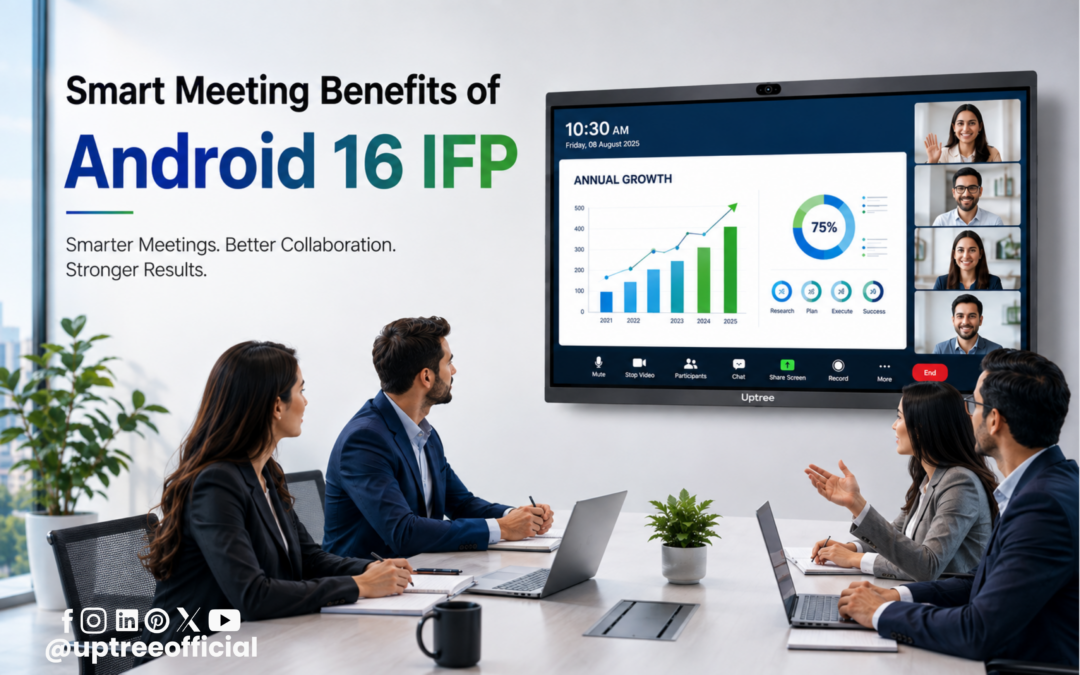
Smart Meeting Benefits of Android 16 IFP
Smart Meeting Benefits of Android 16 IFP are becoming more valuable as businesses, schools, colleges, and organizations increasingly depend on online and hybrid meetings. Traditional meeting rooms often require several separate devices, such as a computer, webcam, microphone, speakers, and display. Managing all these devices can make a simple online meeting more complicated. The Uptree Android 16 Interactive Flat Panel brings important meeting features together in one smart display, helping users create a simpler and more connected meeting environment.
Today, online meetings are a regular part of professional communication. Employees may work from different offices, customers may be in another city, and teams may include people working remotely. Because of this, organizations need meeting technology that is easy to use and supports clear communication. With its built-in camera and microphone, an Android 16 IFP can help users connect to supported online meeting platforms directly through the panel itself.
The Smart Meeting Benefits of Android 16 IFP are not limited to video calls. The panel can also be useful for presentations, screen sharing, interactive discussions, training sessions, digital whiteboarding, and team collaboration. This makes it a versatile solution for modern conference rooms and collaborative spaces.
What Is an Android 16 IFP?
Before understanding the Smart Meeting Benefits of Android 16 IFP, it is important to understand what an IFP is.
IFP stands for Interactive Flat Panel. It is a large touchscreen display designed for interactive communication, presentations, teaching, collaboration, and digital content. Unlike a traditional display, users can interact directly with the screen using touch or a compatible stylus.
An Android 16 IFP combines interactive display technology with the Android 16 operating system. This gives users access to a smart digital environment where they can use supported applications, browse content, conduct presentations, and perform different tasks.
The Uptree Android 16 Interactive Flat Panel is designed for modern educational and professional environments. Its large display provides a comfortable viewing experience for groups, while its smart features help make collaboration easier.
One of the biggest Smart Meeting Benefits of Android 16 IFP is the integration of a camera and microphone into the panel. This can reduce the need for separate video conferencing accessories.
1. Built-In Camera for Online Meetings
A built-in camera is one of the most useful Smart Meeting Benefits of Android 16 IFP.
In a traditional conference room, users may need to connect an external webcam to a computer before starting an online meeting. They may also need to adjust its position so that everyone in the room is visible.
An Android 16 IFP with a built-in camera can make this process simpler. Since the camera is integrated into the panel, users do not necessarily need to place a separate webcam on the conference table.
This can create a cleaner meeting setup and reduce the number of external devices required.
For example, imagine a company conducting a weekly meeting with employees from different locations. Team members can gather in front of the Uptree Interactive Flat Panel and use the panel’s integrated camera for the online meeting.
This is one of the practical Smart Meeting Benefits of Android 16 IFP because it can make video communication more convenient.
2. Built-In Microphone for Communication
A camera allows remote participants to see the people in the room, but clear audio is equally important.
The built-in microphone is another major feature among the Smart Meeting Benefits of Android 16 IFP. A microphone allows people in the meeting room to communicate with participants who have joined remotely.
With a built-in microphone, organizations can reduce their dependence on an external microphone for basic meeting requirements. This can make the setup cleaner and easier to manage.
For businesses, this can be useful during:
- Team meetings
- Client discussions
- Online interviews
- Training sessions
- Product presentations
- Remote consultations
- Hybrid meetings
Instead of preparing multiple accessories before every meeting, users can work with an integrated meeting setup.
The Smart Meeting Benefits of Android 16 IFP therefore include both visual and audio communication, helping create a more complete online meeting experience.
3. Join Online Meetings Directly From the Panel
Another important advantage is convenience.
In a traditional setup, a user may need to connect a laptop to a display, attach a webcam, connect a microphone, and then open the meeting software.
An Android 16 IFP can simplify this workflow by providing a smart operating environment and integrated camera and microphone.
Depending on the supported meeting application and setup, users can access their online meeting platform from the panel and participate using the built-in hardware.
This is one of the strongest Smart Meeting Benefits of Android 16 IFP for organizations that regularly conduct virtual meetings.
The goal is simple: make the meeting room easier to use.
4. No Need for a Separate Webcam
A separate webcam can take up space on the meeting table or require additional mounting equipment.
With a built-in camera, the meeting room can have a more organized appearance. The camera remains part of the panel instead of becoming another separate device that users need to manage.
This is another reason why the Smart Meeting Benefits of Android 16 IFP are useful for modern conference rooms.
A cleaner setup can also make the room look more professional when meeting with customers, business partners, or remote teams.
For organizations conducting multiple meetings every day, reducing unnecessary setup steps can save time and improve convenience.
5. Less Cable Clutter
Cables are often a problem in technology-rich meeting rooms. A computer, webcam, microphone, speakers, and display may each require different connections.
An integrated Interactive Flat Panel can help reduce some of this cable clutter.
This is another practical point among the Smart Meeting Benefits of Android 16 IFP. When key meeting features are integrated into the panel, the overall setup can become more organized.
A cleaner meeting table provides more space for laptops, notebooks, documents, and other materials required during a discussion.
It also makes the meeting room easier to maintain.
6. Large Screen for Group Meetings
One of the biggest advantages of an Interactive Flat Panel is its large display.
A laptop screen is generally designed for individual use. If several people are sitting around a conference table, it may be difficult for everyone to see small text, presentations, documents, or remote participants.
The large screen of an IFP solves this problem by providing a bigger viewing area.
This is one of the important Smart Meeting Benefits of Android 16 IFP for group discussions.
For example, a sales team can display a presentation while discussing it with a remote client. Everyone in the room can view the same content on the large screen.
Similarly, a project team can display charts, documents, images, or project information while discussing the next steps.
7. Better Presentation Experience
Online meetings often include presentations. A person may need to explain a proposal, product, business plan, report, or project update.
With an Interactive Flat Panel, the presentation can be displayed on a large screen that everyone in the room can easily view.
The touchscreen capability can also make presentations more interactive.
A presenter can interact with information directly on the screen, depending on the software and content being used.
This makes presentation flexibility another one of the Smart Meeting Benefits of Android 16 IFP.
Instead of simply displaying slides, teams can use the panel as an interactive workspace during the meeting.
8. Interactive Collaboration
Modern meetings are increasingly focused on collaboration rather than one-way communication.
People may need to write ideas, explain diagrams, highlight information, or make changes during a discussion.
The interactive touchscreen of an IFP can support these activities.
This is another important part of the Smart Meeting Benefits of Android 16 IFP. Participants can interact with digital content directly on the large display instead of relying only on a traditional keyboard and mouse.
For example, a project team can display a workflow and discuss each stage together. A presenter can highlight an important area of a diagram while explaining it to both local and remote participants.
This can make meetings more engaging and easier to understand.
9. Useful for Hybrid Meetings
Hybrid meetings include both physical and remote participants.
For example, five employees may be sitting in a conference room while three employees join from home. Without the right technology, remote participants may feel disconnected from the discussion.
The Smart Meeting Benefits of Android 16 IFP can help create a more connected hybrid meeting environment.
The built-in camera can allow remote participants to see the people in the room, while the microphone can support communication between both sides.
At the same time, the large display allows people in the room to view remote participants and shared meeting content.
This creates a single meeting environment for both physical and virtual participants.
10. Useful for Client Meetings
Client meetings require professional communication. Businesses may need to present proposals, discuss projects, show product demonstrations, or explain reports.
An Android 16 IFP can become a central part of this type of meeting.
The built-in camera and microphone support online communication, while the large interactive display can be used to present documents, images, presentations, and other content.
This is another valuable point among the Smart Meeting Benefits of Android 16 IFP.
Instead of switching between multiple devices, the meeting room can use the interactive panel as the central display and collaboration platform.
Why These Benefits Matter for Modern Organizations
The biggest advantage of the Smart Meeting Benefits of Android 16 IFP is convenience.
Technology should help people communicate rather than create additional technical challenges. When a meeting room requires too many separate devices, employees may spend time connecting cables, checking equipment, adjusting cameras, and troubleshooting audio.
An integrated Android 16 Interactive Flat Panel can simplify many of these tasks.
For Uptree, the objective is to provide technology that supports smarter communication, collaboration, and productivity. An Interactive Flat Panel can serve as more than just a screen. With integrated smart features, it can become an important part of the modern meeting room.
11. Faster Meeting Preparation
One of the practical Smart Meeting Benefits of Android 16 IFP is faster meeting preparation. Traditional conference rooms may require users to connect several devices before a meeting begins. A laptop may need to be connected to the display, while a webcam and microphone may need separate connections.
An Android 16 IFP can simplify this process by bringing important meeting functions together in one system.
Users can prepare the meeting room with fewer external devices and focus more on the actual discussion. This can be particularly helpful for companies that conduct several online meetings throughout the day.
For example, a team may have an internal meeting in the morning, a client presentation in the afternoon, and an online training session later in the day. A simplified setup can make it easier to switch between these activities.
This makes faster meeting preparation one of the important Smart Meeting Benefits of Android 16 IFP for busy workplaces.
12. Reduces Dependence on External Accessories
Another major advantage is reduced dependence on external meeting accessories.
A conventional online meeting setup may require:
- External webcam
- External microphone
- Computer or laptop
- Separate display
- Multiple cables
- Additional adapters
The integrated design of an Android 16 IFP can reduce the need for some of these devices.
The built-in camera and microphone are especially useful because they are already part of the interactive panel. This can make the meeting room more organized and easier to operate.
The Smart Meeting Benefits of Android 16 IFP therefore include a simpler technology environment with fewer separate components to manage.
13. Better Use of Conference Room Space
Conference rooms need to remain comfortable and organized. When a table is filled with laptops, webcams, microphones, cables, and other accessories, participants may have less space to work.
An Interactive Flat Panel can help create a cleaner setup by acting as a central display for meetings and presentations.
The large screen can be mounted on a wall or installed using a suitable stand, depending on the room requirements. The built-in camera and microphone can further reduce the need for additional equipment.
This is another useful aspect of the Smart Meeting Benefits of Android 16 IFP.
A more organized room can make it easier for participants to focus on the meeting rather than the equipment.
14. Supports Team Collaboration
Meetings are often used to solve problems and make decisions as a team.
For example, a marketing team may need to discuss a campaign, a sales team may review targets, or a project team may plan upcoming activities.
An interactive display can make these discussions more visual and collaborative.
Participants can display documents, presentations, diagrams, charts, or other information on the large screen. Depending on the software being used, they can also interact with the content directly.
This collaborative capability is one of the valuable Smart Meeting Benefits of Android 16 IFP.
Instead of one person controlling the entire meeting from a laptop, participants can engage with the information displayed on the panel.
15. Useful for Online Training
Online training has become common in businesses and educational organizations.
Companies may need to train employees working in different locations. Trainers can conduct sessions with participants joining remotely, while employees in the office can attend together in a conference or training room.
The Smart Meeting Benefits of Android 16 IFP make the panel useful for these types of sessions.
The built-in camera can help remote participants see the trainer and people in the room. The built-in microphone can support communication. The large display can be used for presentations, training videos, documents, and other learning materials.
This makes the Android 16 IFP a useful solution for training rooms and corporate learning environments.
16. Helpful for Educational Institutions
The benefits of an Interactive Flat Panel are not limited to corporate offices.
Schools, colleges, universities, coaching centers, and training institutes can also use the Smart Meeting Benefits of Android 16 IFP.
Educational institutions increasingly use online communication for guest lectures, remote classes, faculty meetings, workshops, and collaboration with experts.
With an integrated camera and microphone, teachers and staff can connect with people who are not physically present.
For example, a college can invite an expert from another city to conduct a virtual session. Students can gather in a classroom while the guest speaker joins online.
The large interactive display allows students to see the speaker and shared learning material more comfortably.
17. Better Experience for Remote Participants
A good online meeting should work for both people in the room and people joining remotely.
In a traditional setup, a poorly positioned webcam may show only a few people. A weak microphone may make conversations difficult to hear.
A properly configured Interactive Flat Panel with an integrated camera and microphone can provide a more convenient meeting arrangement.
This is one of the important Smart Meeting Benefits of Android 16 IFP for hybrid teams.
Remote employees can participate in discussions while people sitting in the conference room can communicate with them through the panel.
The goal is to make remote participants feel like active members of the meeting rather than people simply watching from a screen.
18. Supports Professional Client Communication
Client meetings often require a combination of communication and presentation.
A business may need to discuss a proposal while showing slides, demonstrate a product, review project information, or explain data.
The Android 16 IFP can support these activities from one central display.
This is another important benefit among the Smart Meeting Benefits of Android 16 IFP.
The large screen creates a professional environment for presentations, while the built-in camera and microphone support online communication.
This can be particularly useful for companies that regularly conduct meetings with customers located in different cities or countries.
19. Makes Presentations More Interactive
Traditional presentations often involve one person standing near a screen and explaining slides.
An Interactive Flat Panel can make this process more engaging because the presenter can interact directly with the screen.
For example, during a business presentation, the presenter can display a graph and explain specific information while interacting with the content. During a training session, the trainer can highlight important information on the screen.
This interactive capability adds significant value to the Smart Meeting Benefits of Android 16 IFP.
The meeting becomes more than just a video call. It becomes a collaborative digital workspace.
20. Convenient for Quick Discussions
Not every meeting is a large presentation.
Sometimes a team simply needs to discuss an issue for ten or fifteen minutes. In such situations, complicated equipment can become inconvenient.
An integrated Android 16 IFP can provide a convenient meeting point for these quick discussions.
Team members can gather in front of the panel, connect with remote colleagues, and discuss the topic using the large display.
This everyday convenience is another one of the Smart Meeting Benefits of Android 16 IFP.
21. Supports Digital Whiteboarding
Digital whiteboarding is useful when teams need to brainstorm ideas.
A team can use the interactive screen to write notes, draw diagrams, explain processes, and organize ideas.
For example, a product development team can brainstorm new product ideas on the digital screen during a meeting. A remote participant can take part in the discussion through the online meeting platform.
This combines physical interaction with virtual collaboration.
Therefore, digital whiteboarding is another important feature to consider when discussing the Smart Meeting Benefits of Android 16 IFP.
22. Helps Explain Complex Information
Some information is difficult to explain using only words.
Charts, diagrams, workflows, product designs, and business processes are often easier to understand visually.
The large interactive screen of an IFP allows presenters to display such information clearly.
During an online meeting, participants can use the screen to explain an idea to both people sitting in the room and remote participants.
This makes visual communication another valuable part of the Smart Meeting Benefits of Android 16 IFP.
23. Supports Multiple Meeting Scenarios
A modern meeting room should be flexible.
The same room may be used for:
- Video conferences
- Client meetings
- Team discussions
- Presentations
- Training sessions
- Interviews
- Workshops
- Brainstorming
- Online classes
- Product demonstrations
An Android 16 Interactive Flat Panel can support many of these activities.
This versatility is one of the biggest Smart Meeting Benefits of Android 16 IFP because organizations do not have to limit the panel to one specific purpose.
24. Creates a Modern Meeting Environment
Technology plays an important role in how organizations present themselves.
A modern conference room equipped with an Interactive Flat Panel can create a professional and technology-friendly environment.
When clients or business partners join a meeting, an integrated interactive display can provide a more organized experience.
The Smart Meeting Benefits of Android 16 IFP therefore include not only functionality but also the ability to modernize the meeting environment.
25. Supports Hybrid Work Culture
Hybrid work has created new communication requirements for businesses.
Some employees may work from the office while others work from home. Teams need technology that allows everyone to participate.
An Android 16 IFP can support this hybrid environment through its built-in meeting features and large interactive display.
This makes hybrid communication one of the most relevant Smart Meeting Benefits of Android 16 IFP for today’s organizations.
The panel can help bring office-based and remote employees together in one virtual meeting space.
Why Choose Uptree Android 16 IFP?
At Uptree, we focus on providing smart technology solutions designed around the practical needs of modern organizations.
The Uptree Android 16 Interactive Flat Panel combines interactive display technology with smart features that can support meetings, collaboration, presentations, training, and digital communication.
Its built-in camera and microphone can make online meetings more convenient by reducing the need for separate meeting accessories.
The large interactive display can also be used for presentations, digital whiteboarding, content sharing, and collaborative activities.
For offices, schools, colleges, training centers, and other institutions, the Smart Meeting Benefits of Android 16 IFP can help create a more flexible and connected environment.
Conclusion
The Smart Meeting Benefits of Android 16 IFP make it a practical choice for organizations looking to modernize their meeting rooms.
From the built-in camera and microphone to the large interactive touchscreen, an Android 16 IFP can bring several important meeting functions together in one smart solution.
The Smart Meeting Benefits of Android 16 IFP include easier online meetings, reduced dependence on external accessories, faster setup, better presentations, improved collaboration, hybrid meeting support, and a cleaner meeting environment.
For businesses, the panel can be used for client meetings, team discussions, online training, presentations, and remote collaboration. For educational institutions, it can support virtual lectures, workshops, faculty meetings, guest sessions, and interactive learning.
The most important advantage is convenience. Instead of managing several separate devices, organizations can use an integrated interactive panel as a central part of their communication and collaboration setup.
With the Uptree Android 16 Interactive Flat Panel, organizations can take a step toward smarter, more connected, and more interactive meeting spaces.
To learn more about the Uptree Digital Standee, explore our related blogs:
-
Top 10 High-Quality Digital Standee Features: Read More
-
Difference Between a Wall Mount Standee and a Smart TV: Read More
-
Turn Diners into Engaged Customers with Digital Standee: Read More